Manage cookies that are used for advertising, such as ad personalization, remarketing, and ad effectiveness analysis.
2025-10-16
When you need to implement a search by product name on a website, the standard LIKESearching in MySQL quickly becomes a bottleneck—it works slowly and often misses the desired results.
To solve this problem, the company «Hosting Ukraine» We use Manticore Search—a fast and lightweight full-text search system. It is important to understand that Manticore Search does not replace MySQL, but rather complements it, speeding up text data searches and improving the relevance of results.
Why Manticore Search?
🚀 Speed
Manticore Search can process tens of millions of documents in a fraction of a second. We tested the system on 31 million documents (approximately 488 GB of data from the 2021 court decisions registry).–2025). The index size was 187 GB, and searching it is instantaneous — where a regular SQL query would take minutes.
This makes it possible to implement real-time suggestions—results appear as the user types.
🎯 Relevance
Manticore returns documents sorted by relevance. This means that the most accurate matches will be at the top of the list. Developers don't need to write complex formulas for sorting — everything works out of the box.
Should Manticore be used for small bases?
Yes! Even if you only have a few thousand records, using Manticore is justified if searches are performed frequently and speed is important. The index takes up little space and updates quickly.
Sphinx vs Manticore Search
Manticore Search is an evolution of the previously popular Sphinx system. The main advantage of Manticore is the ability to modify the index without completely reindexing the data. This is especially useful when the data volume is large and it is important to minimize the time required to update the indexes.
Creating a table in Manticore Search
The Manticore control panel has a convenient interface for creating tables. You can specify storage parameters for each field:
- Indexed — a full-text index is built on the field.
- Stored — data is stored in a table.
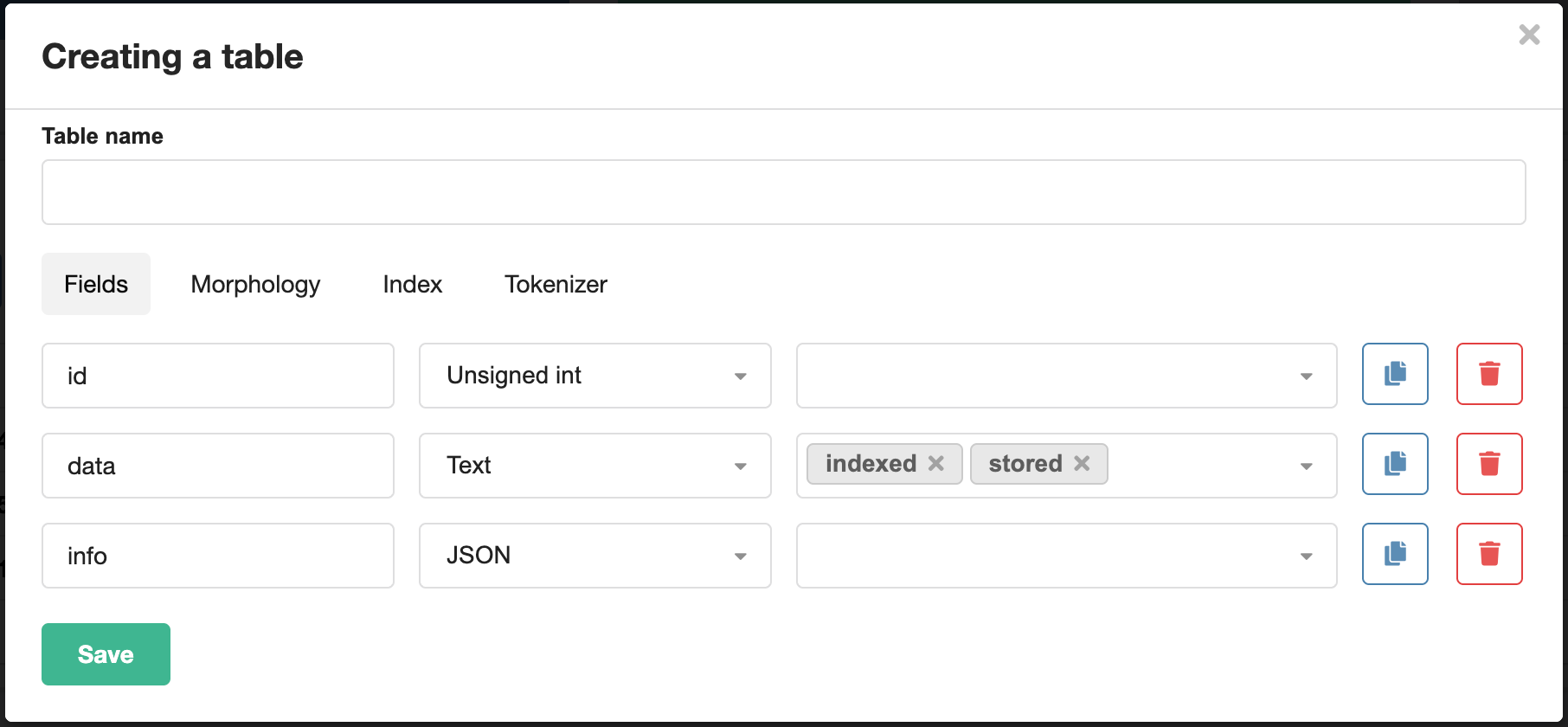
Creating a RealTime table in Manticore Search
Example of configuration
If the data is stored in MySQL and Manticore is only used for searching, it is sufficient to check the field text as Indexed, and remove Stored.
This approach offers two advantages:
- Space saving — only the index is stored.
- Faster indexing means less data is written to disk.
In our test, we did not store 488 GB of data, but only the index (187 GB). When searching, Manticore returns document IDs, and MySQL quickly finds the documents themselves using the primary key.
If there is not much data, you can store text as well, so that results can be returned without additional queries to MySQL.
Quick start
To get started with Manticore Search, follow these steps:
- Create a table with the desired structure via the control panel. For text fields, the type
textautomatically addsstoredandindexed. - Connect to Manticore as you would to MySQL—no login or password required. Access is restricted to IP addresses specified in the control panel.
- Insert data using the command
REPLACE, but notINSERTorUPDATE. This is important: whenUPDATEThe index is not updated. - Perform a search query—you can test it both from a script and from the panel interface.
SELECT *, WEIGHT()
FROM table
WHERE MATCH('test')
ORDER BY WEIGHT() DESC
LIMIT 100
Minimum length of the search term
By default, words with a length of 3+ characters are indexed.
This is controlled by the parameter min_word_len. If users frequently search for short terms such as MX, NS, UI, reduce the value of this parameter to 2.
Prefixes (min_prefix_len)
Defines the minimum part of a word by which it will be found.
For example, when min_prefix_len=3 words «server» and «service» will be found upon request «ser».
Infixes (min_infix_len)
Allows you to search for words even if the input does not start with the first letter. This is useful, for example, when searching by product items. The optimal values are 2 or 3 characters. Use only when necessary, as it increases the index size and slows down indexing.
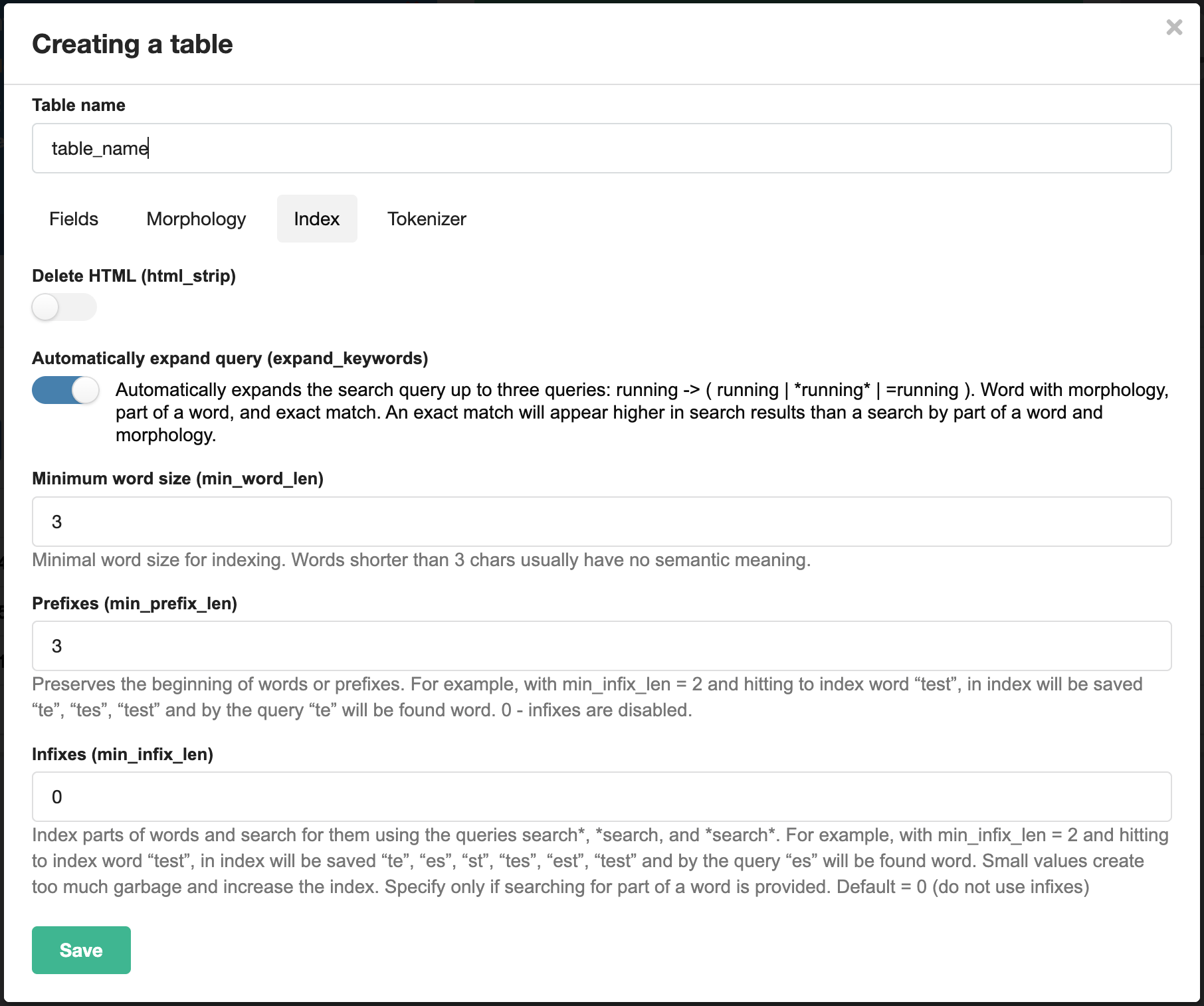
Configuring ManticoreSearch indexing parameters
Search by product codes
If the items contain periods, dashes, and other special characters, you need to configure indexing:
- add these characters to
blend_chars; - remove them from
charset_table; - activate
blend_mode, specifying the rules for processing such characters.
Example: searching by IP addresses
Default IP 185.39.224.1 is broken down into separate words 185 39 224 1. To index the entire address, you need to add . in blend_chars and install blend_mode=trim_both. After that, the IP search works correctly.
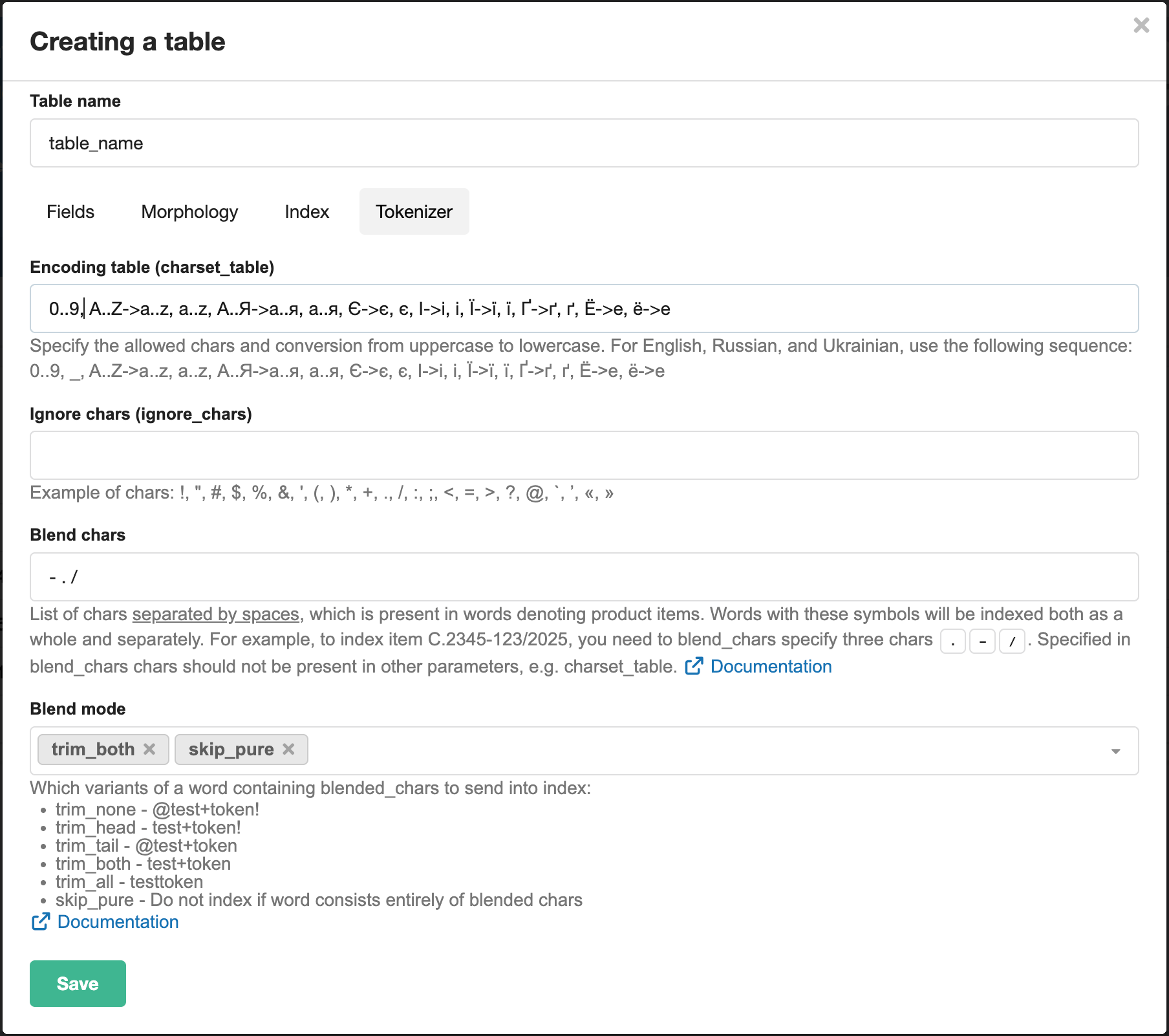
Configuring the Manticore Search tokenizer for searching by item numbers
Changing table settings
Changing the table settings requires its complete recreation. This is because changing the indexing algorithm does not update existing indexes. After changing the configuration, you must reload all data.
Results
Manticore Search is a powerful full-text search tool that:
- easily integrates with MySQL
- provides instant search across large and small amounts of data
- flexibly adapts to the needs of a specific project.
If you often encounter slow searches in MySQL, try Manticore. Start with simple settings, then gradually complicate the configuration as your tasks grow.