🗓 Online booking to WebMail.Online calendar
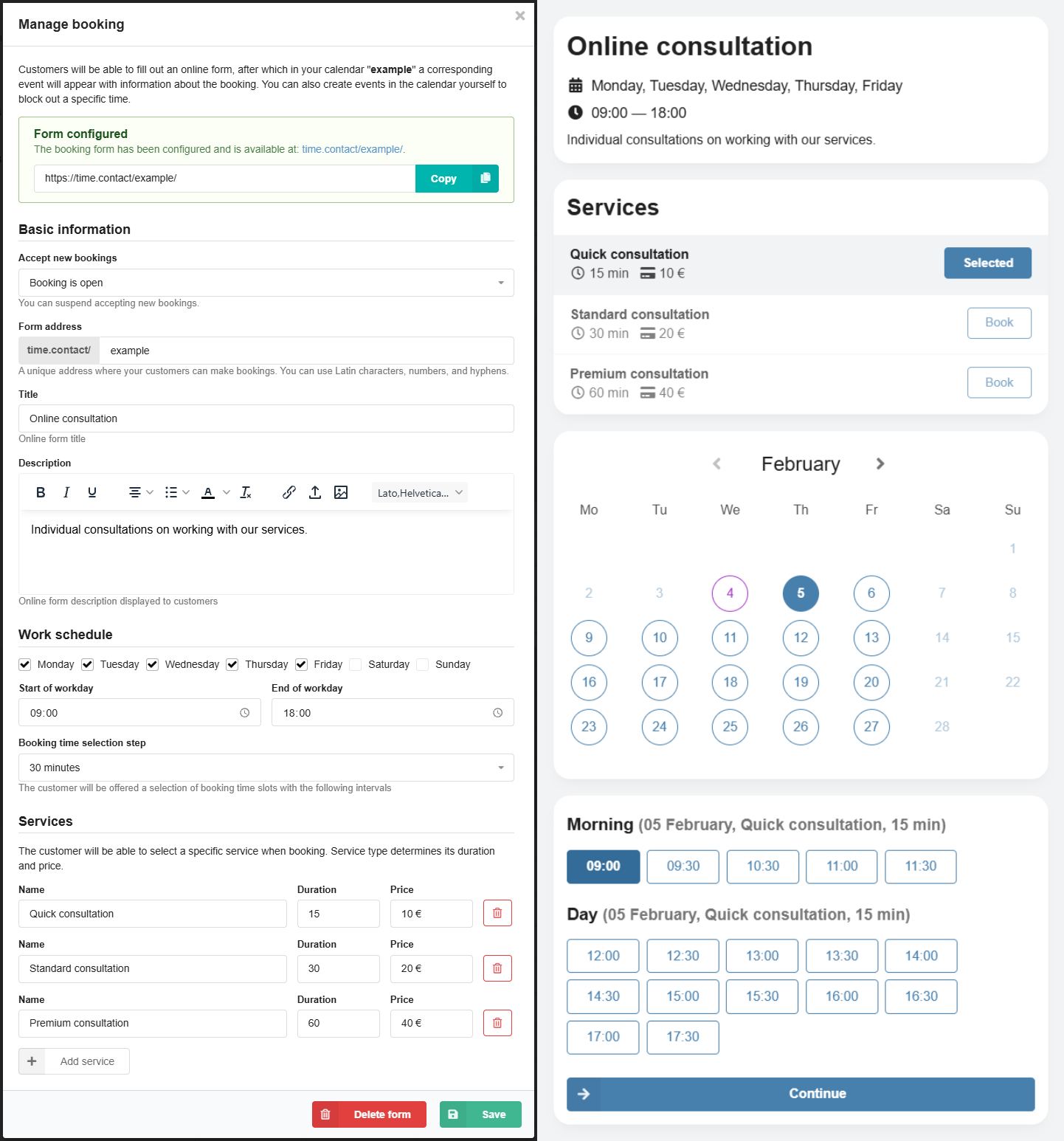
For corporate mail, added the ability to create online forms for automated adding events to the WebMail.Online calendar.
How it works:
1️⃣ You configure an online form for the calendar: select an available address in the time.contact domain, specify the form name and description, select the work schedule, and add your services.
2️⃣ After configuring the form, you will get a public link to it.
3️⃣ Provide the link to your clients.
4️⃣ Customers follow the link and fill out the form: select the service, date, time, and enter their details (available times are suggested considering events in the calendar).
5️⃣After submitting the form, an event based on the data from the form automatically appears in your calendar.
With online booking, you can organize meetings, consultations, and appointments for clients at beauty salons, barbershops, etc.
Detailed information about working with calendars and tasks is available in our wiki.