WebAuthn for corporate mail
2024-11-07
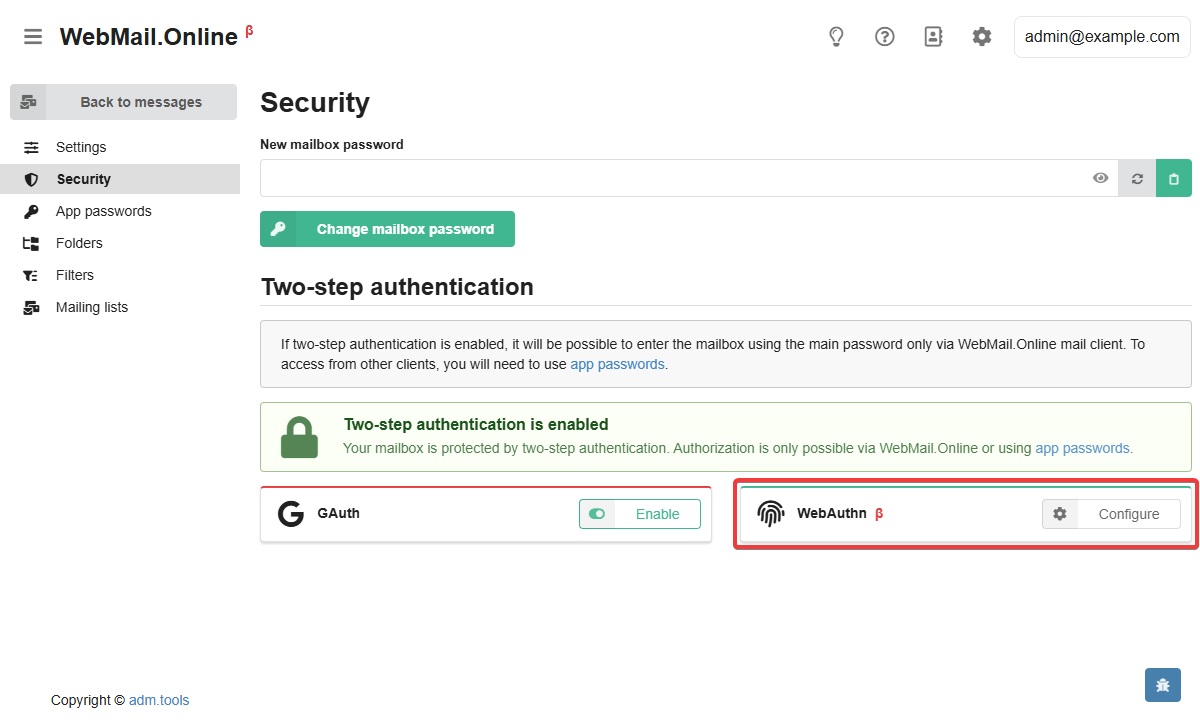
For corporate mail, added WebAuthn support when accessing a mailbox via WebMail.Online.
With WebAuthn you can generate special passkeys for each mailbox. These keys are stored on specific devices or in the used password manager (e.g. Bitwarden).
WebAuthn can be used:
- As a two-step authentication — after entering login and main password, confirm login with passkey.
- To log in without login and password — instead of entering them, you can authorize immediately by passkey (disabled by default, enabled when configuring WebAuthn).
After enabling WebAuthn:
- WebMail.Online will only be accessible with an passkey.
- It is no longer possible to log in to the mailbox without login and password via control panel (the mail domain administrator will have access only to the button to reset two-step authentication with sending a corresponding notification to the mailbox).
- Logging into WebMail classic, connecting to the mailbox using third-party mail clients (Thunderbird, Outlook, etc.) or scripts — will be possible only using app passwords (configured separately).
In this way, you can protect the mailbox from unauthorized access and control the devices from which it can be accessed.
Detailed information about setting up two-step authentication for a mailbox is available in our wiki.