Manage cookies that are used for advertising, such as ad personalization, remarketing, and ad effectiveness analysis.
8.1.5. Cloud service plan change
Notes:
- PostgreSQL version does not change (it is set only when ordering).
- For RabbitMQ, the disk space in the new plan must be at least 10% larger than what is currently used.
flowchart LR
current@{ shape: stadium, label: "☁️ Current plan" }
subgraph "Manual plan change"
upgrade@{ shape: rect, label: "↗️ Plan upgrade" }
downgrade@{ shape: rect, label: "↘️ Plan downgrade" }
end
subgraph "Automatic plan upgrade"
disk_95@{ shape: rounded, label: "🔔 Notification" }
disk_100@{ shape: rounded, label: "‼️ Notification
with warning" } upgrade_auto@{ shape: rect, label: "↗️ Plan upgrade" } end new@{ shape: stadium, label: "✔️ New plan" } current-->|No limitations|upgrade current-->|No more than once a day|downgrade upgrade-->new downgrade-->new current-->|Disk is
95% full|disk_95 disk_95-->|Disk is
100% full|disk_100 disk_100-->|Disk is 100% full
for 3 days|upgrade_auto upgrade_auto-->new
with warning" } upgrade_auto@{ shape: rect, label: "↗️ Plan upgrade" } end new@{ shape: stadium, label: "✔️ New plan" } current-->|No limitations|upgrade current-->|No more than once a day|downgrade upgrade-->new downgrade-->new current-->|Disk is
95% full|disk_95 disk_95-->|Disk is
100% full|disk_100 disk_100-->|Disk is 100% full
for 3 days|upgrade_auto upgrade_auto-->new
Manual plan change
Important points:
- Plan can be changed in any direction.
- You can downgrade the plan not more than once a day, upgrade — without limitation.
- When downgrading the plan, the data in the instance must occupy no more space than is available in the target plan. If it occupies more, you should delete unnecessary data and reduce the capacity.
You can change the plan for any of the cloud services:
- Open the section with your cloud service ("MySQL", "PostgreSQL", "ClickHouse", "Redis", "RabbitMQ", "Manticore Search", "OpenSearch").
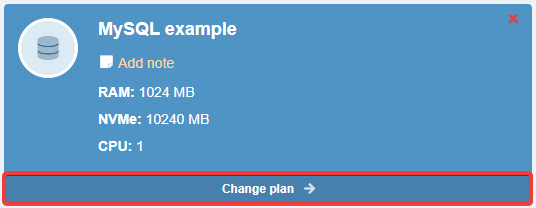
- In the block with the name of the instance, click "Change plan":
- Select the new plan and click "Change".
Automatic plan upgrade
Important points:
- The plan can only be upgraded.
- You can downgrade the plan only manually.
- The automatic plan upgrade cannot be disabled.
For all cloud services except Redis, the plan automatically upgrades if disk space is 100% full for 3 consecutive days:
- When 95% is reached, a notification is sent to your email and to your connected messengers.
- When 100% is reached, a notification is sent warning that the plan will automatically upgrade in 3 days.
- If disk usage does not drop below 100% within 3 days, the service plan will be automatically upgraded.
The reason for using automatic plan upgrades is that a lack of free disk space can often cause databases in an instance to fail. After that, even if you manually upgrade the plan and increase disk space, the databases may not start working, and you'll have to spend a lot of time restoring them. Additionally, sites that use these databases will also be down during this time, resulting in unnecessary costs for their owners.
Since cloud services are paid daily, the plan upgrade will not be as expensive compared to other costs that may be required to restore broken databases. For example, if an administrator's hourly rate is 8 €, restoration work could cost anywhere from 10 € to 60 €, which is significantly higher than the cost of temporarily switching to a higher plan.
The optimal course of action in this case is as follows — if the system has triggered and automatically upgraded your plan, simply free up some disk space and manually downgrade your plan.