Manage cookies that are used for advertising, such as ad personalization, remarketing, and ad effectiveness analysis.
8.3.13. PostgreSQL backups
Working with backups is performed in the "PostgreSQL" section on the "Backups" tab: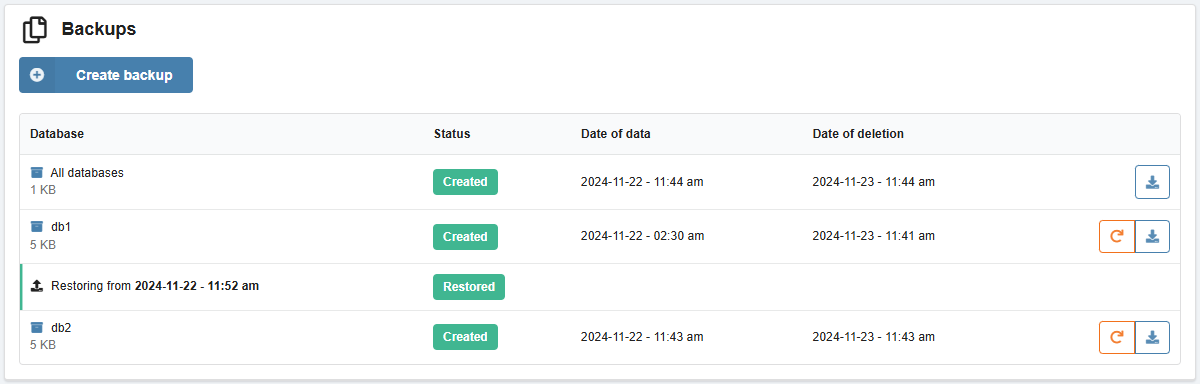
Automatic backups
timeline
1st day of current month : Databases
...
-6 days : Databases
... : Databases
Current date : Databases : All databases
- Created every night.
- Stored for last 7 days (including the current day) and first day of the current month.
- Placed on a separate server and do not use space in the instance.
Create
Important points:
- Created backups are stored for 1 day. We recommend downloading them to yourself immediately after creating them.
- You can create no more than 5 backups per day.
Backups can be created based on the current contents of the database or for a past date for which automatic backups are available.
- Click "Create backup".
- Select the database, the backup date ( for all databases you can only select the current date) and click "Create".
As a result, an archive with a database dump in SQL format will be generated, which can be downloaded or restored (a backup copy of all databases can only be downloaded). The resulting dump can be imported in the usual way if necessary.
Restore
Databases can be restored from a backup. When restoring, the current contents are replaced with the data from the backup.
- Create a backup copy of the database to be restored (if not created).
- In the row with the backup, click the restore button and confirm the operation.
For each backup, a history of restore requests is displayed.