Manage cookies that are used for advertising, such as ad personalization, remarketing, and ad effectiveness analysis.
9.10. Site protection filters
If access is denied, error 403 is returned.
Blacklist
In the "Blacklist" section you can manage the list of IP addresses that are restricted from accessing the site:
The "Block IP" button at the top of the page adds the address to the blacklist.
In the list:
- The button to the right of the IP address allows you to add a note for it.
- Address unblocking is performed with the 🔓 button in the row with IP address.
Whitelist
In the "Whitelist" section, you can manage the list of IP addresses that are allowed to access the site:
The "Add IP" button at the top of the page adds the address to the whitelist.
In the list:
- The button to the right of the IP address allows you to add a note for it.
- The address is deleted by pressing 🗑 button in the row with IP address.
If the "Allow access only from specified IPs" option is enabled, only the whitelist is in effect and any other addresses will be denied access.
Filter by country
In the "Filter by country" section you can manage the list of countries from which you are allowed to access the site: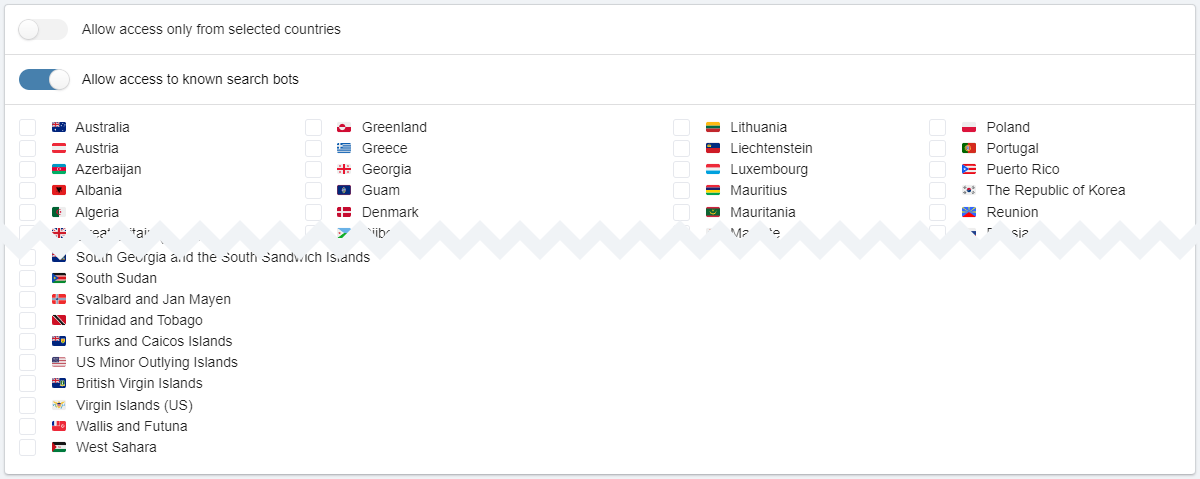
The "Allow access to known search bots" button controls access to the site for known search bots.
If access for a certain country is denied, visitors from that country will only be allowed if their IP address is explicitly listed in the whitelist.