Manage cookies that are used for advertising, such as ad personalization, remarketing, and ad effectiveness analysis.
2.8.27. Own php.ini
General information
There are two ways to manage PHP settings:
- Via control panel — in this case php.ini file is generated automatically based on the specified settings. Recommended method, suitable for most users.
- By manually editing php.ini. Suitable for advanced users to change settings not available in the control panel.
You can switch between methods: enabling own php.ini blocks managing settings in the control panel, disabling it returns managing settings via the control panel.
Specifics of use
- Automatic CMS installation. During the auto-installation process, a list of PHP parameters will be displayed, which will be modified in the own php.ini. Existing parameters will be commented out when changes are made.
- PHP profiling. Using own php.ini does not interfere with PHP profiling. When profiling is enabled, the profiler extension is automatically connected and
auto_prepend_fileis added. - OPcache and JIT. Values of
opcache.enable,opcache.revalidate_freq,opcache.memory_consumption,opcache.jit,opcache.jit_buffer_sizein own php.ini are automatically overwritten based on the current OPCache and JIT settings in the control panel. If you try to addopcache.enablewithout the extra service ordered, the value will automatically change toOff. - Log paths. The
mail.loganderror_logvalues cannot be changed. If you try to change them, they will be automatically overwritten.
Enable
Notes:
- Own php.ini is generated based on the current PHP settings.
- List of php.ini parameters see in the official PHP documentation.
- Open the "PHP settings" section and switch to the "Own php.ini" tab.
- Click "Switch to own php.ini":

- Confirm the operation with the button in the window.
- At the bottom of the page, click "Save":
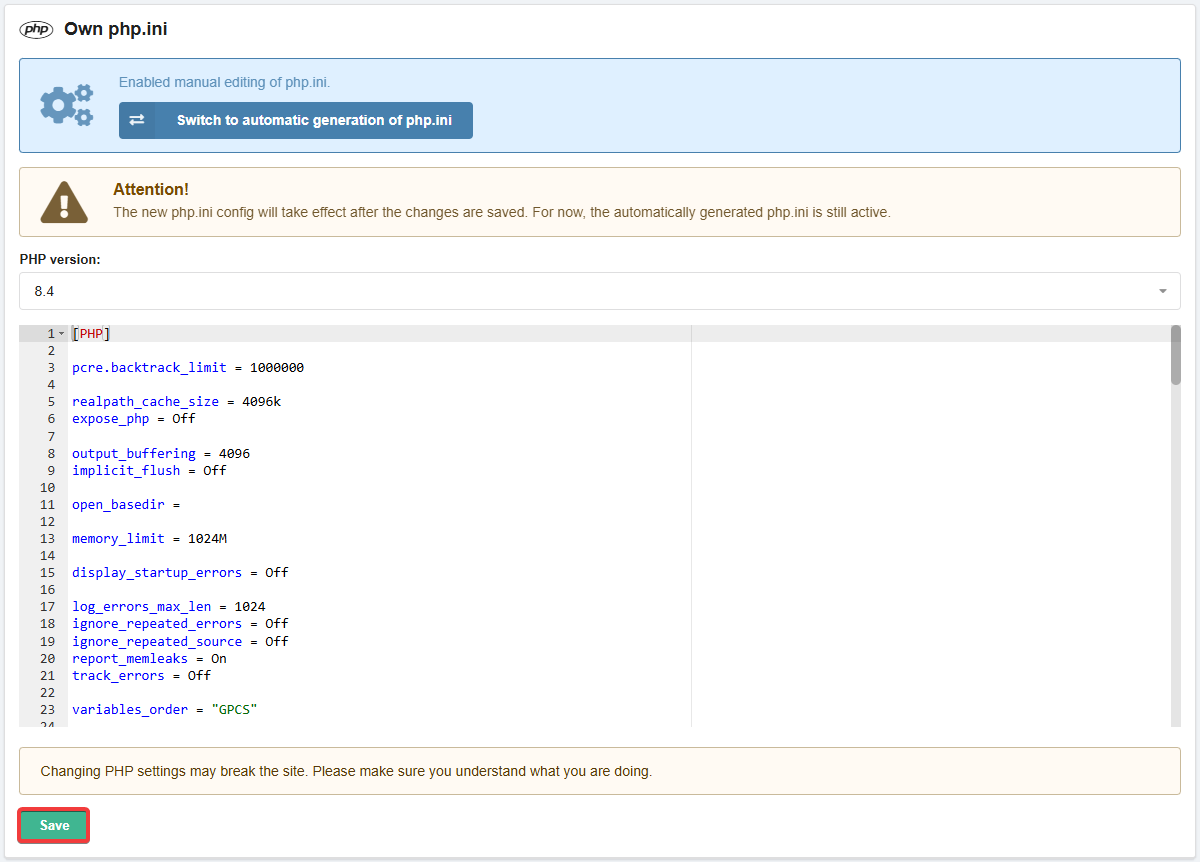
Disable
- Open the "PHP settings" section and switch to the "Own php.ini" tab.
- Click "Switch to automatic generation of php.ini":

- Confirm the operation with the button in the window.
(1)