Manage cookies that are used for advertising, such as ad personalization, remarketing, and ad effectiveness analysis.
2.15.1.4. View SSL certificate information
You can view information about the SSL certificate in the "SSL settings" section. With the certificate installed, the section looks like this: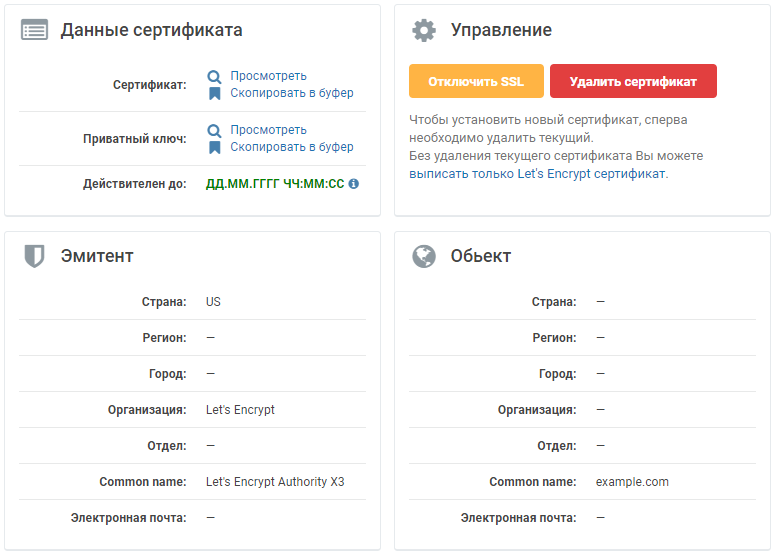
- "Certificate data" — in this block, you can:
- View and copy the certificate and private key to the clipboard.
- Find out the certificate's expiration date.
- "Management" — in this block, you can:
- Temporarily disable SSL.
- Delete the current certificate.
- Submit a request for a free certificate from Let's Encrypt without deleting the current one.
- "Issuer" — the entity that issued the certificate.
- "Object" — for what the certificate was issued.
You can view detailed information and check the validity of the certificate using specialized services: