Manage cookies that are used for advertising, such as ad personalization, remarketing, and ad effectiveness analysis.
4.3.9.7. Set up Betterbird mail client
Betterbird is a free mail client for devices with Windows, macOS, and Linux operating systems, a fork of the Thunderbird mail client. It has more features than the original Thunderbird.
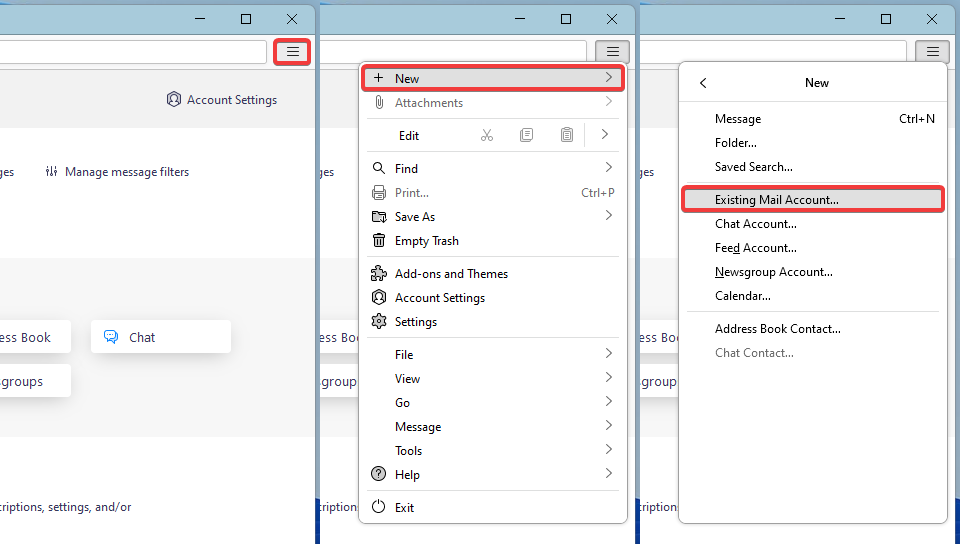
- In the app's main menu, select "New → Existing Mail Account":
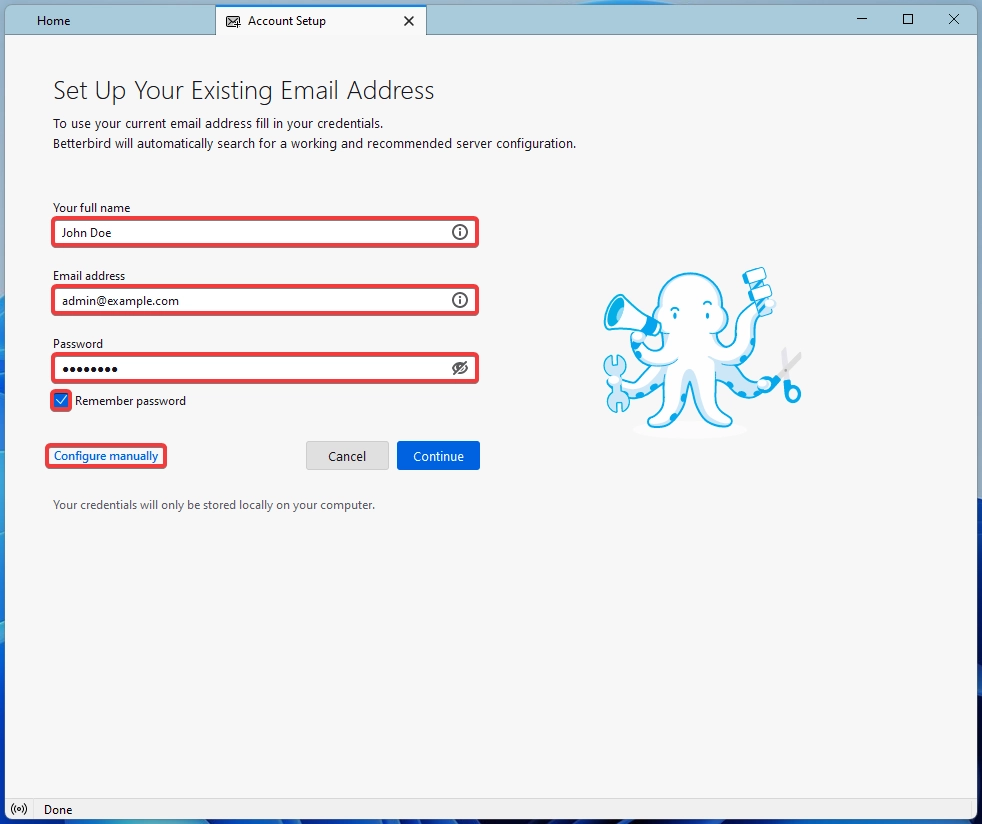
- Enter your name, mailbox name and password and click "Configure manually":
- Specify the connection settings and click "Re-test", then "Done":
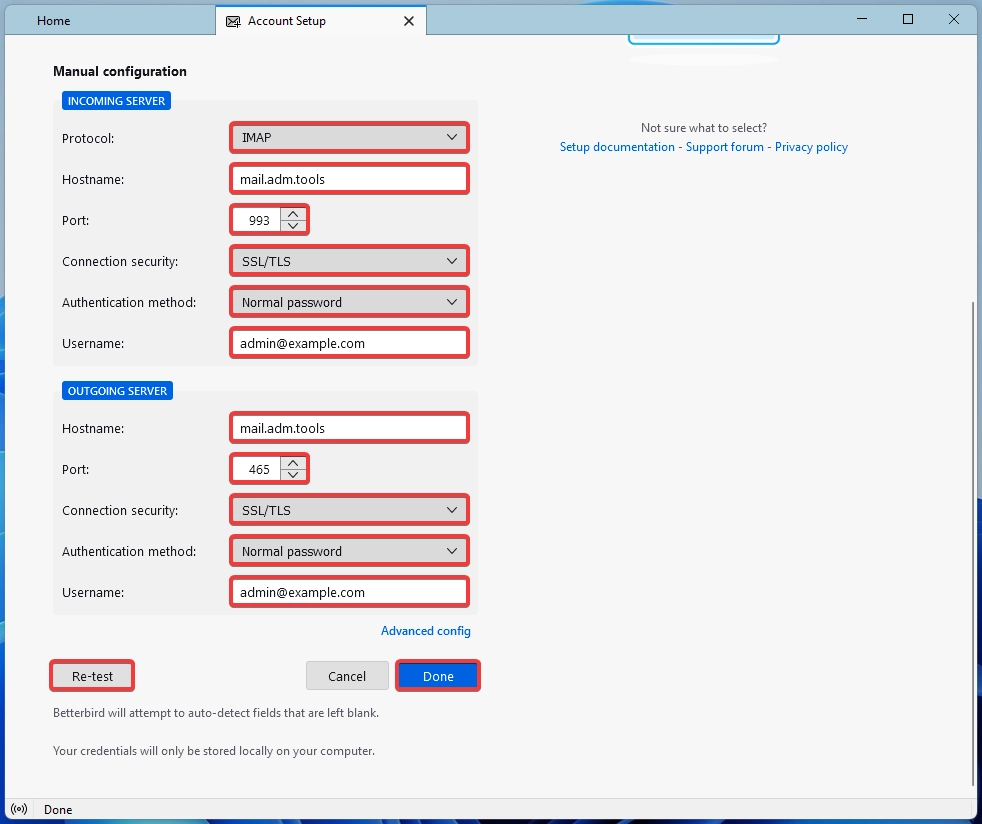
- Incoming mail server:
- "Protocol" — "IMAP".
- "Hostname" —
mail.adm.tools. - "Port" —
993. - "Connection security" — "SSL/TLS".
- "Authentication method" — "Normal password".
- "Username" — mailbox name.
- Outgoing mail server:
- "Hostname" —
mail.adm.tools. - "Port" —
465. - "Connection security" — "SSL/TLS".
- "Authentication method" — "Normal password".
- "Username" — mailbox name.
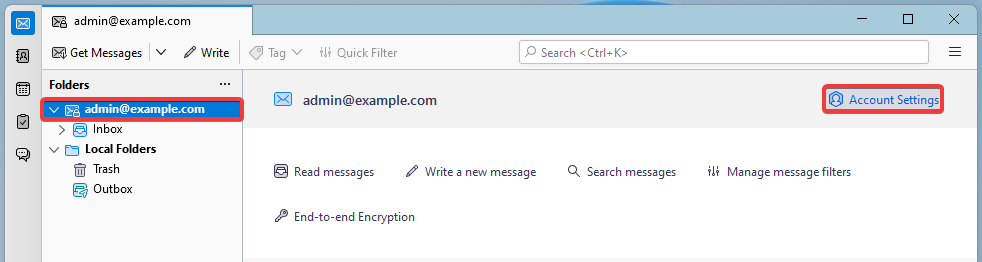
- In the main window, select the added account from the list of folders and click "Account Settings":
- In the "Server Settings" section, click "Advanced":
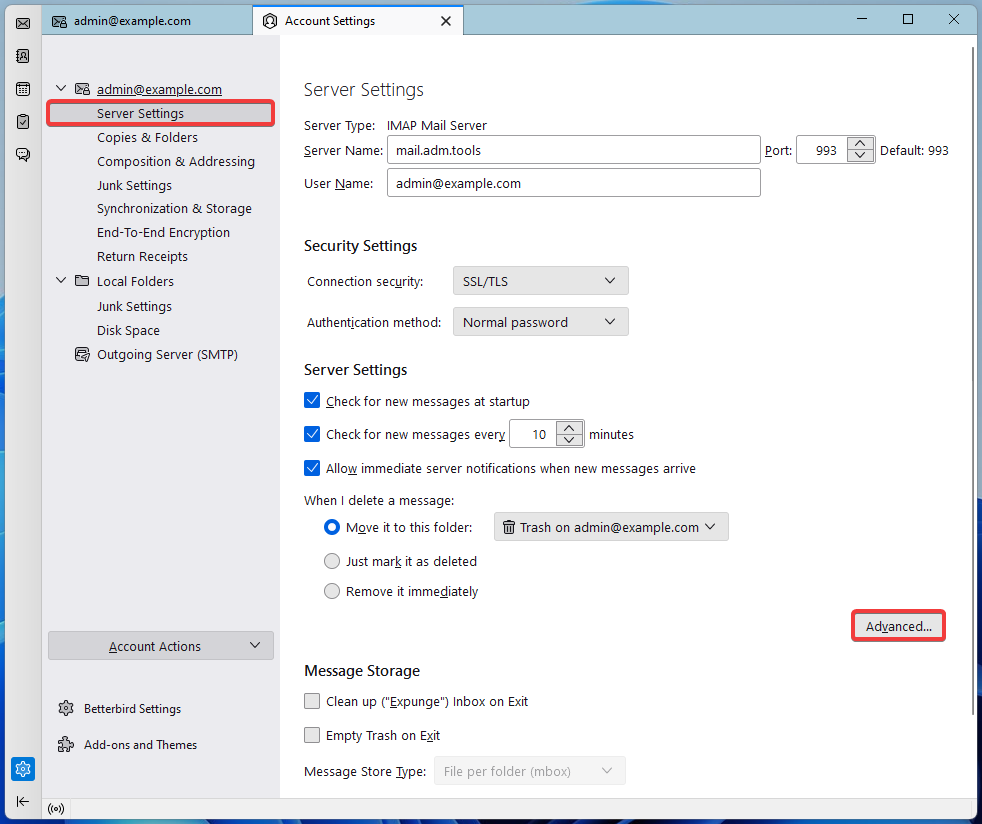
- In the "IMAP server directory" field, enter
INBOX.(with a dot) and click "OK":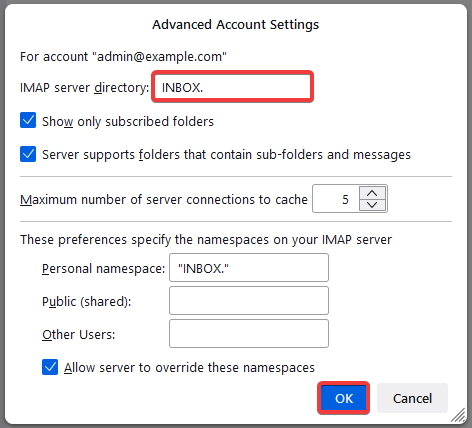
- Restart the app and check the mail operation.
(1)