Manage cookies that are used for advertising, such as ad personalization, remarketing, and ad effectiveness analysis.
4.3.9.8. Set up BlueMail mail client
BlueMail is a mail client for devices running Windows, macOS, Linux, Android, and iOS. Basic features are available for free, with advanced features available via subscription.
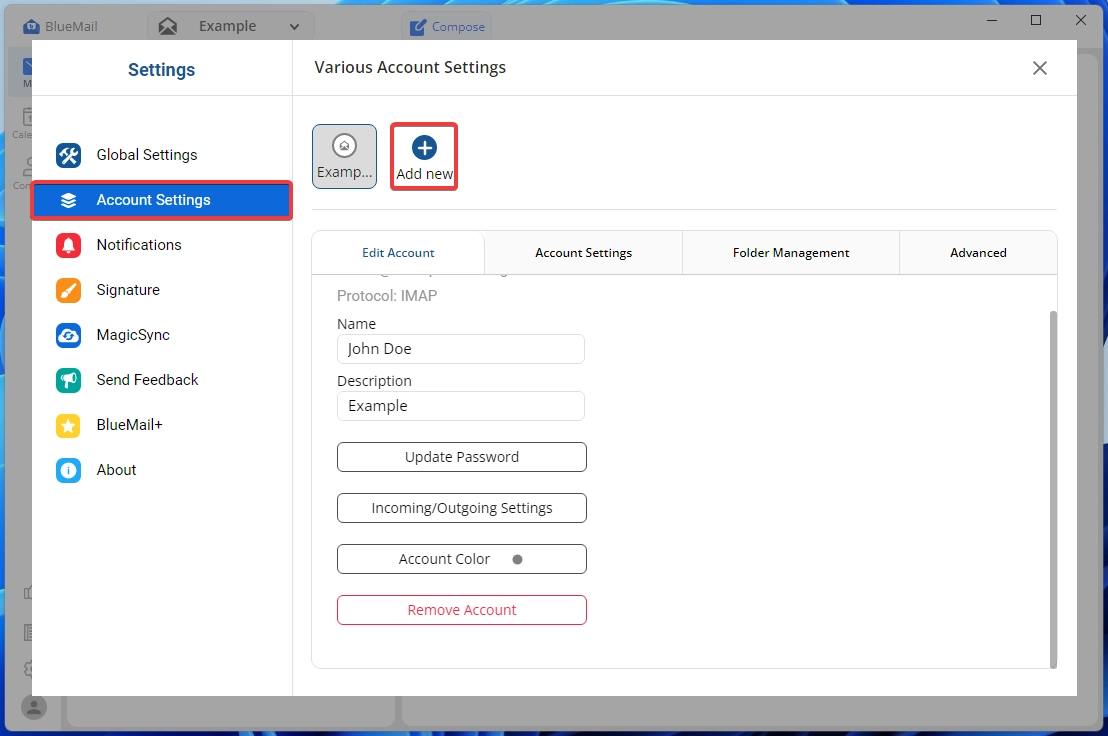
- (Skip this step on first launch) Open BlueMail settings and in the "Account Settings" section, click "Add new":
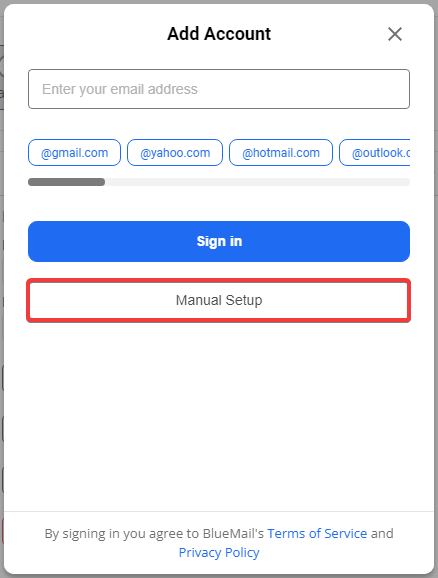
- Click "Manual Setup":
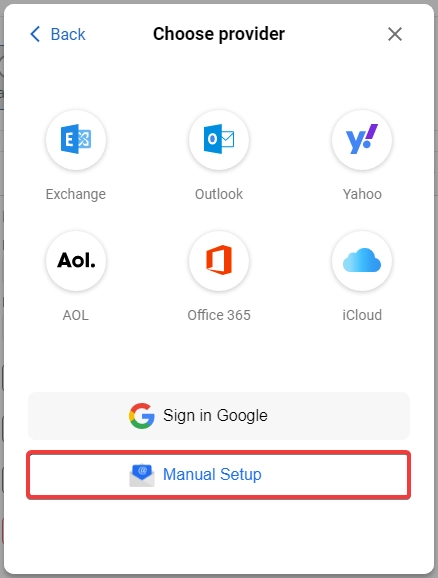
- Click "Manual Setup":
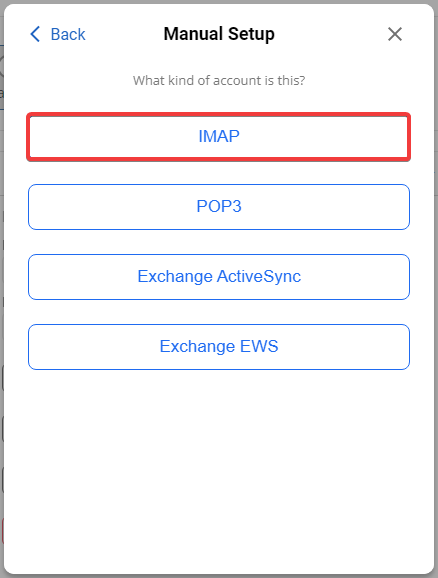
- Click "IMAP":
- Specify the incoming mail settings and click "Next":
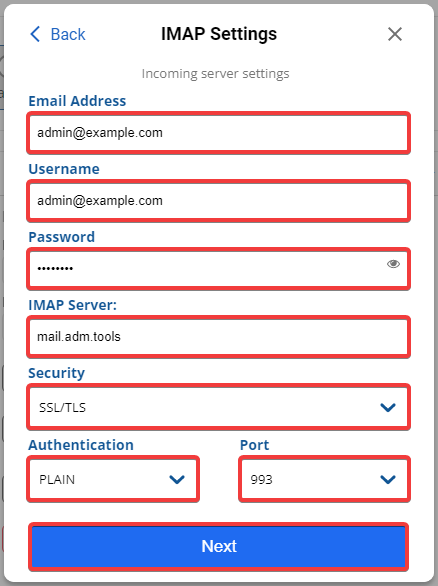
- "Email Address" and "Username" — mailbox name.
- "Password" — mailbox password.
- "IMAP Server" —
mail.adm.tools. - "Security" — "SSL/TLS".
- "Authentication" — "PLAIN".
- "Port" — "993".
- Specify the outgoing mail settings and click "Next":
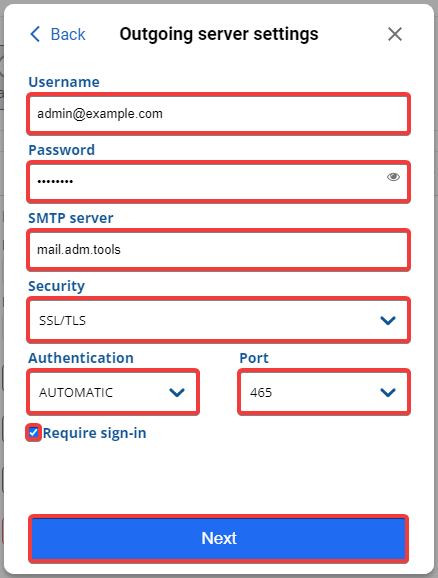
- "Username" — mailbox name.
- "Password" — mailbox password.
- "SMTP Server" —
mail.adm.tools. - "Security" — "SSL/TLS".
- "Authentication" — "AUTOMATIC".
- "Port" —
465. - "Require sign-in" — enabled.
- Enter your name in any format, a brief description of your mailbox, select a color, and click "Done":
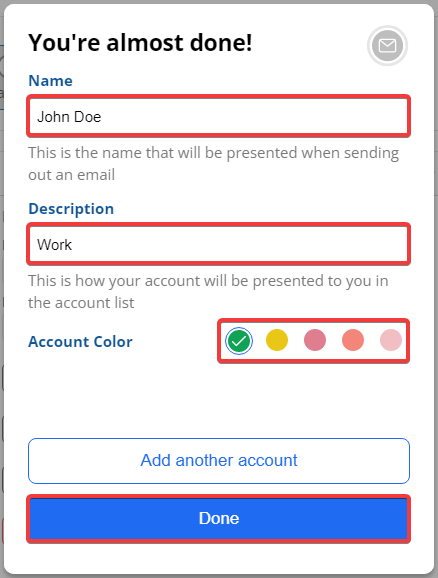
- Check the mail operation.