Manage cookies that are used for advertising, such as ad personalization, remarketing, and ad effectiveness analysis.
4.3.9.3. Set up Claws Mail mail client
When you first start the Claws Mail mail client, a wizard opens to help you set up your first mail account. Subsequent mail accounts are set up via the menu.
Wizard
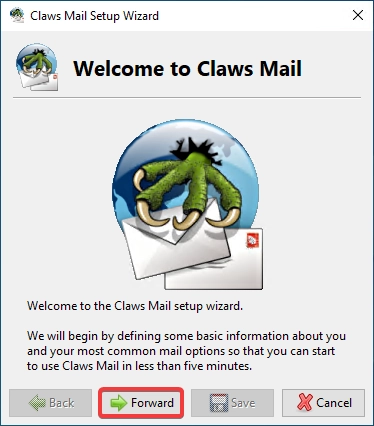
- On the welcome page, click "Forward":
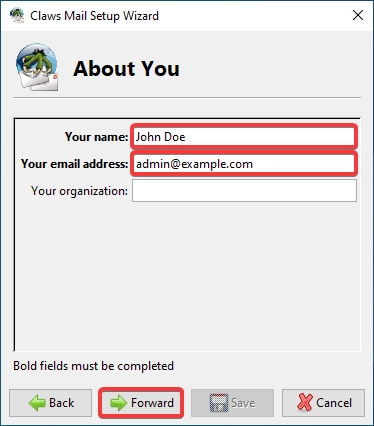
- Enter your name, mailbox name and click "Forward":
- Specify the incoming mail settings and click "Forward":
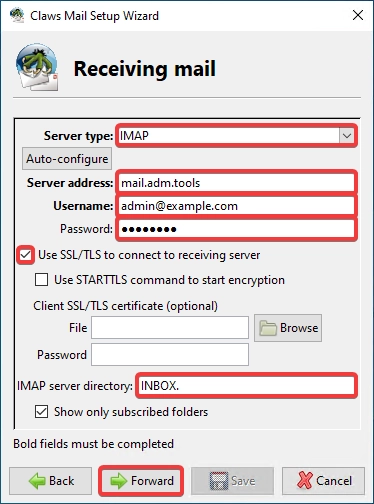
- "Server type" — "IMAP".
- "Server address" —
mail.adm.tools. - "Username" — mailbox name.
- "Password" — mailbox password.
- "Use SSL/TLS to connect to receiving server" — enabled.
- "IMAP server directory" —
INBOX.(with a dot).
- Specify the outgoing mail settings and click "Forward":
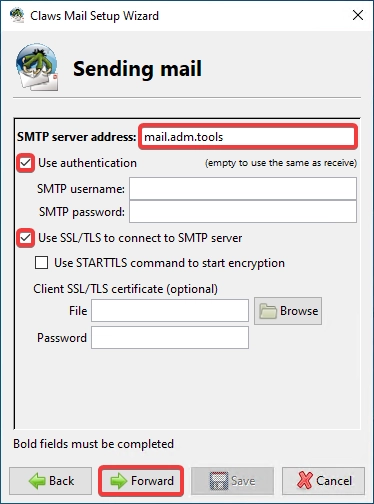
- "SMTP server address" —
mail.adm.tools. - "Use authentication" — enabled.
- "Use SSL/TLS to connect to SMTP server" — enabled.
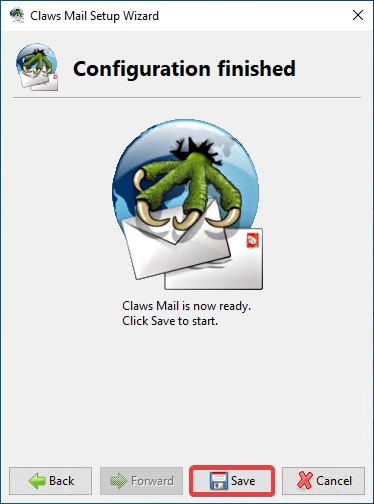
- Click "Save":
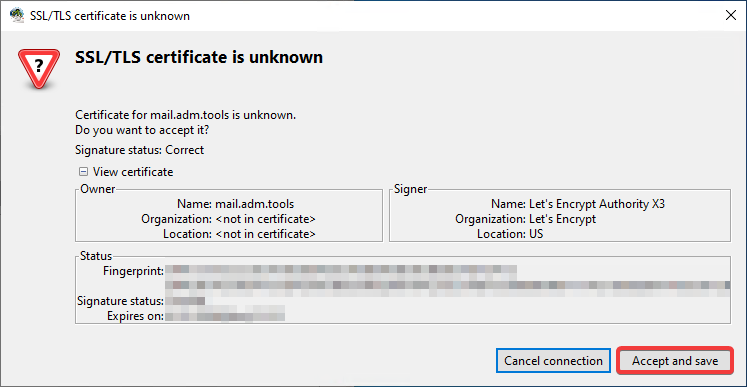
- If a window appears with a notification about an unknown certificate when connecting, click "Accept and save":
- Check the mail operation.
Menu
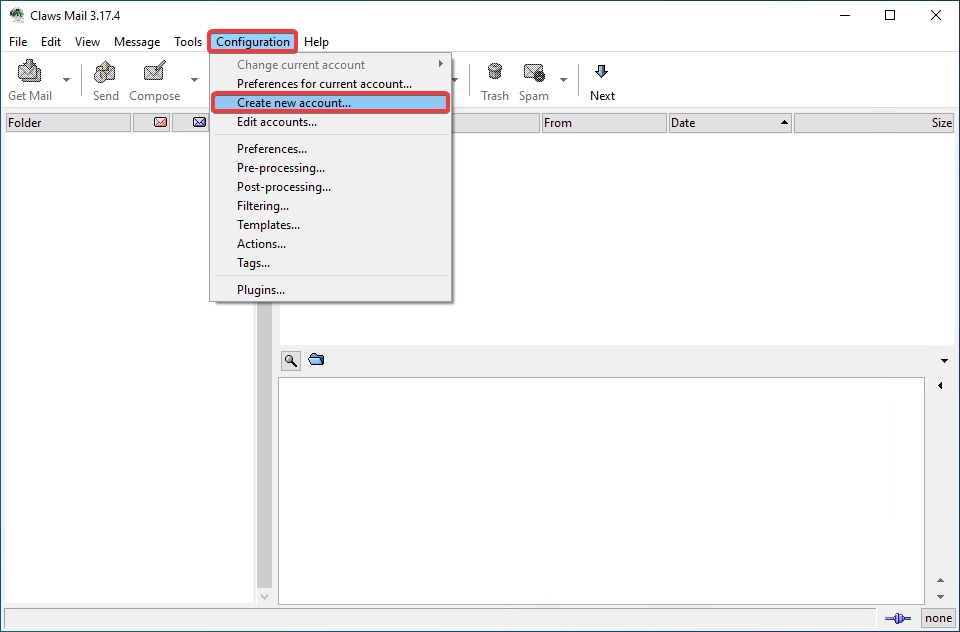
- In the top menu, select "Configuration → Create new account":
- In the "Basic" section, enter your details and connection settings:
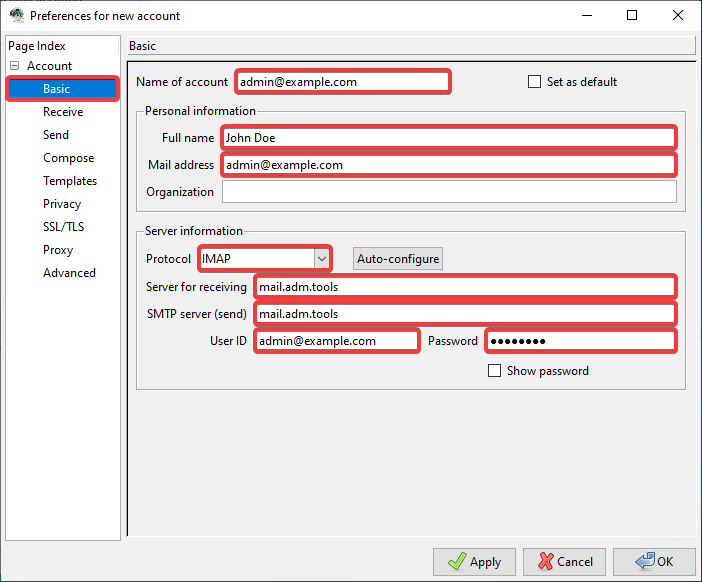
- "Name of account" — name of the account being created in any format.
- "Personal information":
- "Full name" — your name in any form.
- "Mail address" — mailbox name.
- "Server information":
- "Protocol" — "IMAP".
- "Server for receiving" —
mail.adm.tools. - "SMTP server (send)" —
mail.adm.tools. - "User ID" — mailbox name.
- "Password" — mailbox password.
- In the "Receive" section, in the "IMAP server directory" field, enter
INBOX.(with a dot):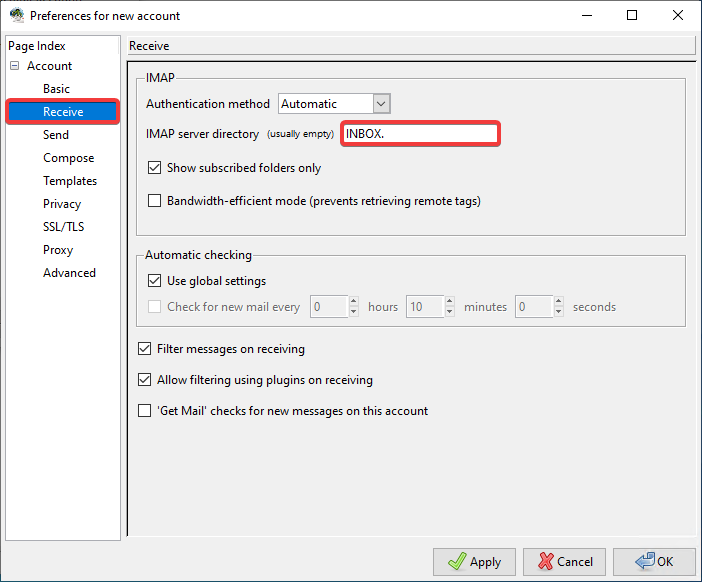
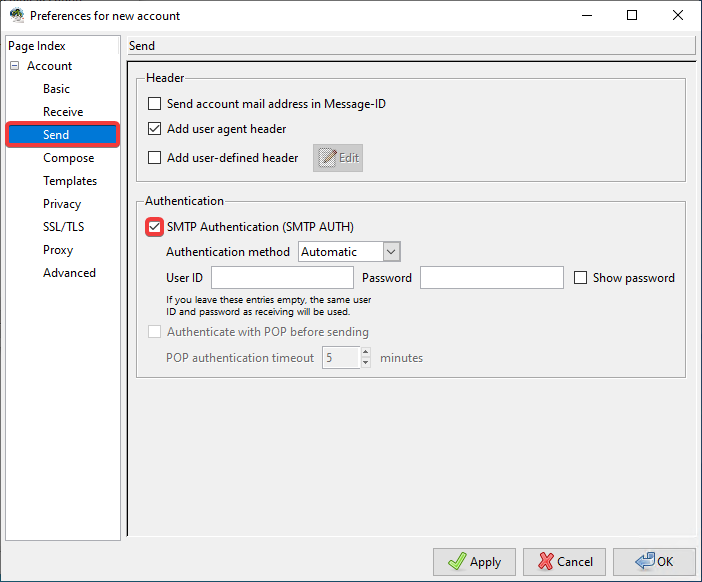
- In the "Send" section, enable "SMTP Authentication (SMTP AUTH)":
- In the "SSL/TLS" section, specify the encryption settings and click "OK":
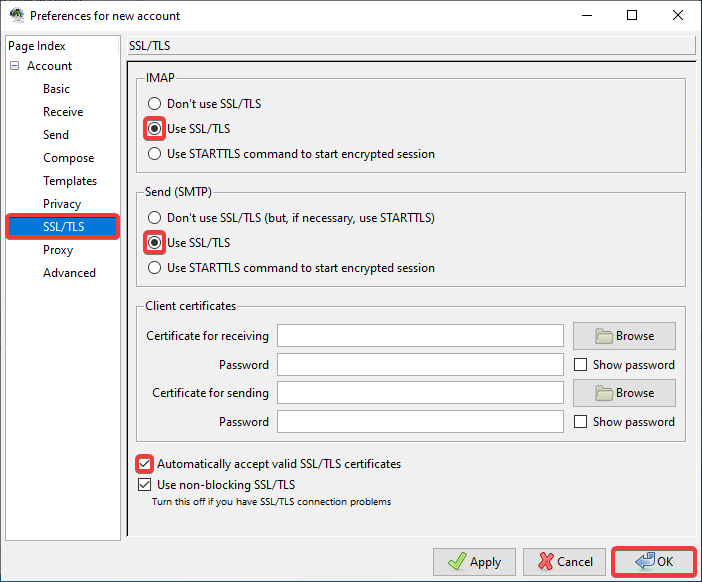
- In the "IMAP" and "Send (SMTP)" sections, select "Use SSL/TLS".
- "Automatically accept valid SSL/TLS certificates" — enable this option to prevent a notification window from appearing when connecting to an unknown certificate.
- Check the mail operation.