Manage cookies that are used for advertising, such as ad personalization, remarketing, and ad effectiveness analysis.
4.2.2. Credentials for connect to mailbox
Data for connecting is also available in WebMail.Online in the "Settings → Security" section.
General settings can be viewed in the "Mailboxes" section in the "Settings" block: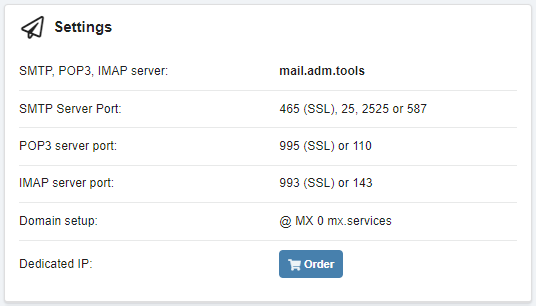
- Server —
mail.adm.tools(same for incoming and outgoing mail). - Ports:
- Incoming mail:
- IMAP (recommended):
143— without encryption.993— with encryption (SSL).
- POP3 (only receiving incoming mail, no synchronization):
110— without encryption.995— with encryption (SSL).
- Outgoing mail:
- SMTP:
587,25,2525— without encryption.465— with encryption (SSL).
- Login or username — full name of the mailbox.
- Password — mailbox password (not stored on the hosting).
Use this data when configuring a connection to a mailbox using mail clients and when configuring mail sending via SMTP in popular CMS (for example, WordPress, Joomla!, OpenCart, PrestaShop, Magento).
(4)