Manage cookies that are used for advertising, such as ad personalization, remarketing, and ad effectiveness analysis.
4.2.13. Clean mailbox
When the mailbox starts to take up a lot of space and has accumulated a lot of junk mail, you can clear it. Cleaning can be done automatically or manually.
Auto-delete messages from Trash
If you need a different deletion period or if you want to delete messages only from certain mailboxes, you can use special script.
Auto-delete works for all mailboxes of the mail domain. Messages are deleted every night after 30 days from the moment they go to Trash. Auto-delete for new mail domains is enabled by default and can be disabled if necessary.
- Open the "Mailboxes" section.
- At the top of the page, click "Settings".
- Enable or disable "Delete messages stored in Trash more than 30 days" and save the changes:
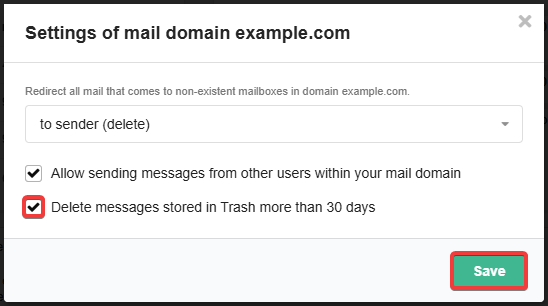
When auto-delete is enabled, WebMail.Online displays the warning in Trash: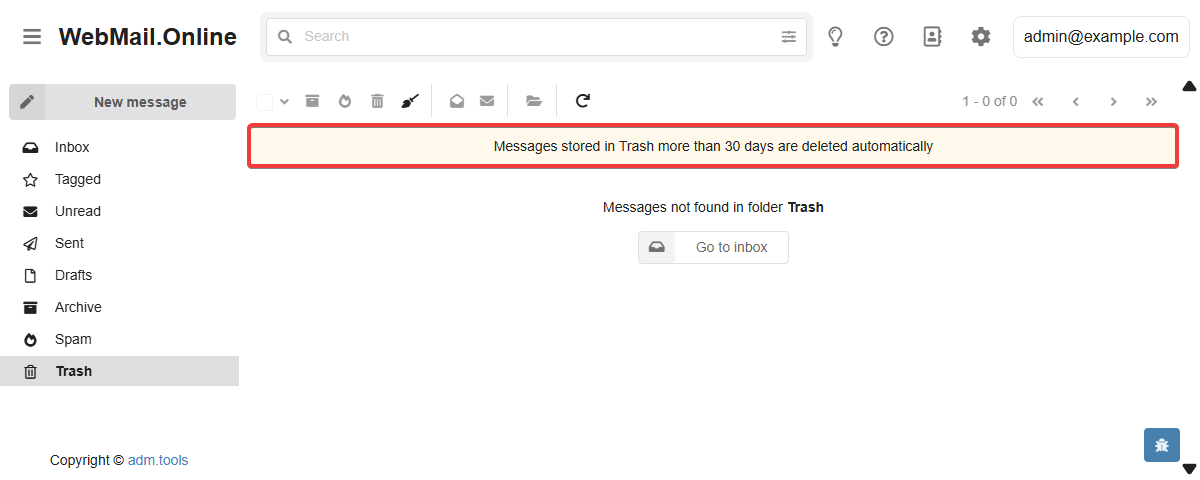
Delete all messages
Attention!
All messages from all folders in the mailbox will be deleted (the folders themselves will not be affected).- Open the "Mailboxes" section.
- In the mailbox menu, click "Clear":
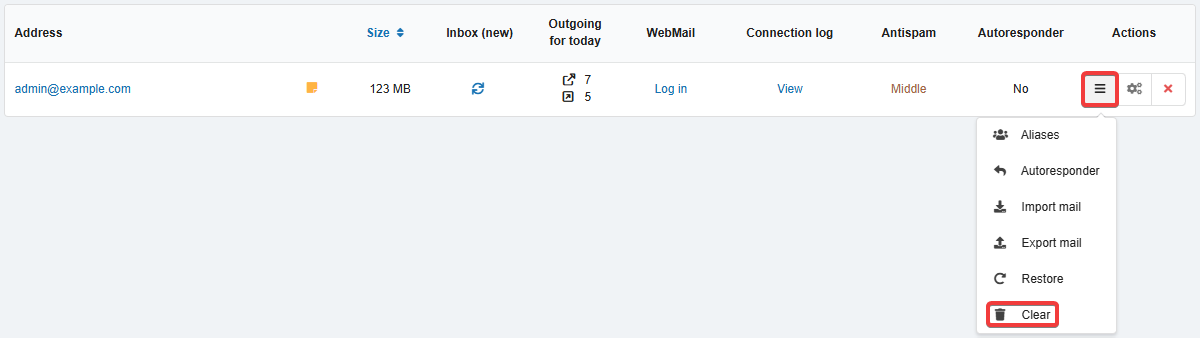
- Confirm the deletion with the button in the window.
Delete via mail client
The principle of deletion depends on the protocol of connection to the mailbox:
- POP3 — mail clients can automatically delete messages on the server after downloading them (configurable in the mail client).
- IMAP — when deleting messages in a mail client, it usually sends commands to delete these messages on the server. However, in different mail clients, messages may not be deleted immediately and moved to Trash or deleted only on the client side.
See Mail clients.
(2)