Manage cookies that are used for advertising, such as ad personalization, remarketing, and ad effectiveness analysis.
4.2.3. Mailbox settings
Attention!
Changing the password for a mailbox will reset all active sessions.- In the mailbox row, click ⚙️:

- Change the desired settings and click "Save":
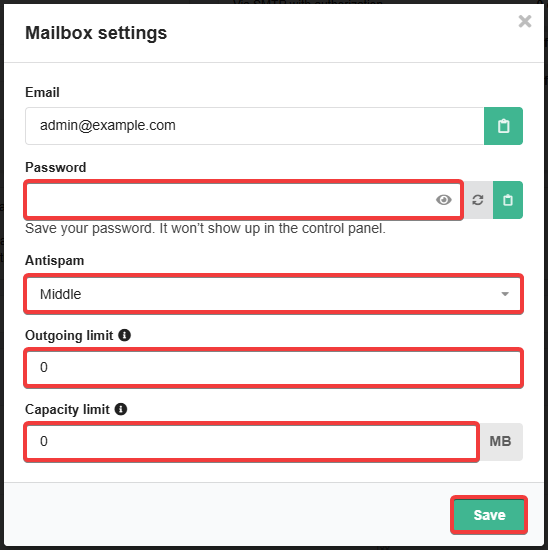
- Password — change password of the mailbox:
- Length — 8-30 characters.
- Not stored on the hosting. If you forget your password, your only option is to set a new one.
- Antispam — antispam level.
- Outgoing limit — number of messages that can be sent from the mailbox per day (empty or
0— no limit). - Capacity limit — capacity of mail in megabytes that can store in the mailbox (empty or
0— no limit).
(1)