Manage cookies that are used for advertising, such as ad personalization, remarketing, and ad effectiveness analysis.
4.3.2.7. Create new folder in mailbox
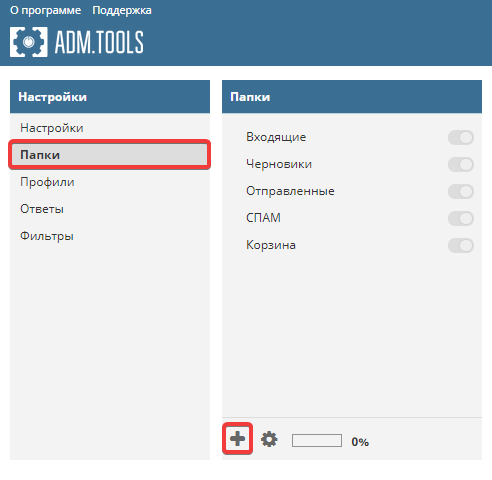
By default, each mailbox has the "Inbox", "Drafts", "Sent", "Spam" and "Trash" folders, but the IMAP mail protocol supports creating any additional folders.
- Go to WebMail classic settings:

- Open the "Folders" section and click folder add button:
- Enter the folder name and set its properties:
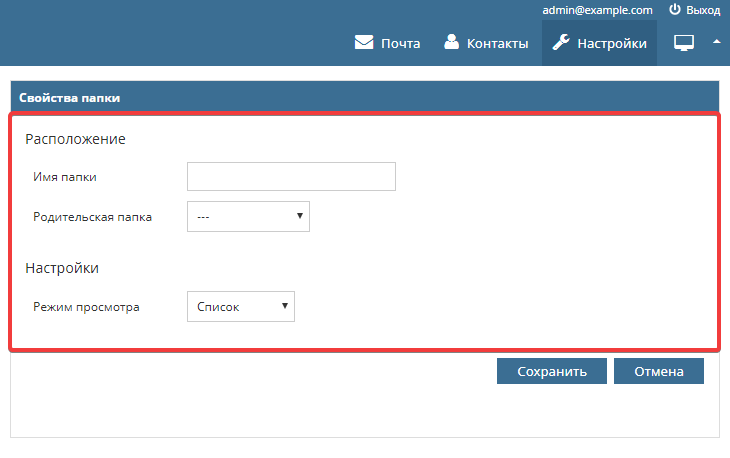
- Save the changes.