Manage cookies that are used for advertising, such as ad personalization, remarketing, and ad effectiveness analysis.
4.1.2. Order and create mail domain
Important points:
- You can use only the main domain as the name of the mail domain, subdomains cannot be used.
- Confirmation of domain ownership:
- Maximum number of mail domains:
- Hosting account mail — 999 in one hosting account.
- Corporate mail — unlimited (each mail domain = separate service).
- If a mail domain with the same name already exists in another account, it will be renamed and its owner will be notified after the adding is confirmed.
flowchart LR
d@{ shape: rounded, label: "🌎 Mail domain" }
h@{ shape: rounded, label: "☁️ Hosting account mail" }
c@{ shape: rounded, label: "✉️ Corporate mail" }
d-->|With binding
to hosting account|h d-->|"Without binding
(standalone service)"|c
to hosting account|h d-->|"Without binding
(standalone service)"|c
- Open the "Mail" section.
- Click "Add mail domain".
- Enter the mail domain name, select the "Hosting account" service type, select hosting account and click "Add":
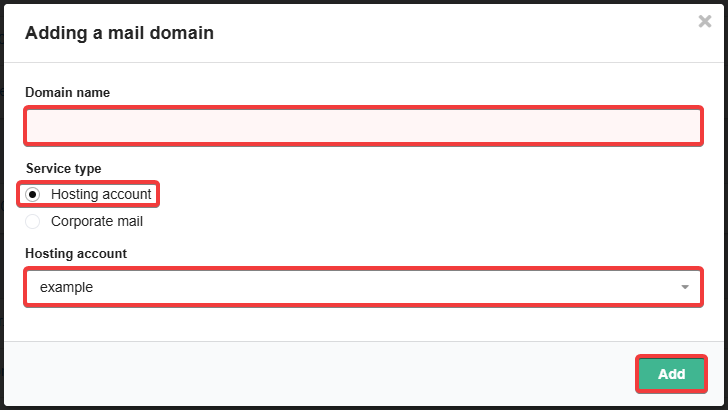
- If third-party MX records are specified in the domain settings, a window will appear with the current MX records and buttons to choose an action — save them or replace them with ours.
Attention!
You must have an amount on your balance to pay for at least 1 month of service usage.- Open the "Mail" section.
- Click "Add mail domain".
- Enter the mail domain name, select the "Corporate mail" service type, select space for mail, email sending limits per day and click "Order":
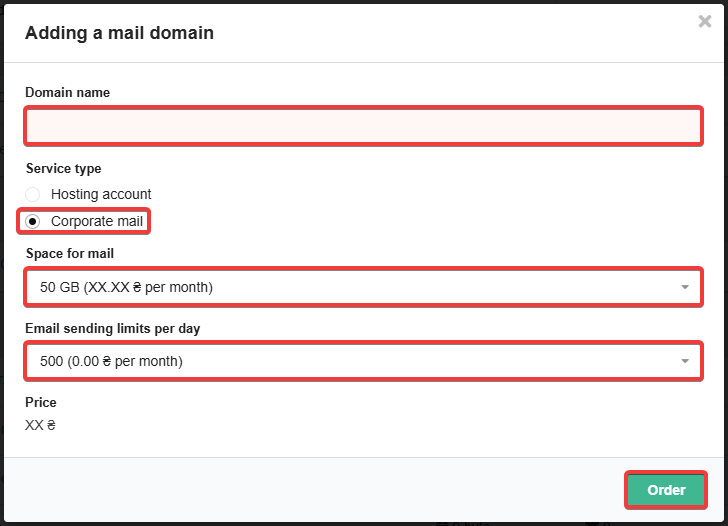
- If third-party MX records are specified in the domain settings, a window will appear with the current MX records and buttons to choose an action — save them or replace them with ours.
(6)
Comments
Так, для роботи корпоративної пошти потрібен зареєстрований домен.
Почта хостинг-аккаунта входит в стоимость хостинг-аккаунта.
На мою думку додаткова плата не потрібна.
На мою думку додаткова плата не потрібна.

Так, якщо вам достатній обсяг пошти, який можна розміщувати на хостингу, то додаткова оплата не потрібна.
якщо є домен але я б хотів тільки почту до нього але не потребую 50 гігабайт а вистарчило б 2 гігабайта і до 5 (поки треба 2а) різних е-мейлів - то чи можливо таке докупити за меньшу суму ніж коштують 50гБ?
На жаль, ні. Для корпоративної пошти 50 ГБ це мінімальний об’єм.
Які тарифи корпоративної пошти? Ніде немає інформації.
Доброго дня, в верхній частині сайту є посилання Корпоративна пошта: https://www.ukraine.com.ua/mail/
Тобіж, наприклад, спочатку реєструється домен типу qqq.com.ua, а тільки лише потім можна за додаткову плату зареєструвати копроративний домен типу ttt@qqq.com.ua?