Manage cookies that are used for advertising, such as ad personalization, remarketing, and ad effectiveness analysis.
2.14.13.5. Clear cache in Magento
Attention!
When clearing additional cache in Magento 2, you can reset current orders, changes, and other store elements that are stored in it.Magento 2 includes many types of internal data caching. To clear them, you should perform the following steps:
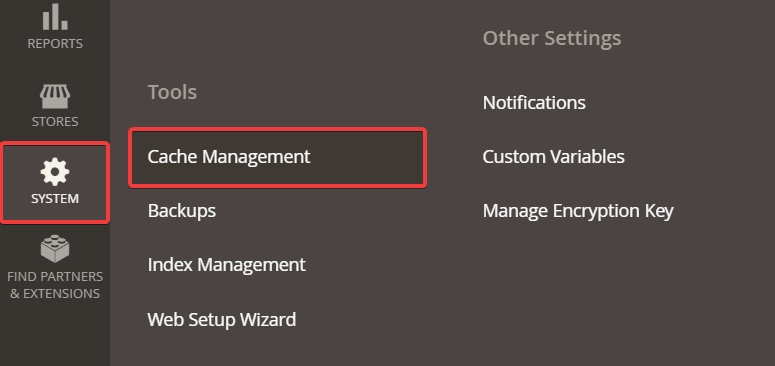
- In the site admin panel, open the "System → Cache Management" section:
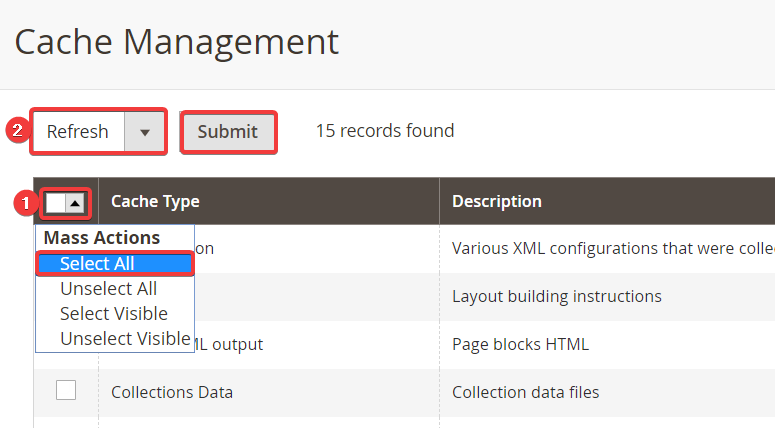
- Select all cache types using "Select All", then select "Refresh" and click "Submit":
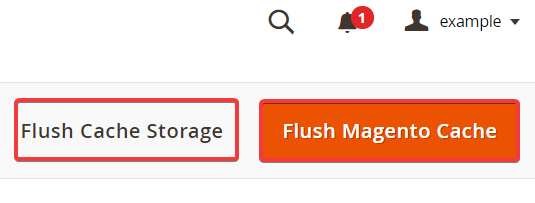
- Clear the internal Magento cache by clicking "Flush Magento Cache" and, if you need to clear the internal store data cache, click "Flush Cache Storage":
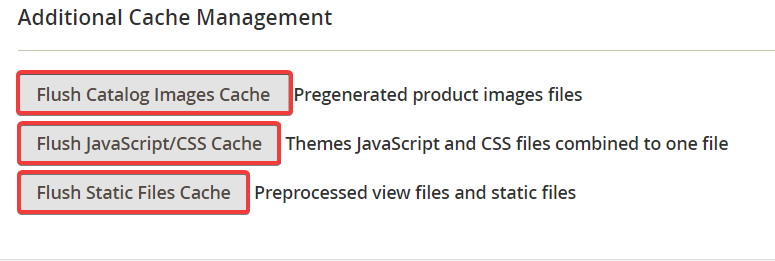
- To clear the additional cache, at the bottom of the page click the buttons to clear the additional cache of images, JS scripts and CSS files, static files: