Manage cookies that are used for advertising, such as ad personalization, remarketing, and ad effectiveness analysis.
4.3.2.1.2. Move emails to specific folder
To place emails in a specific folder, you need to create a folder and then create a filter for incoming emails. You can identify required emails by email body, sender, or subject. For example, you can create a filter that sorts emails into orders folder by subject New order №ХХХХ, where XXXX is any number, as follows: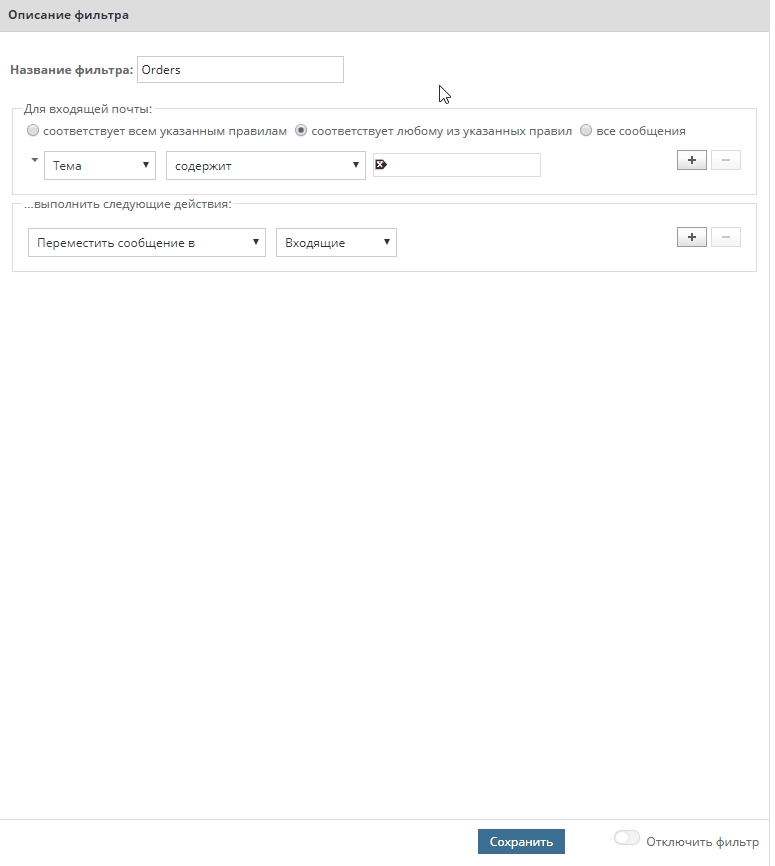 In filter select
 Subject, then Contains, then enter text that must be found in new emails.
In the actions block, select Move message to and then select required directory.