Manage cookies that are used for advertising, such as ad personalization, remarketing, and ad effectiveness analysis.
2.14.1.13. Clear cache in WordPress
If the required plugin is not in the list, refer to its documentation or contact its developers to clarify the cache clearing process.
In WordPress, caching is performed using plugins. This article provides instructions for clearing cache in some popular plugins.
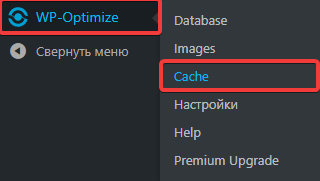
- Go to "WP-Optimize → Cache":
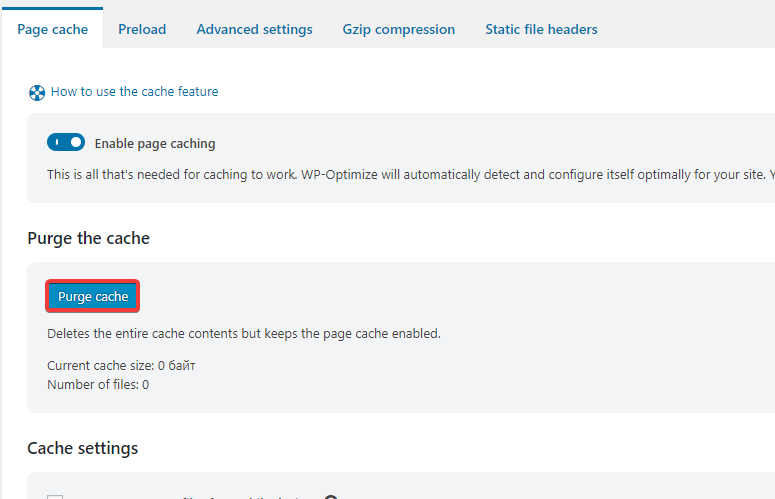
- On the "Page cache" tab, click "Purge cache":
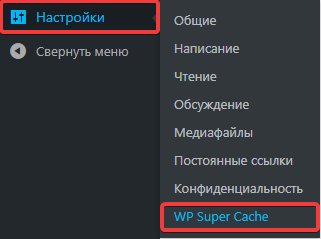
- Go to "Settings → WP Super Cache":
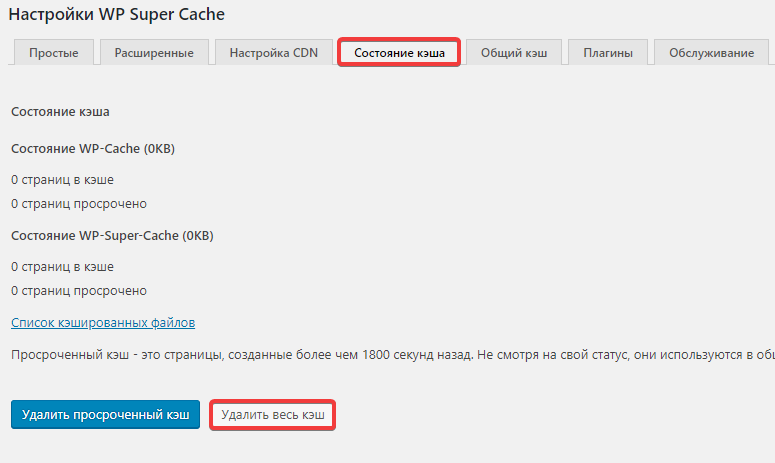
- On the "Cache status" tab, click "Delete all cache":
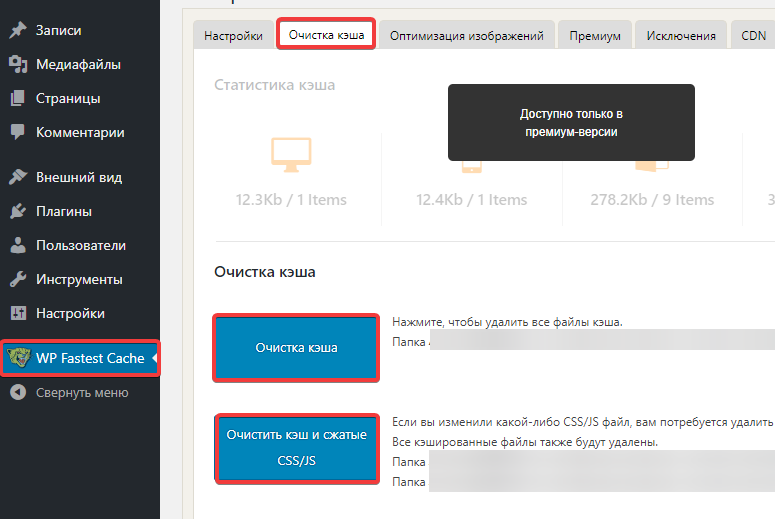
- Go to "WP Fastest Cache".
- On "Cache clearing" tab, click "Cache clearing" and "Clear cache and compressed CSS/JS":
(2)