Manage cookies that are used for advertising, such as ad personalization, remarketing, and ad effectiveness analysis.
5.1.3 Connecting to VPS via SFTP using FileZilla
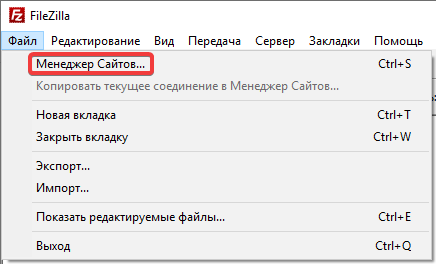
- Open the section «File → Site Manager»:
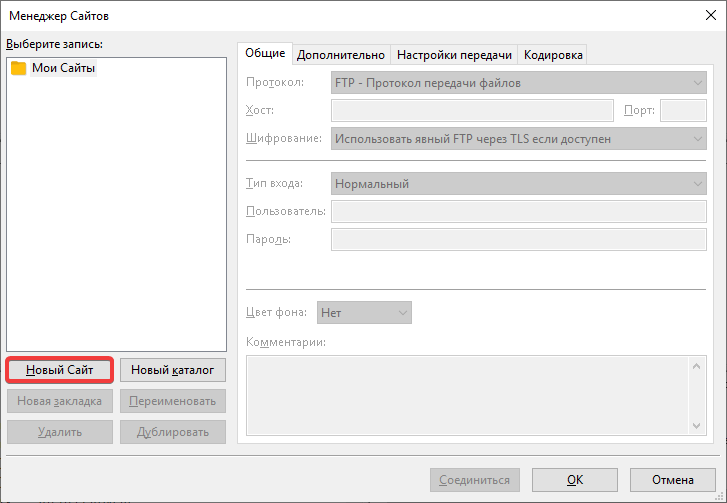
- Click «New website»:
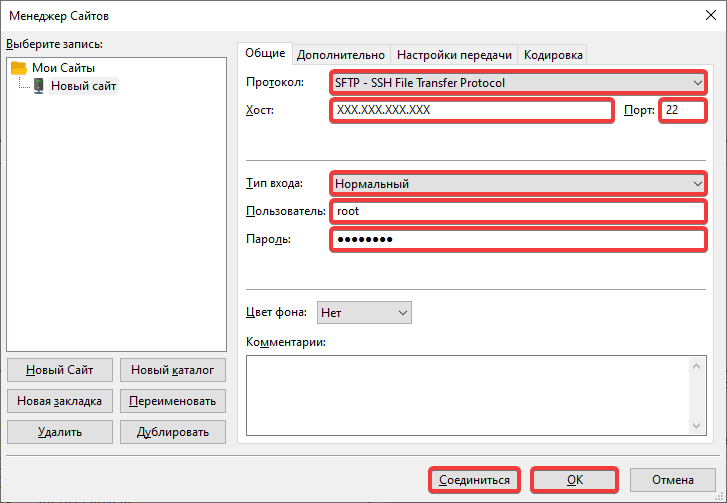
- Enter your connection details and click «Connect» or «OK»:
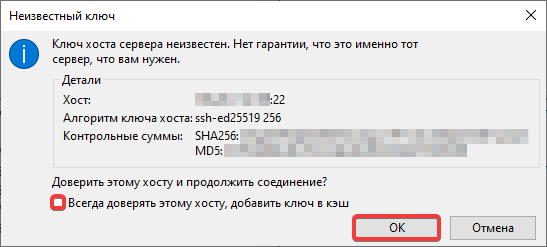
- If a warning about an unknown key is displayed, it means that the server host key is not in the FileZilla cache (this is typical for the first connection) or has changed (for example, due to the transfer of a hosting account to another server). To prevent the warning from appearing every time you connect, turn on «Always trust this host, add the key to the cache». To connect, click «OK»:
(1)