Manage cookies that are used for advertising, such as ad personalization, remarketing, and ad effectiveness analysis.
5.16. Dedicated IP for VPS
Important points:
- The service is paid daily from the balance. To place an order, the balance must have enough funds to pay for at least 1 day of service use.
- Only Ukrainian IPv4 addresses are available.
- Addresses are assigned automatically and cannot be selected. Addresses that have already been ordered for this service are provided first (if they are available).
- All requested addresses will be from the same subnet. It is not possible to get an address from another subnet.
- You can order up to 64 addresses for a single server. If you need more, please contact online chat and describe the purpose of their use so that we can consider providing them.
- Open the "VPS" section.
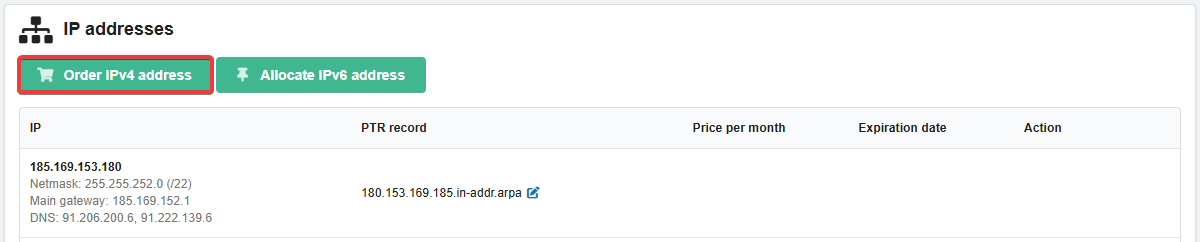
- On the "IP addresses" tab, click "Order IPv4 address":
- Read the cost information and click "Order".
- Configure the dedicated IP on the server (for example, see Activate additional IP address).
- Ensure that you have sufficient funds on your balance.
If necessary, you can change PTR record for the dedicated IP.