Manage cookies that are used for advertising, such as ad personalization, remarketing, and ad effectiveness analysis.
5.18. Monitoring
Add rule
- Link Telegram account to your account (if not linked).
- Open the "VPS" section and switch to the "Monitoring" tab.
- Click "Add rule".
- Select a checking method, specify its parameters and click "Add rule":User-Agent
adm.tools monitoring toolis used in the requests.With this method, the system requests the specified URL or IP, retrieves the page from the server, and checks for the presence of the specified word on the page.
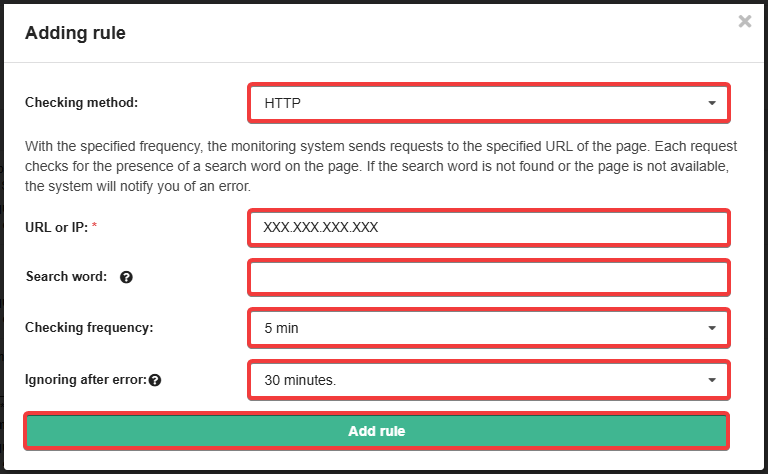
- "Checking method" — "HTTP".
- "URL or IP":
- Either a link to a page that will check the availability of the server.
- Or the IP address of the server, if the page to be checked is accessible when accessed directly by IP.
- "Search word" — word that the system should check for on the page.
- "Checking frequency" — the interval at which the system should perform the check (5, 10, 30 or 60 minutes).
- "Ignoring after error" — the period during which the system will not send repeated notifications after the first detection of a problem (30, 60 or 120 minutes). The option is intended to prevent the bot from spamming messages while the problem is being resolved.
With this method, the system uses the telnet utility to access the server at the specified domain or IP and checks for a connection at the specified port.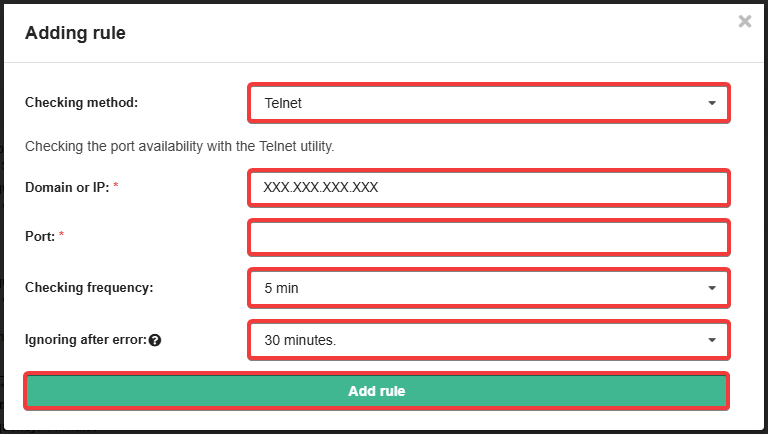
- "Checking method" — "Telnet".
- "Domain or IP":
- Either the domain by which the availability of the server will be checked.
- Or the server's IP address.
- "Port" — the number of the port whose availability the system should check.
- "Checking frequency" — the interval at which the system should perform the check (5, 10, 30 or 60 minutes).
- "Ignoring after error" — the period during which the system will not send repeated notifications after the first detection of a problem (30, 60 or 120 minutes). The option is intended to prevent the bot from spamming messages while the problem is being resolved.
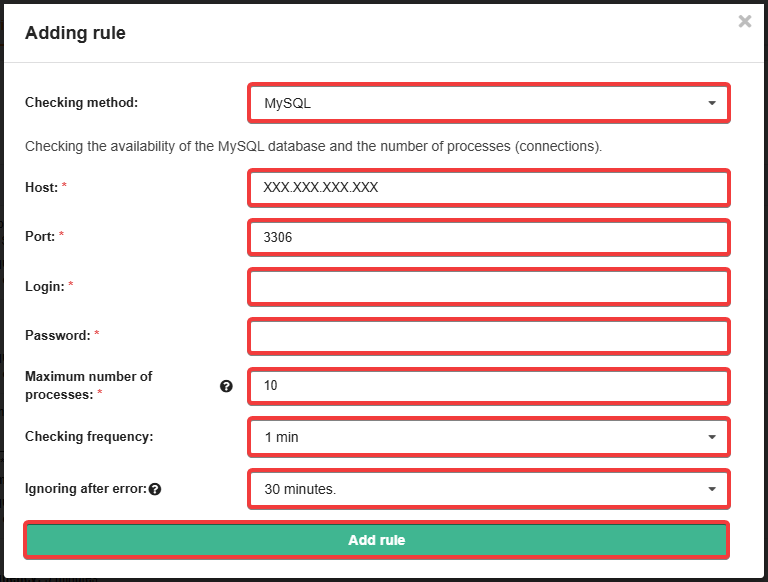
- "Checking method" — "MySQL".
- "Host":
- Either the host address of the database server.
- Or the IP address of the database server.
- "Port" — the number of the port on which the system should check for availability (for example, the default
3306). - "Login" — database user login.
- "Password" — database user password.
- "Maximum number of processes" — the number of connections at which a notification should be sent.
- "Checking frequency" — the interval at which the system should perform the check (5, 10, 30 or 60 minutes).
- "Ignoring after error" — the period during which the system will not send repeated notifications after the first detection of a problem (30, 60 or 120 minutes). The option is intended to prevent the bot from spamming messages while the problem is being resolved.
With this method, the system uses the ping utility to access the server at the specified domain or IP and checks for a connection at the specified port.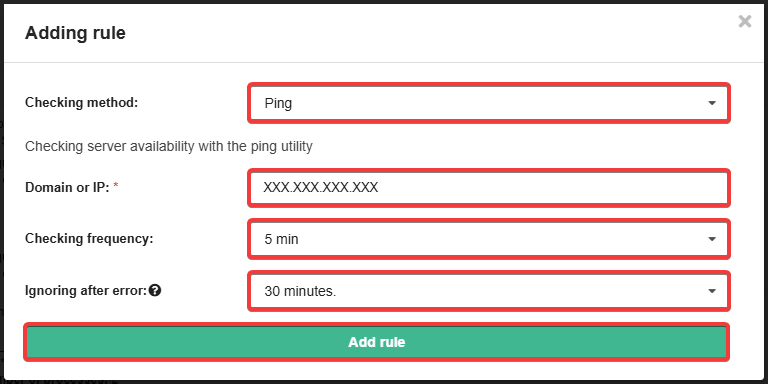
- "Checking method" — "Ping".
- "Domain or IP":
- Either the domain by which the availability of the server will be checked.
- Or the server's IP address.
- "Checking frequency" — the interval at which the system should perform the check (5, 10, 30 or 60 minutes).
- "Ignoring after error" — the period during which the system will not send repeated notifications after the first detection of a problem (30, 60 or 120 minutes). The option is intended to prevent the bot from spamming messages while the problem is being resolved.
List of rules
All added rules are displayed in the list: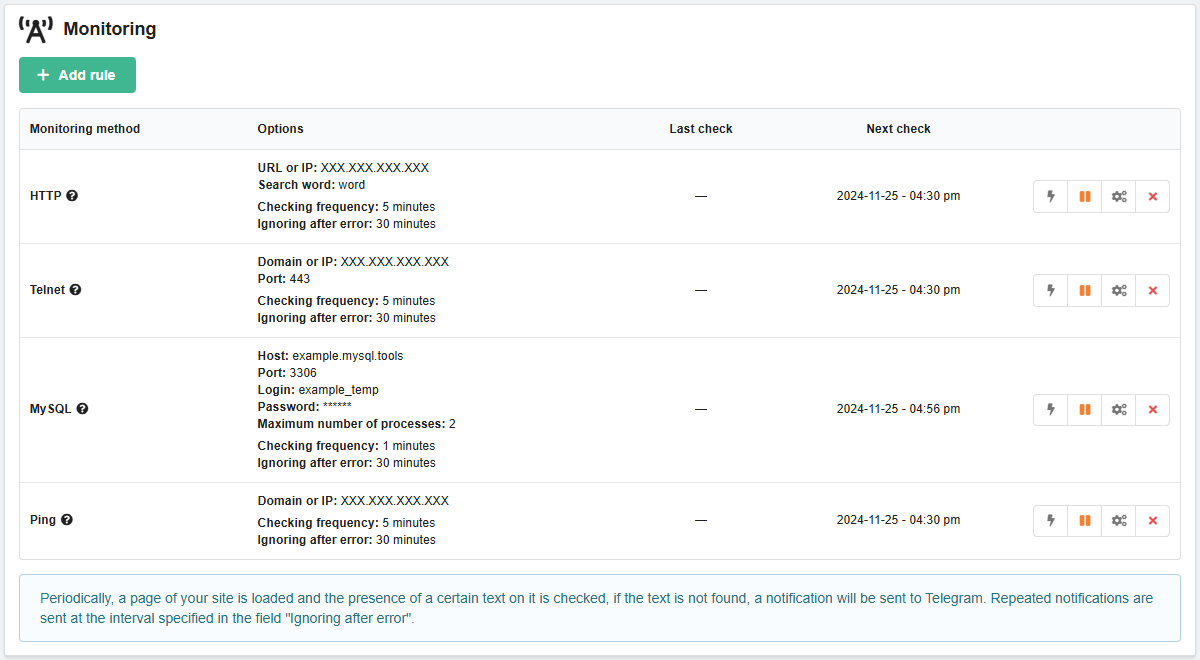
- "Monitoring method" — selected checking method.
- "Options" — operating parameters of the selected method.
- "Last check" — date and time of the last check.
- "Next check" — date and time of the next check.
- Buttons:
- ⚡️ — test launch of the check (updates the time of the last check).
- ▶️/⏸️ — enabling/disabling the rule operation (temporarily for 2, 6, 12, 24 hours or until enabling by yourself).
- ⚙️ — changing the operation parameters of the selected method for this rule.
- ❌ — deleting the rule.