Manage cookies that are used for advertising, such as ad personalization, remarketing, and ad effectiveness analysis.
2.5.2.2.3.5. Enable forced use of UTF-8 for filenames in WinSCP
The hosting uses the standard UTF-8 encoding. If files have Cyrillic names or contain characters from other national alphabets, issues with displaying file names and accessing them may occur when creating or uploading such files using various FTP clients. To prevent such problems, it is recommended to configure the FTP client to forcibly use UTF-8. This is especially relevant when uploading files from devices running Windows.
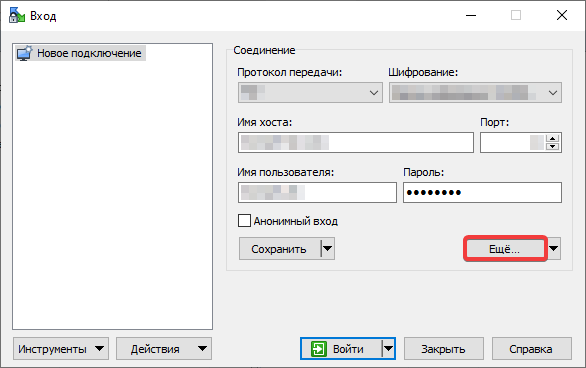
- In the connection settings, click "Advanced":
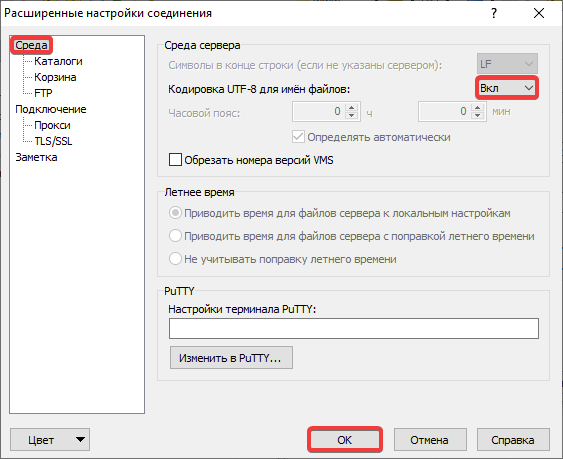
- In the section "Environment" in the "UTF-8 encoding for filenames" field select "On" and click "OK":
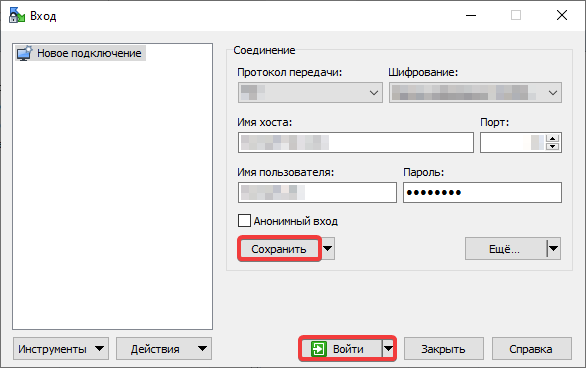
- Click "Save" and "Login":