Manage cookies that are used for advertising, such as ad personalization, remarketing, and ad effectiveness analysis.
2.4.3.5. Error 500 Internal Server Error
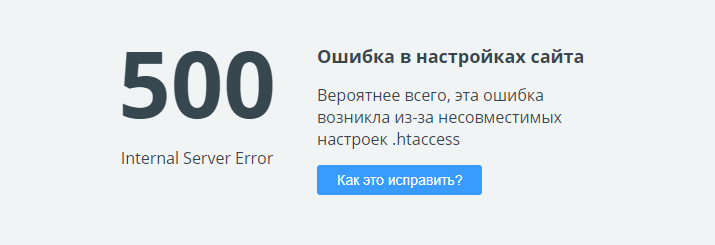
It is possible to accurately determine the cause of a 500 error by analyzing the site's error log. Additionally, a site technical check can assist in identifying the source of the problem.
Directives in .htaccess
The 500 error is often associated with incorrectly specified directives in the .htaccess file, which is located in the site directory. You can edit this file using the built-in file manager editor or any FTP client.
If it has been determined that the issue is related to the .htaccess file, you should try making the following changes:
Options +FollowSymLinks— needs to be replaced withOptions +SymLinksIfOwnerMatch.Options All -Indexes— needs to be replaced withOptions -Indexes.+ExecCGI— needs to be removed.
The hosting does not use the Apache module mod_version, so if there are blocks with IfVersion directives in the .htaccess, they should also be removed, leaving only the contents of the blocks intended for Apache 2.4.
You can comment out directives in the .htaccess file by placing the # symbol at the beginning of the line.
Incorrect file permissions
Attention!
It is not recommended to set permissions higher than640 for files and 750 for directories, as this may lead to a 500 error.
If the site's error log contains the "Script file is writable by others" error, you need to restore the standard file permissions by following the instruction or manually, setting file permissions to 640.
This situation may occur when restoring from a backup or uploading files for a new site.
Using old FilterProvider syntax
In most cases, it is sufficient to comment out this directive, as it is used to enable compression based on Content-Type. On our hosting, nginx is responsible for compression, and these requests usually do not reach Apache.
In Apache 2.2 format, the directive appears as follows:
FilterProvider COMPRESS DEFLATE resp=Content-Type $text/htmlIn Apache 2.4, this directive looks like this:
FilterProvider COMPRESS DEFLATE "%{CONTENT_TYPE} = 'text/html'"The situation can be corrected by changing the syntax of the directives from the old to the new.
End-of-line comments
End-of-line comments may cause the error "…htaccess: No comments are allowed here".
In newer versions of Apache, writing a comment requires the entire line. That is, when you add the # symbol to make a comment, it must be the first non-empty character on the line. If you add any non-empty characters before the hash sign, you will receive a 500 error.
For example, any of these comments is correct:
# this is a comment
     ## this is another comment
                  ### multiple pound signs are fine
Examples of unacceptable comments leading to an error:
ExpiresActive on # this will trigger an error
RedirectMatch 403 /spamhole/ # this will trigger an error
# this will
           trigger an error
BOM characters
In the .htaccess file, invisible BOM characters may be recorded when edited by third-party editors, which causes the error. To resolve the issue, you should open the file in any editor, resave it in a clean UTF-8 encoding, and upload it back to the hosting.
(1)
Comments
Спробуйте залишити лише `Options +Indexes -SymLinksIfOwnerMatch IndexOptions +FancyIndexing` у два рядки та видалити інше. Також зверніть увагу, якщо в директорії є індексний файл (за замовчуванням це index. php\hmtl) то буде відкриватись він. У ваших директивах використовується непідтримуваний параметр FollowSymLinks, який краще замінити на SymLinksIfOwnerMatch.
На іншому хостингу я заливаю в папку файл htaccess з такими двома рядками:
Options +Indexes +Includes -FollowSymLinks
IndexOptions +FancyIndexing
Відповідно коли браузером в ту папку заходжу, отримую список файлів які в тій папці лежать.
Тут отримую помилку 500.
Підкажіть, що саме на що виправити щоб вивести список файлів?