Manage cookies that are used for advertising, such as ad personalization, remarketing, and ad effectiveness analysis.
2.4.3.24. Site not configured
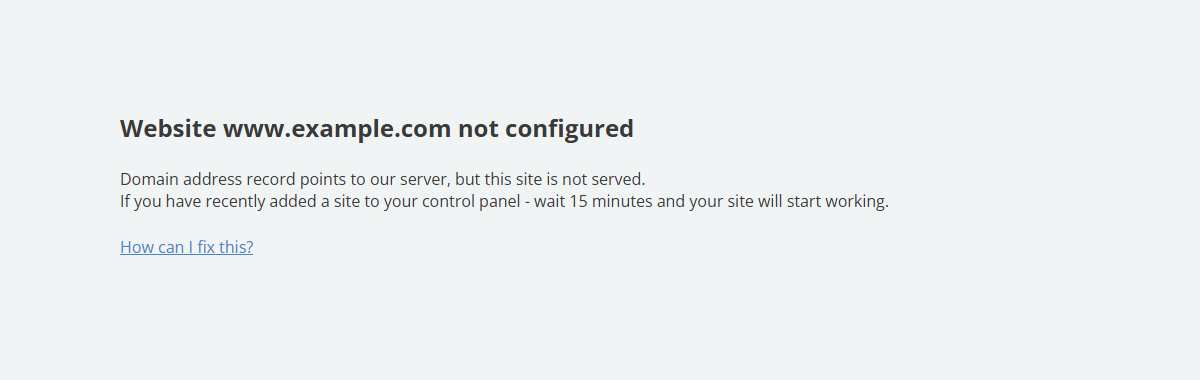
The "Site not configured" page is displayed when the domain is pointed to one of our hosting servers, but not the one where the site with the same name is located.
Solution
flowchart LR
start@{ shape: stadium, label: "⚠️ #quot;Site not configured#quot;" }
site@{ shape: diamond, label: "☁️ Should site work
from our hosting?" } mysites@{ shape: diamond, label: "Site added to #quot;My sites#quot;?" } addsite@{ shape: rect, label: "➕ Add site
to #quot;My sites#quot;" } ns1@{ shape: diamond, label: "🌐 Domain has
our NS?" } dns1@{ shape: rect, label: "📝 Change
domain address records
(in our control panel)" } point1@{ shape: rect, label: "➡️ Point domain
to our hosting
(in control panel
of NS owner)" } register@{ shape: diamond, label: "🌎 Domain
registered
with us?" } point2@{ shape: rect, label: "➡️ Point domain
to third-party hosting
(in our control panel)" } ns2@{ shape: diamond, label: "🌐 Domain has
our NS?" } dns2@{ shape: rect, label: "📝 Change
domain address records
(in control panel
of NS owner)" } done@{ shape: stadium, label: "✔️ Done" } start-->site site-->|Yes|mysites mysites--->|No|addsite mysites-->|Yes|ns1 ns1-->|Yes|dns1 ns1-->|No|point1 site-->|No|register register-->|Yes|point2 register-->|No|ns2 ns2-->|Yes|point2 ns2-->|No|dns2 addsite-->|10-15 minutes|done dns1 & point1 & point2 & dns2-->|1-24 hours|done
from our hosting?" } mysites@{ shape: diamond, label: "Site added to #quot;My sites#quot;?" } addsite@{ shape: rect, label: "➕ Add site
to #quot;My sites#quot;" } ns1@{ shape: diamond, label: "🌐 Domain has
our NS?" } dns1@{ shape: rect, label: "📝 Change
domain address records
(in our control panel)" } point1@{ shape: rect, label: "➡️ Point domain
to our hosting
(in control panel
of NS owner)" } register@{ shape: diamond, label: "🌎 Domain
registered
with us?" } point2@{ shape: rect, label: "➡️ Point domain
to third-party hosting
(in our control panel)" } ns2@{ shape: diamond, label: "🌐 Domain has
our NS?" } dns2@{ shape: rect, label: "📝 Change
domain address records
(in control panel
of NS owner)" } done@{ shape: stadium, label: "✔️ Done" } start-->site site-->|Yes|mysites mysites--->|No|addsite mysites-->|Yes|ns1 ns1-->|Yes|dns1 ns1-->|No|point1 site-->|No|register register-->|Yes|point2 register-->|No|ns2 ns2-->|Yes|point2 ns2-->|No|dns2 addsite-->|10-15 minutes|done dns1 & point1 & point2 & dns2-->|1-24 hours|done
To fix the problem, follow these steps:
- If the site needs to work from our hosting:
- If the domain has third-party NS — point the domain to our hosting.
- If the site needs to work from a third-party hosting:
- If the domain is registered with us — point the domain to a third-party hosting.
- If the domain is not registered with us and has third-party NS — contact the owner of the current NS and find out how to point the domain to the desired IP address.
After changing any domain settings, wait for the DNS cache to refresh (usually a few hours, maximum 24).
(6)