Manage cookies that are used for advertising, such as ad personalization, remarketing, and ad effectiveness analysis.
3.1.4.2. Point domain registered with us to third-party hosting
Change NS
When using this method:
- After setting up third-party NS, you'll need to change the domain records via the control panel of the owner of these NS. Domain settings from our panel will stop working.
- Domain renewal will be carried out via us, as before.
- Ask your third-party hosting for the NS addresses you need to set for your domain.
- Set for the domain NS provided by a third-party hosting.
- Wait for the DNS cache to refresh (usually a few hours, maximum 24).
All further actions to configure the domain will need to be performed on a third-party hosting.
Change address records
When using this method:
- Domain settings will be managed via our control panel, as before.
- Domain renewal will be carried out via us, as before.
- Ask your third-party hosting for the IP addresses to which the domain should be pointed.
- Open the "Domain settings (DNS)" section.
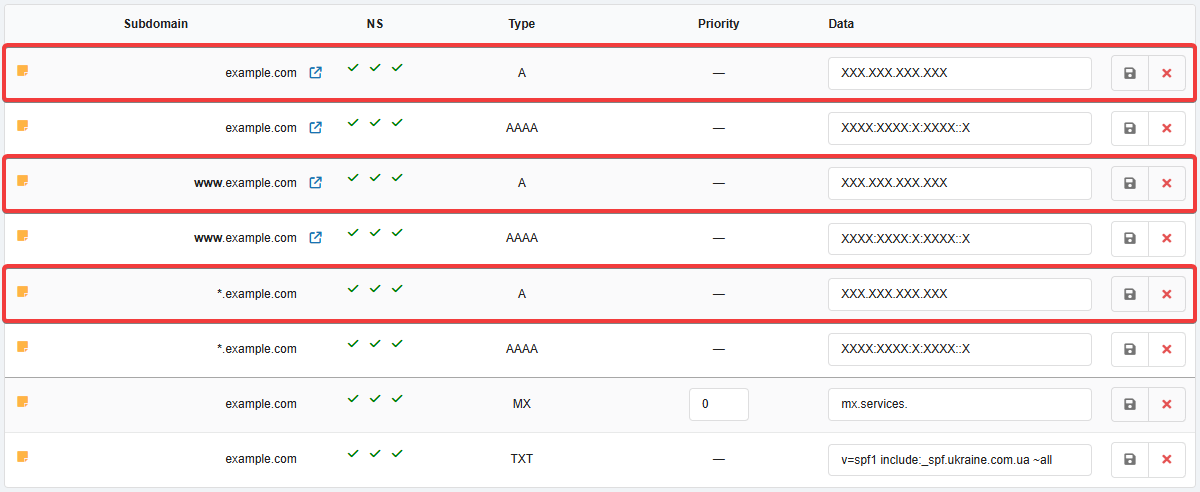
- Edit the address records of type A and in the "Data" field, specify the IP address provided by the third-party hosting in IPv4 format (four numbers separated by dots):
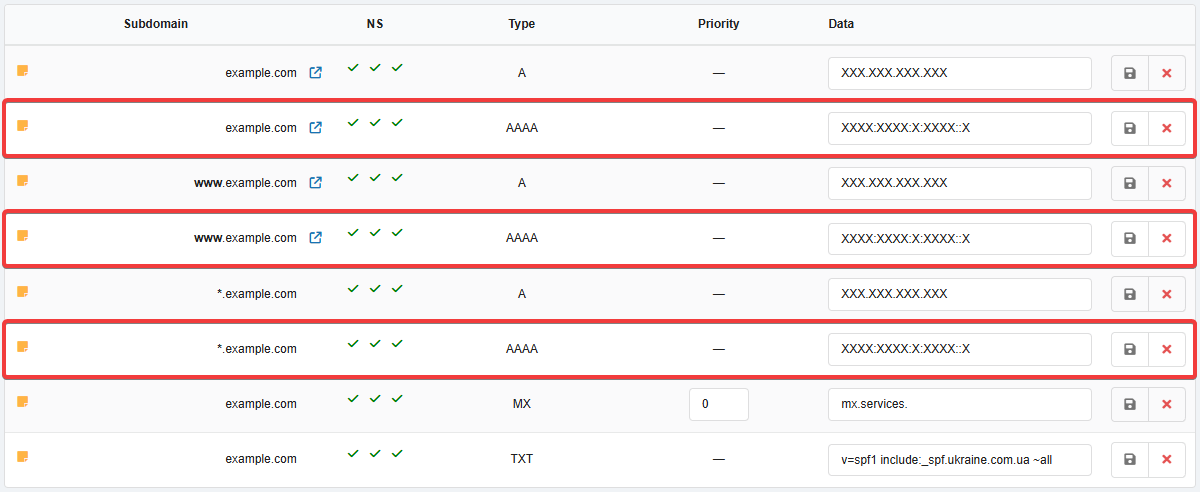
- If the third-party hosting has additionally provided an IP address in IPv6 format (groups of numbers and symbols separated by colons), edit the address records of type AAAA and specify the provided IP address in the "Data" field (if the IP address was not provided in this format, delete these records):
- Wait for the DNS cache to refresh (usually a few hours, maximum 24).
(1)