Manage cookies that are used for advertising, such as ad personalization, remarketing, and ad effectiveness analysis.
3.1.1. Domain settings (DNS)
Attention!
The changes made will only work if the domain is serviced on our NS.
To configure a domain (add, edit, and delete its DNS records), open the "Domains" section and in the domain menu, click "Domain settings (DNS)":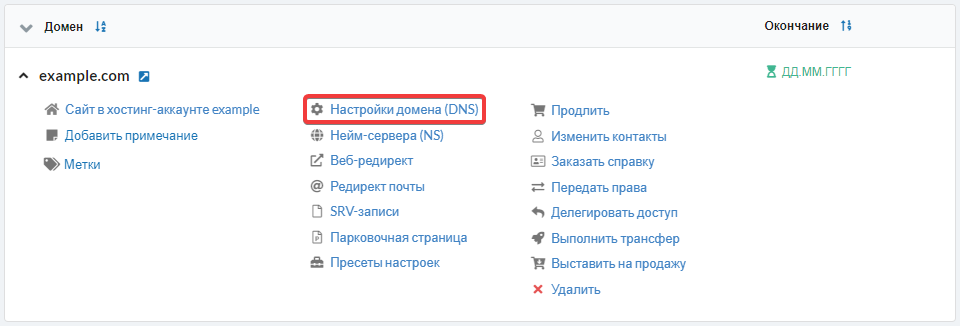
The "NS" column in the domain settings indicates the presence of DNS records on our NS and is displayed under the following conditions:
- The domain is operational and maintained on our NS (our NS may not be recognized immediately and can take several days, up to a week, to be recognized).
- The domain has fewer than 100 DNS records.
Detailed information
(1)