Manage cookies that are used for advertising, such as ad personalization, remarketing, and ad effectiveness analysis.
3.15. Domain certificate
Important points:
- You can order a certificate only from the account of the current domain owner and only in their name.
- Conditions for ordering a certificate:
- The account owner's personal data must match the registrant's personal data in the domain's contacts (for individuals and FOP — full name, for legal entities — company name).
- The domain must be paid at least once from the account of its current owner.
- The account of the current owner must be verified.
- A single certificate can contain only one domain.
- The language of the certificate is only Ukrainian.
Certificates are subject to a fee.
We provide certificates confirming the right of domain ownership. Sometimes such certificates may be requested by banks when setting up card payment acceptance on a site or when selling a domain, when it is necessary to prove that the domain belongs to you.
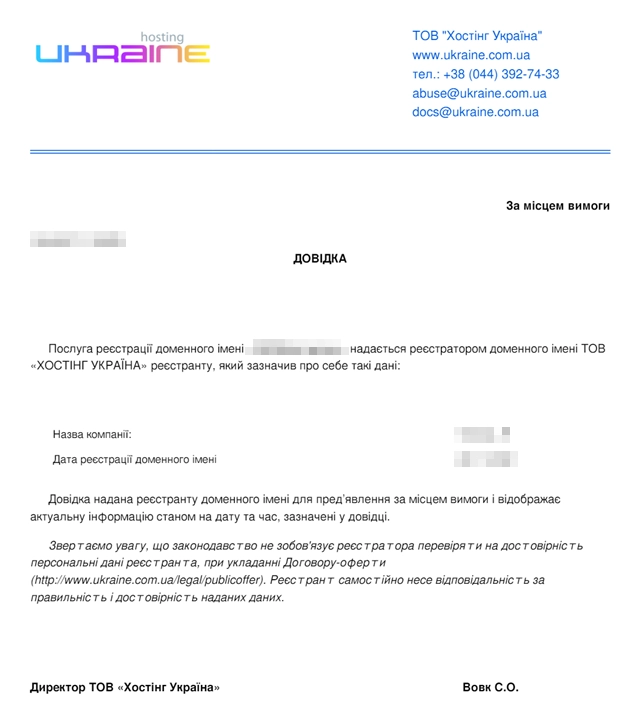
What is in certificate
- Current date.
- Domain name.
- Owner data:
- For .UA domains — data of the trademark owner on the basis of which the domain was registered.
- For other domains — data of the account owner in which the domain is located.
Order
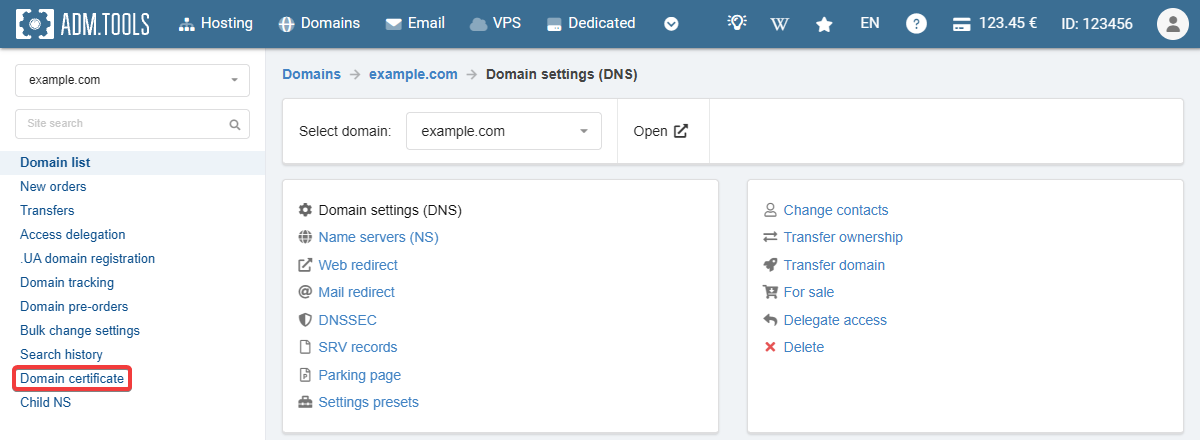
- Open the "Domain settings (DNS)" section (or "Domains → your domain → Domain settings (DNS)".
- In the side menu, click "Domain certificate":
- Fill out the form and click "Order certificate and pay 240 ₴":
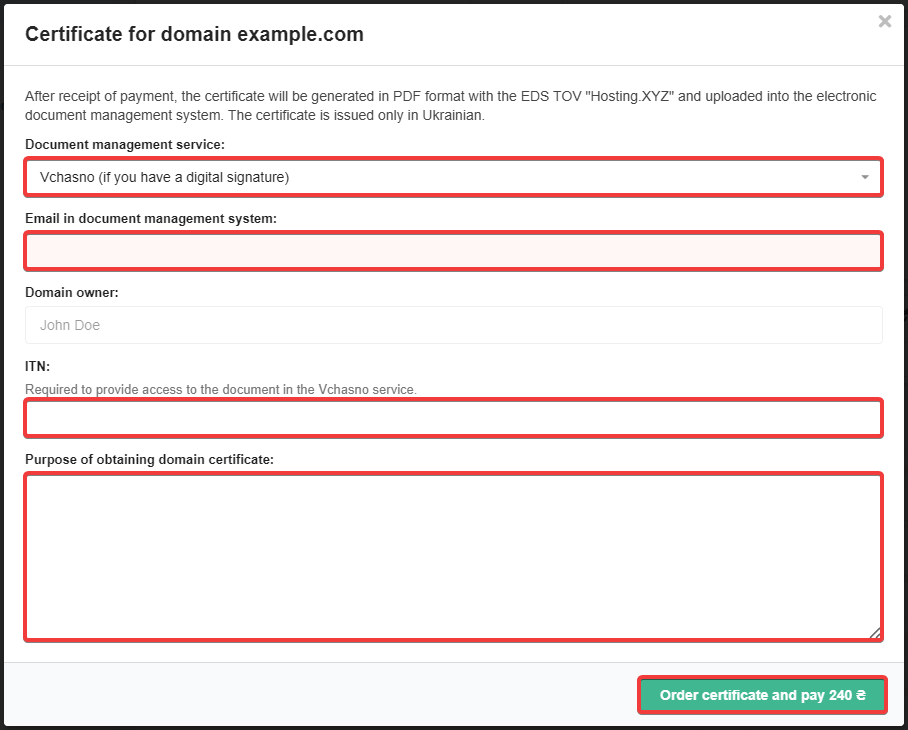
- Email in document management system — the email address to which your account is registered in the selected service.
- Domain owner — account owner data specified in the personal data (this field is filled in automatically and is not available for editing).
- IPN (only for Vchasno) — your IPN.
- Purpose of obtaining domain certificate — the reason you need the certificate.
- Pay the created invoice.
- Expect the signing of the certificate using the EDS of the company LLC "Hosting Ukraine" within 48 hours.
- The selected document management service and the status of the request are displayed in the "Document flow" section.
Example of certificate
(3)
Comments