Manage cookies that are used for advertising, such as ad personalization, remarketing, and ad effectiveness analysis.
3.1.1.8. Bulk change domain settings
Attention!
When you make changes, all current records for the selected domains will be deleted and replaced with the records from the file.
When you need to apply the same settings to multiple domains, you can use bulk settings change. The settings are imported from a text file in a specific format. For more information about the file format and how to get it, see the article Save and restore DNS records from file. Only lines in the file that follow the format subdomain IN type data are used; the rest are ignored.
- Open the "Domains" section.
- In the sidebar, click "Bulk change settings".
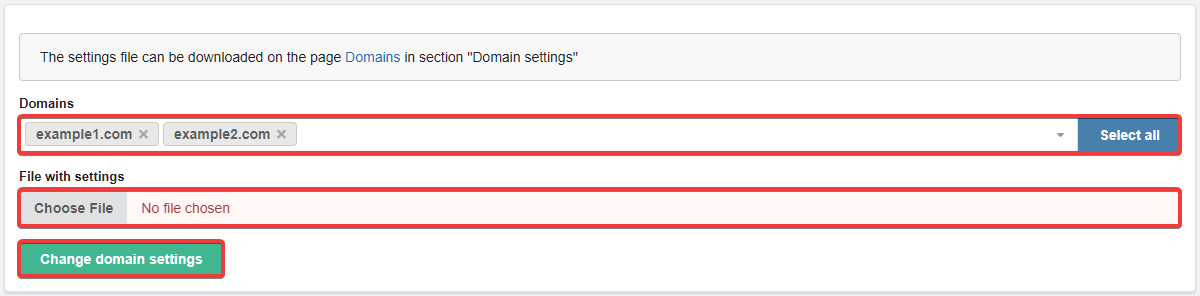
- Select the domains and the settings file, then click "Change domain settings":
- Review the changes and confirm the operation by clicking the button in the window.
- Wait for the DNS cache to refresh (usually a few hours, maximum 24).