Manage cookies that are used for advertising, such as ad personalization, remarketing, and ad effectiveness analysis.
2.5.2.2.1.4. FileZilla settings
Passive FTP mode
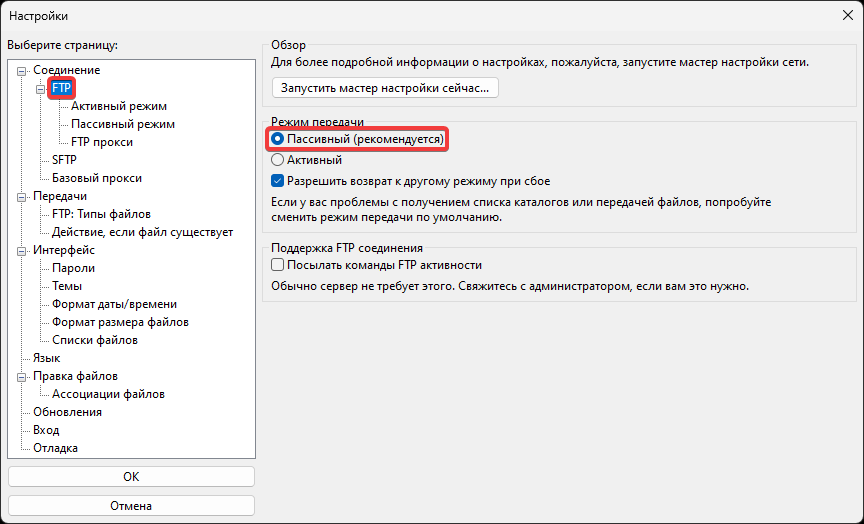
- In the main menu, select "Edit → Preferences":

- In the section "Connection → FTP", select "Passive (recommended)":
Binary FTP mode
Binary data transfer mode is necessary to ensure that the content of scripts (particularly JavaScript) is not altered when uploading via FTP. It can be enabled in FileZilla using any of the following methods:
In the main menu, select "Transfer → Transfer Mode → Binary":
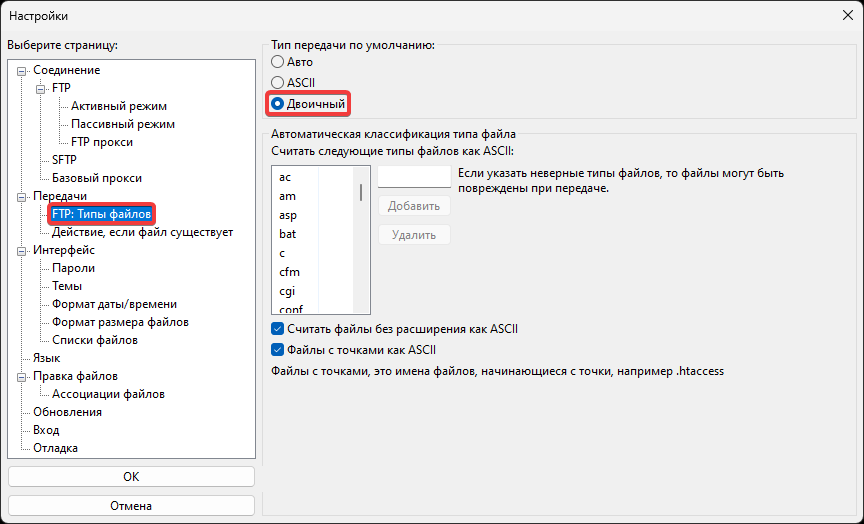
- In the main menu, select "Edit → Preferences":
- In the section "Transfers → FTP: File Types", select "Binary":
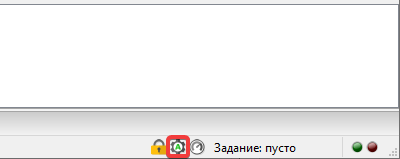
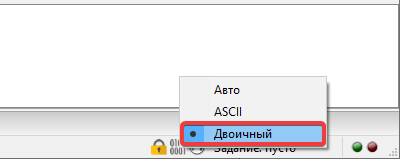
In the status bar during an active FTP connection:
- Press the data transmission mode toggle button:
- Select "Binary":
UTF-8 encoding
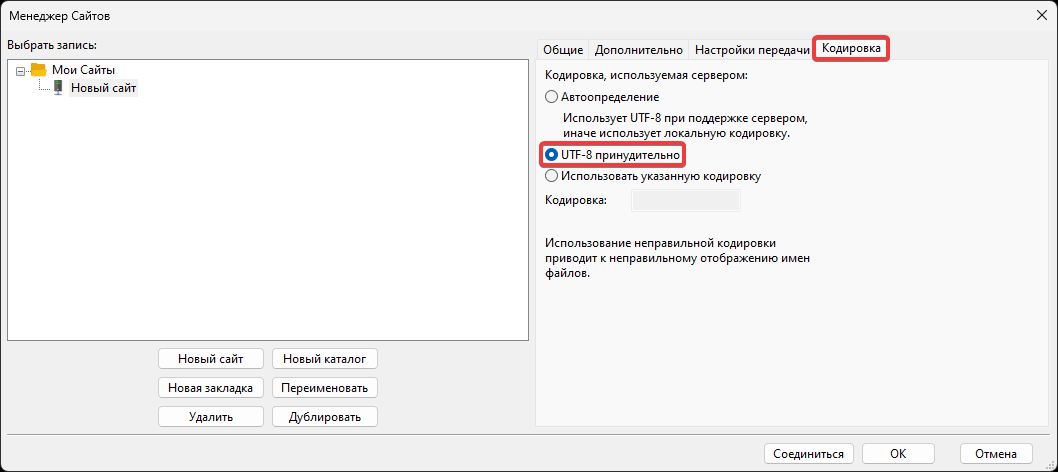
The hosting uses the standard UTF-8 encoding. If files have Cyrillic names or contain characters from other national alphabets, issues with displaying file names and accessing them may occur when creating or uploading such files using various FTP clients. To prevent such problems, it is recommended to configure the FTP client to forcibly use UTF-8. This is especially relevant when uploading files from devices running Windows.
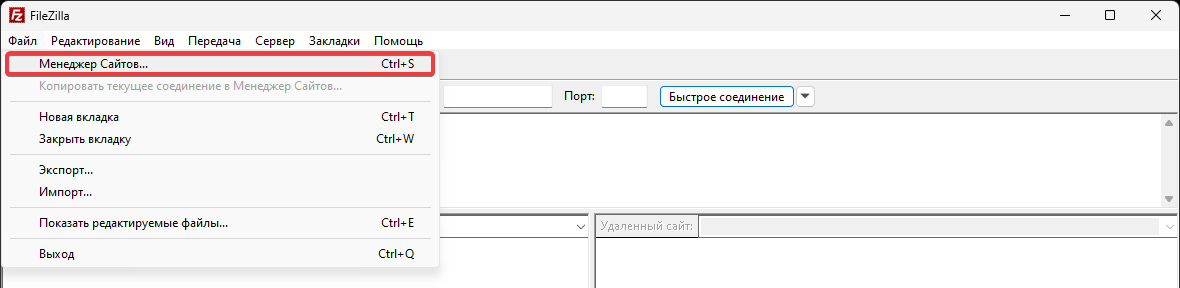
- In the main menu, select "File → Site Manager":
- On the "Charset" tab, select "Force UTF-8":
Disable FTP encryption
Important points:
- Use only in case of connection issues during the TLS initialization phase.
- If possible, instead of unencrypted FTP, use SFTP connection.
Some clients may experience issues when using FTP connections with encryption due to specific network settings or network equipment. A solution might be to disable encryption (insecure).
- In the main menu, select "File → Site Manager":
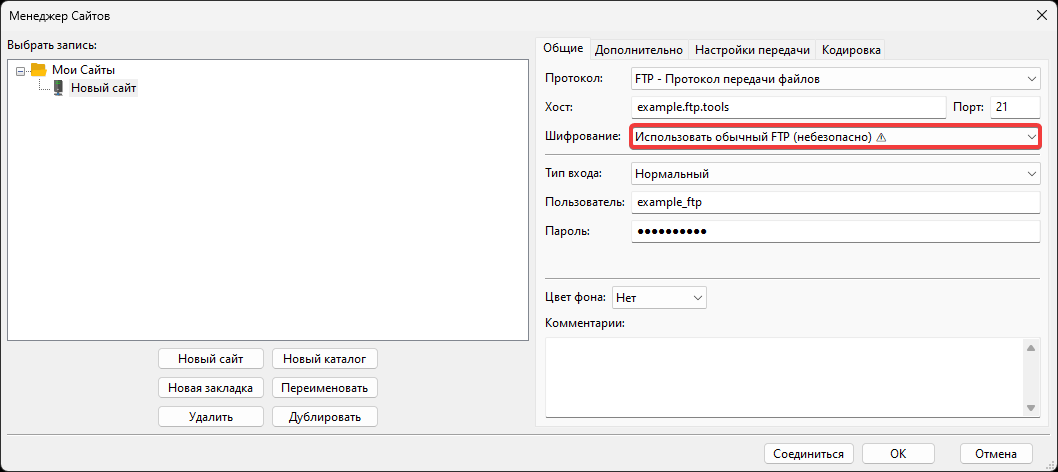
- In the field "Encryption", select "Use plain FTP (insecure)":