Manage cookies that are used for advertising, such as ad personalization, remarketing, and ad effectiveness analysis.
2.4.1.24. Screenshots of site's main page
Notes:
- When creating a screenshot, the main page of the site is accessed, so requests with User-Agent
adm.tools screenshot toolsmay appear in the access logs. - Screenshots are not created if the site does not respond to requests or returns a
4xxor5xxresponse. - Screenshots are only displayed in the control panel and are not accessible to other users.
For each site in the "My sites" section, a screenshot of its main page is created. Screenshots are created automatically about once a week. Only one screenshot is stored for each site. If no screenshot has been created for a site yet or the system cannot create one, a standard image with a camera icon will be displayed instead of the screenshot.
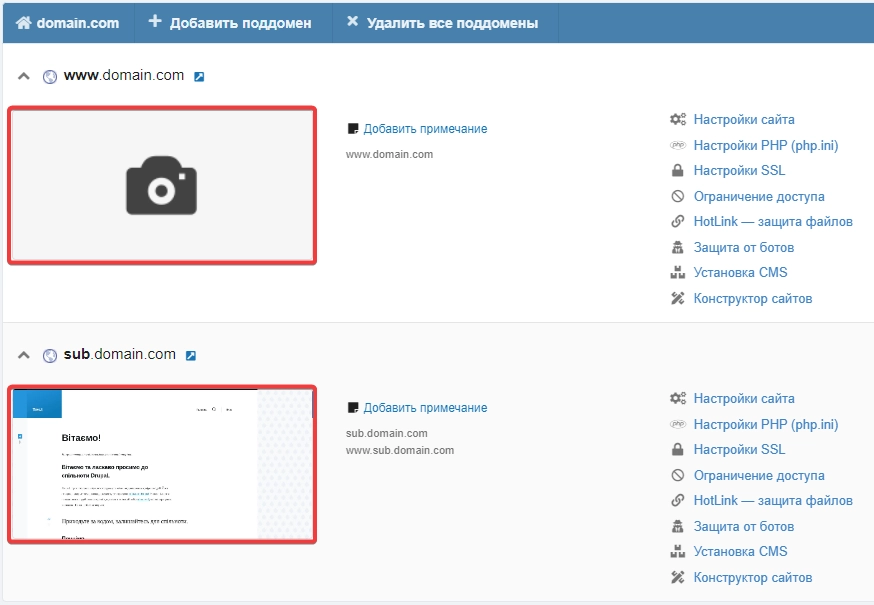
When you click on the screenshot, it expands to full screen. A tooltip displays the date and time the screenshot was taken and brief information about the conditions and frequency of screenshot creation.