Manage cookies that are used for advertising, such as ad personalization, remarketing, and ad effectiveness analysis.
5.3.16. Install Mikrotik RouterOS on VPS
Attention!
We recommend to install a special version of RouterOS for virtual machines — Cloud Hosted Router (CHR). The basic RouterOS build, which is targeted for RouterBOARD hardware, may not work stably on a VPS.- Mount System Rescue CD image and reboot the server.
- Configure network connection using nmcli:
- Determine the name of the network interface:
nmcli connection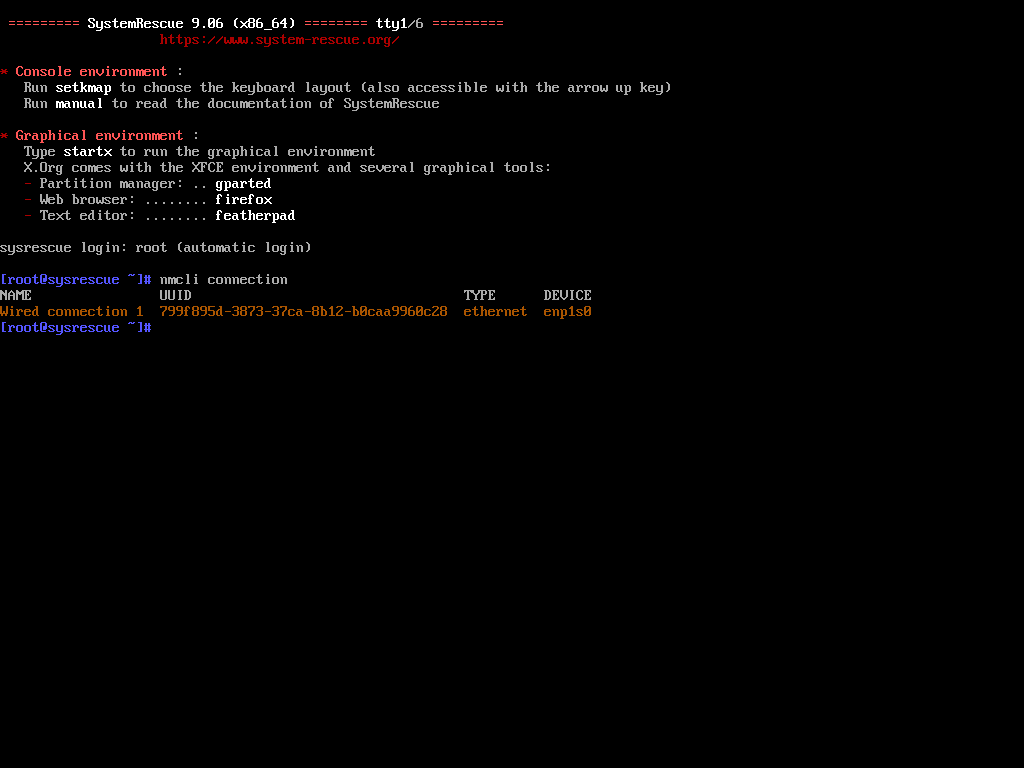
- If the default name of the network interface is like "Wired connection 1", you can change it to something more familiar, like "eth0":
nmcli connection modify Wired\ connection\ 1 connection.id eth0 - In the "VPS" section on the "IP addresses" tab, copy the main IPv4 address with the mask, the main gateway address, and execute the following commands (use the copied addresses in the first two commands):
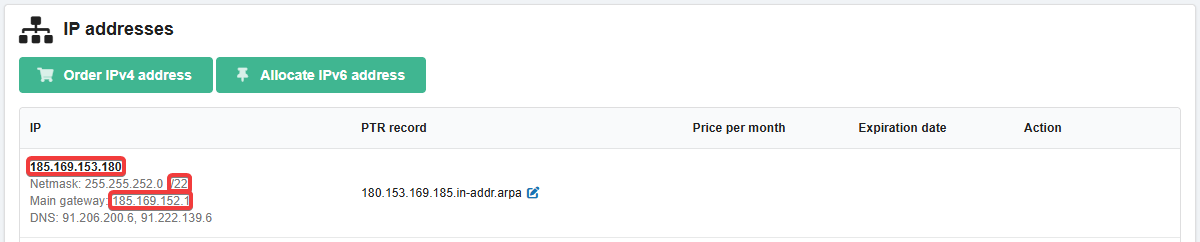
nmcli connection modify eth0 ipv4.address 185.169.153.180/22nmcli connection modify eth0 ipv4.gateway 185.169.152.1nmcli connection modify eth0 ipv4.dns 1.1.1.1,8.8.8.8nmcli connection modify ConName ipv4.method manual
- Install CHR (you can get a link to the required CRH version on the MikroTik site — section "Cloud Hosted Router", image "Raw disk image"):
curl -L https://download.mikrotik.com/routeros/7.19.4/chr-7.19.4.img.zip | funzip | dd of=/dev/sda bs=1M - Unmount System Rescue CD image and reboot the server.
(1)