Manage cookies that are used for advertising, such as ad personalization, remarketing, and ad effectiveness analysis.
2.14.2.16. Disable feedback form in Joomla!
When disabling the feedback form in Joomla!, you should take into account that such a form can be created both by the standard functionality and by third-party extensions. Hiding the default unprotected feedback form can help prevent unauthorized spam mailings using it.
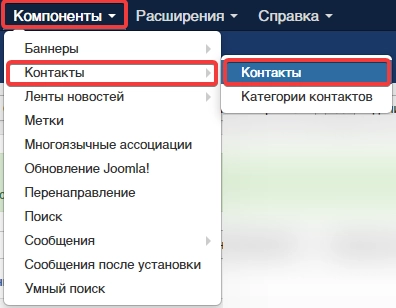
- Go to "Components → Contacts → Contacts":
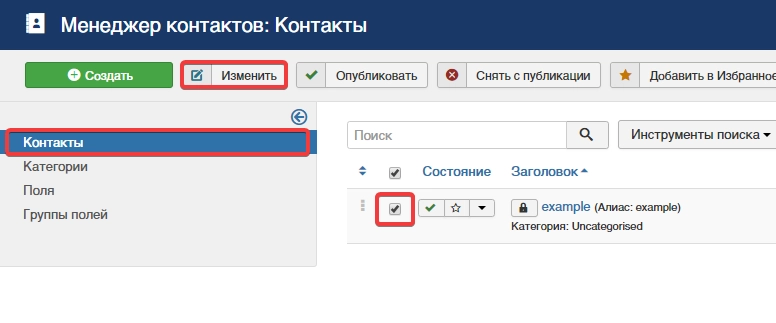
- Select the contact for which the feedback form is enabled, and click "Edit":
- Switch to "Contact display settings" tab and in "Show feedback form" field select "Hide":
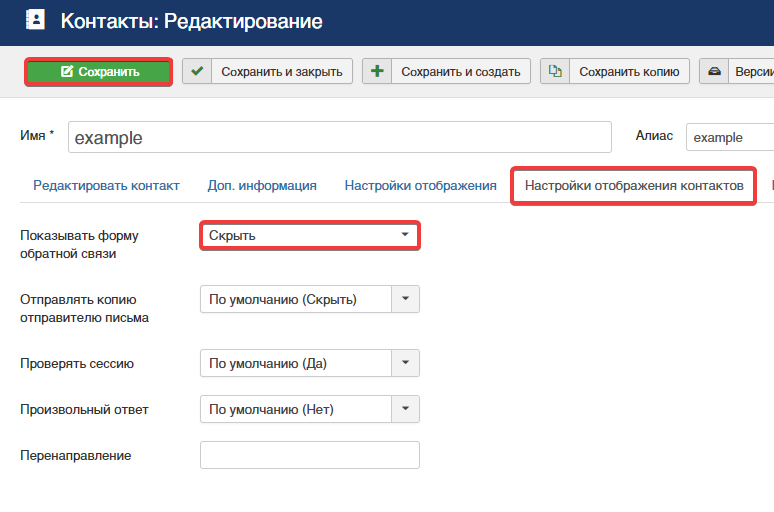
- Save the changes.