Manage cookies that are used for advertising, such as ad personalization, remarketing, and ad effectiveness analysis.
2.6.1.11. MySQL server configuration
Version
Version can be changed in MySQL settings.
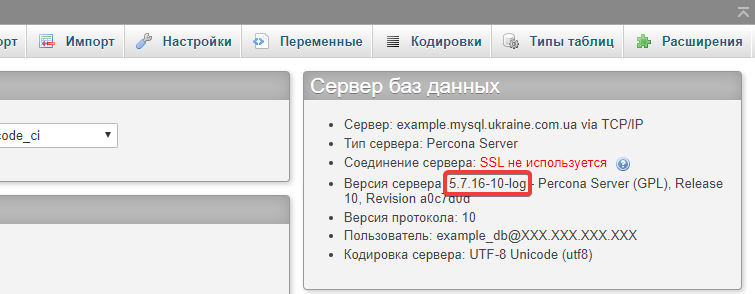
You can find out the current version of MySQL server in several ways:
- View in phpMyAdmin:
- Execute SQL query:
SELECT VERSION(); - Connect to the hosting via SSH and run any of the commands:
mysql -Vmysql --version
Parameters
Parameters are not available for global modification, as this will affect all clients on the server. However, for some parameters, you can change values at the session level.
All parameters and values
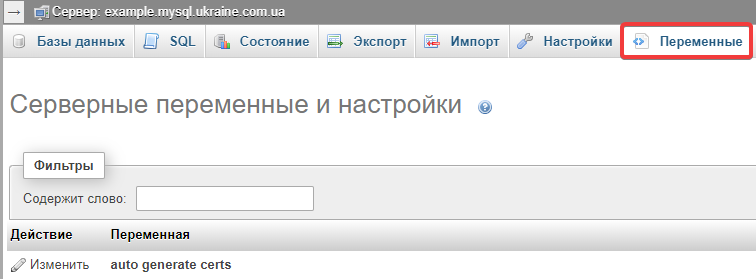
The list of all MySQL server parameters and their values can be viewed in several ways:
- View in phpMyAdmin at the "Variables" tab:
- Execute SQL query:
SHOW VARIABLES;
group_concat_max_len
Maximum allowed result length in bytes for the GROUP_CONCAT() function. Can be changed by query at session level:
SET group_concat_max_len = 10000;local_infile
The parameter is disabled and execution of the LOAD DATA LOCAL INFILE command is not supported.
max_allowed_packet
Maximum packet size. Equals 64 MB and cannot be changed.
system_time_zone
The time zone can be changed by request at the session level, for example:
SET time_zone = '+03:00';SET time_zone = 'Europe/Kiev';SET time_zone = 'UTC';We recommend to check the documentation for your CMS, framework, scripts and set the right time by their own methods.
You can use a query to view the system time zone of the server:
SHOW VARIABLES LIKE '%system_time_zone%';If the time zone has been changed within the current session, its value can be checked by query:
SHOW VARIABLES LIKE '%time_zone%';Events
On shared hosting and business hosting, the scheduler is disabled (the event_scheduler parameter is OFF) and cannot be enabled. To run scheduled jobs, use alternative methods, such as cron.
(3)