Manage cookies that are used for advertising, such as ad personalization, remarketing, and ad effectiveness analysis.
10.14. Pay via EasyPay terminals
Important points:
- Only for Ukrainian individuals. Not available for FOP, legal entities, and accounts without a type set.
- To renew services with payment for a period (not daily) after recharging your balance, you must log in to your account with these services and pay for them from your balance. If you simply recharge your balance, such services will not be renewed.
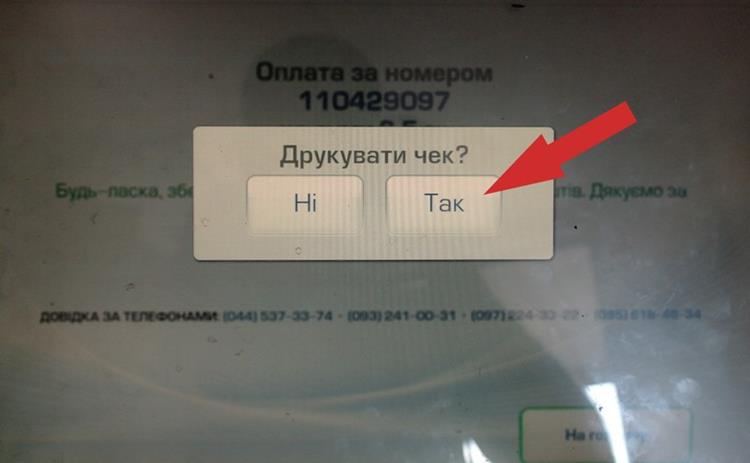
- If the payment is not credited, please contact online chat and provide a copy of the receipt printed by the terminal.
You can recharge your balance via EasyPay terminals. To recharge, use your account ID. You can use the funds from your balance to pay for the services you need.
- Find an EasyPay terminal.
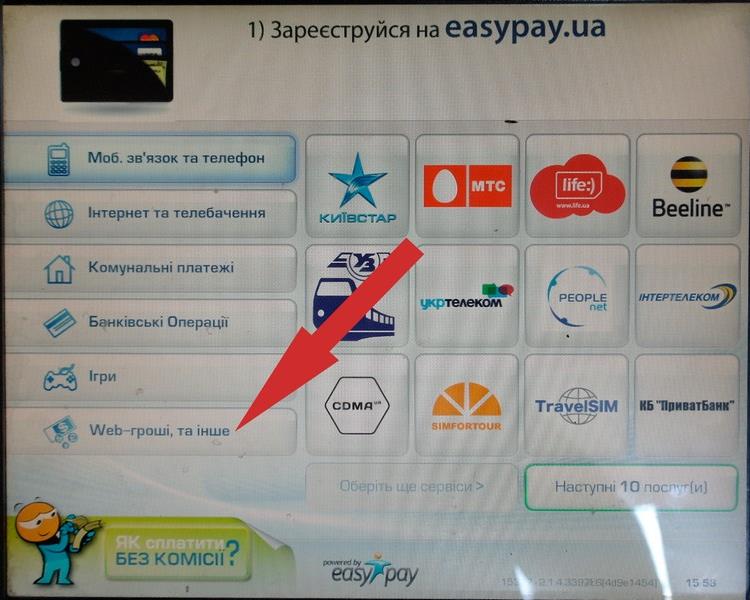
- In the terminal menu, select "Web money, and other":
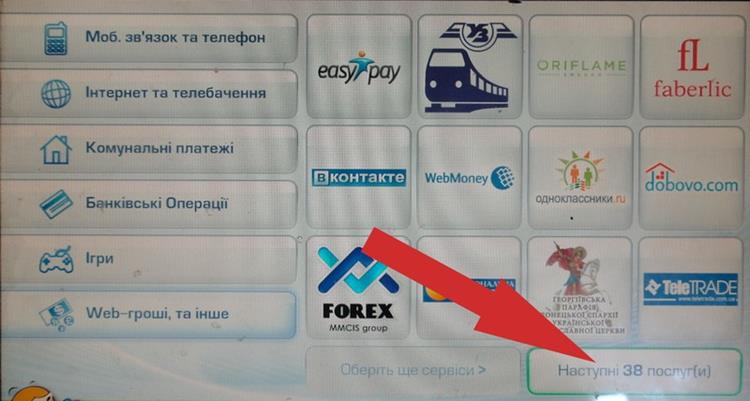
- Press "Next 38 service(s)":
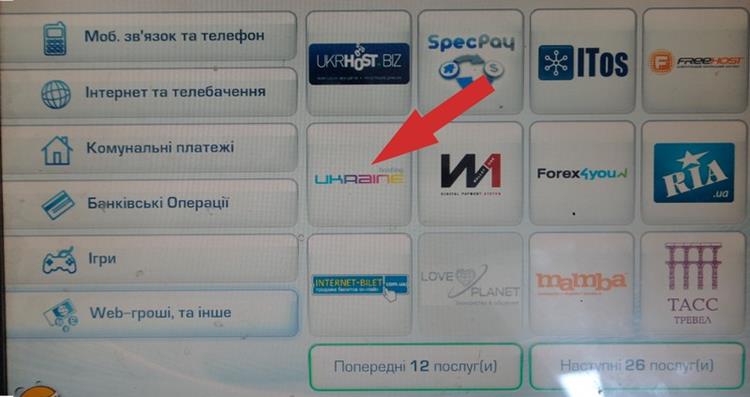
- Press on our logo:
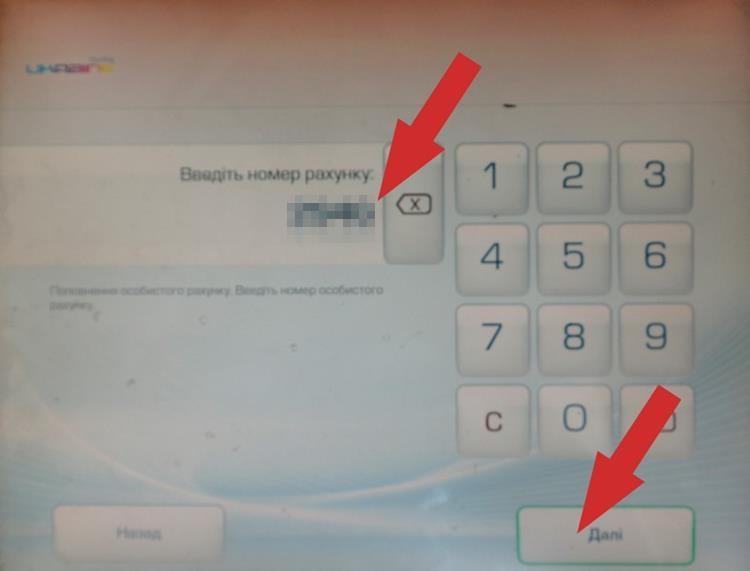
- As the invoice number, enter your account ID and press "Next":
- Make sure you have entered the correct ID (the screen will display a partially hidden account email), enter the required amount, and press "Next":
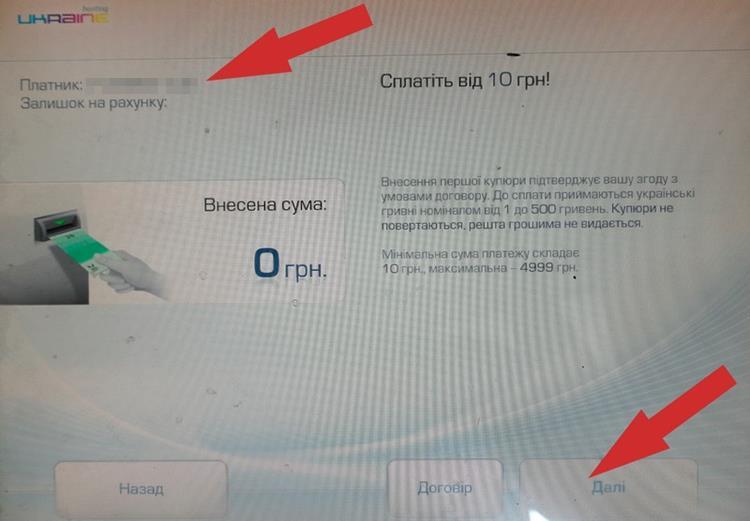
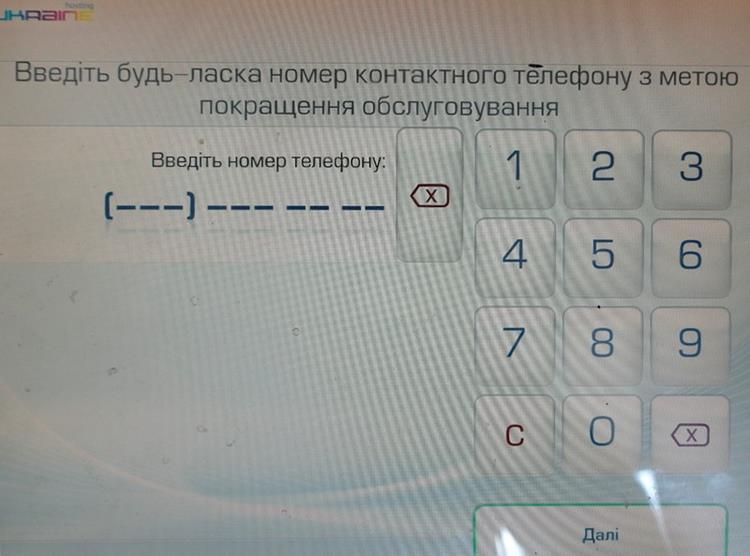
- EasyPay will ask you to enter your phone number — you can skip this step by pressing "Next":
- The terminal will offer to print a receipt — press "Yes" and be sure to keep the receipt:
- Pay for the services you need from your balance.
The balance is recharged instantly. You will get the full amount you deposited. There is no transaction fee.