Manage cookies that are used for advertising, such as ad personalization, remarketing, and ad effectiveness analysis.
10.23. Anonymous payment
Important points:
- Via the anonymous payment form, you can restore deleted hosting accounts.
- The anonymous payment form can't be used to pay for:
- When using the anonymous payment form, do not apply discounts under the loyalty program. To use them, the service must be renewed by its owner from their account.
Anonymous payment is intended for paying for services without access to the account in which they are located. It can be useful in the following situations:
- When you are unable to log in to your account and need to urgently renew the services located in it.
- When you need to pay for the services of another user who has delegated you access to them.
- When it is unknown in which account the services are located, or there is no connection with its owner.
When paying for a delegated service, the form is filled in automatically.
Procedure
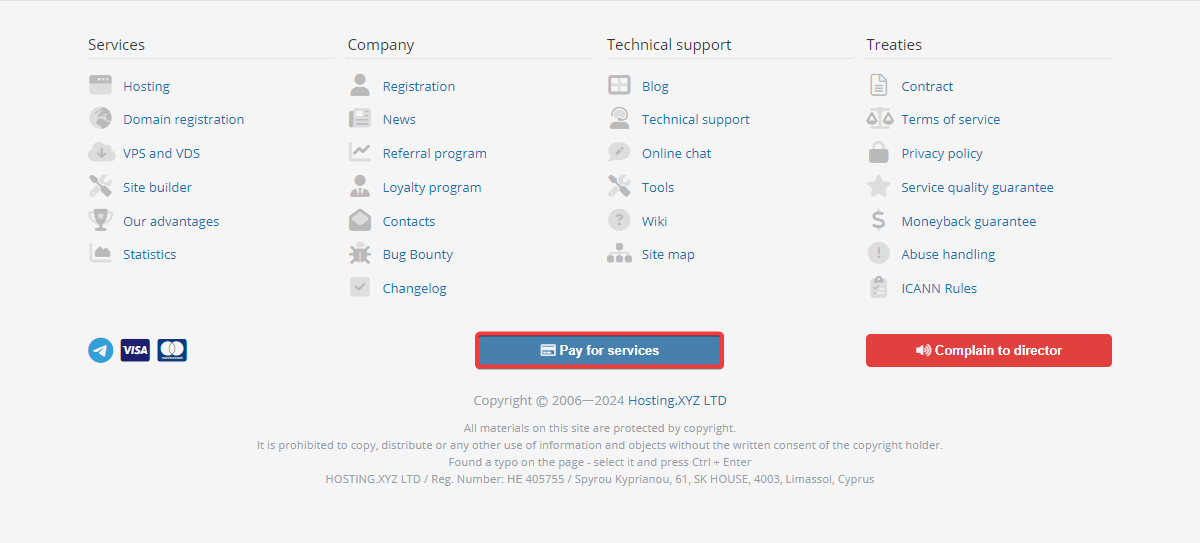
- Follow the direct link or click "Pay for services" at the bottom of any page on our site:
- Fill out the form and click "Pay" or "Recharge balance":
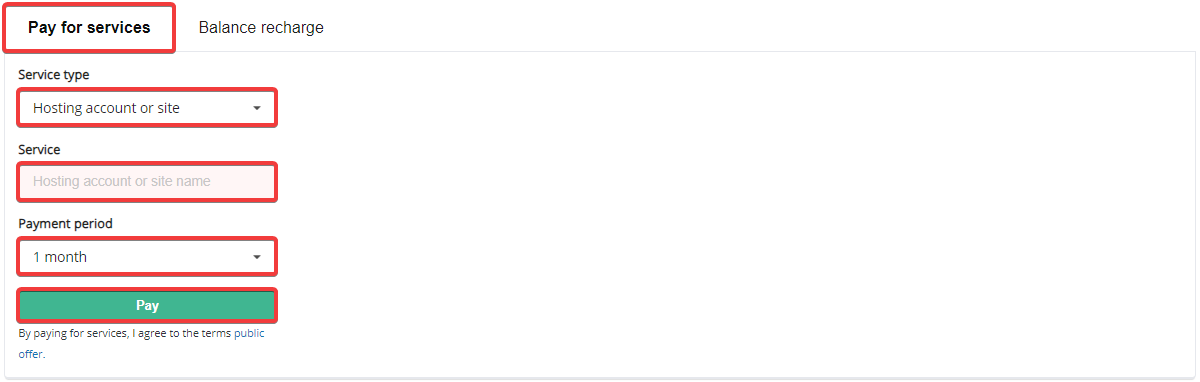
- "Service type" — the type of service to be paid for:
- "Domain" — payment for a domain by its name.
- "VPS" — payment for a VPS by its number.
- "Dedicated" — payment for a dedicated server by its number.
- "Service" — the name of the service to be paid for:
- To pay for a domain — domain name.
- To pay for a VPS or dedicated server — server number. When specifying the full number in the form
VPS-XXXXXXorDedicated-XXXXXX, the corresponding service type is selected automatically; if only numbers are specified, the service type must be selected manually. Attention! The server's user name (alias) is not suitable for this field.
- "Payment period" — for hosting is 1-12 months, for other services only minimal and cannot be changed. Only the service owner can choose a different period when creating an invoice from their account.
- "EDRPOU" (only for Ukrainian legal entities) — enter the EDRPOU code of the service owner (it must match the code specified in the account of the current service owner). Important! Foreign legal entities can only pay for services from their account; payment without authorization is not available to them.
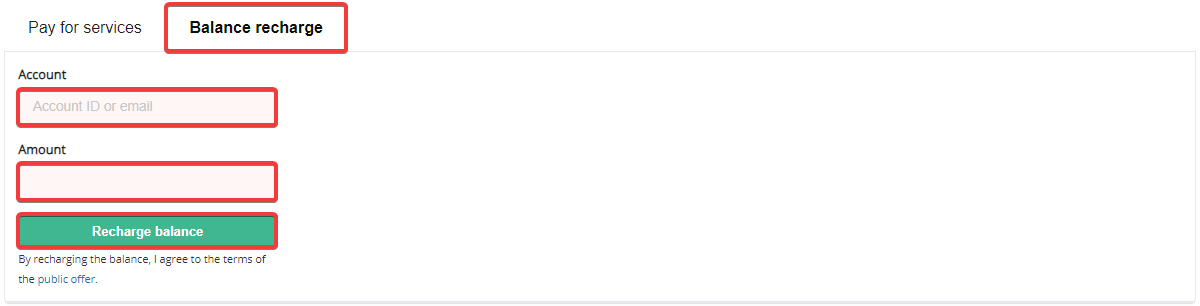
- "Amount" — the amount you need to recharge the balance.
- "EDRPOU" (only for Ukrainian legal entities) — enter the EDRPOU code of the account owner. Important! Foreign legal entities can recharge balance only from their account; payment without authorization is not available to them.
- If any data has been entered incorrectly, an error message will appear in the upper right corner. If the data has been entered correctly, depending on the account type of the service owner, the appropriate payment option will be provided:
- If the owner is an individual or FOP, a Visa or MasterCard payment form will be displayed. Attention! We do not accept payments with corporate cards (cards linked to the settlement accounts of legal entities). If you try to pay with such a card, you will get an error message saying that the limit has been exceeded.
- If the owner is a legal entity — the invoice will be downloaded for subsequent payment for the service.
Disable anonymous payment
The option to pay for services anonymously can be disabled. To do this, in the "Personal data" section on the "Security" tab in the "Anonymous payment" block, enable the "Disable anonymous payment for services" option: After that, when attempting to make an anonymous payment for any service located in this account, the notification "User has disabled anonymous payment option" will be displayed.
(1)