Manage cookies that are used for advertising, such as ad personalization, remarketing, and ad effectiveness analysis.
2.14.3.24. Move storage directory outside OpenCart root directory
Attention!
Backups of the site on the hosting do not include directories that are outside the root directory. Such directories will only be available in the backup of the entire hosting account.
In OpenCart, to ensure greater security for site files, the storage directory can be moved outside the site root directory. This is done so that the directory cannot be accessed via HTTP.
This transfer can be performed automatically or manually.
Conditions for automatic transfer:
- The
storagedirectory is located in the site root directory. - OpenCart version 3.0.3.0 or higher is used.
- No changes were made to the OpenCart settings.
- Moving the
storagedirectory using the CMS itself. In this regard, there may be additional conditions for its correct operation.
To automatically transfer the storage directory, do the following:
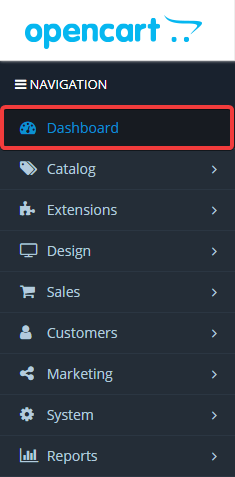
- In the sidebar, go to the "Dasboard" section:
- If all conditions are met, a window will appear with a suggestion to move the
storagedirectory outside the site directory. To move the directory, click "Move":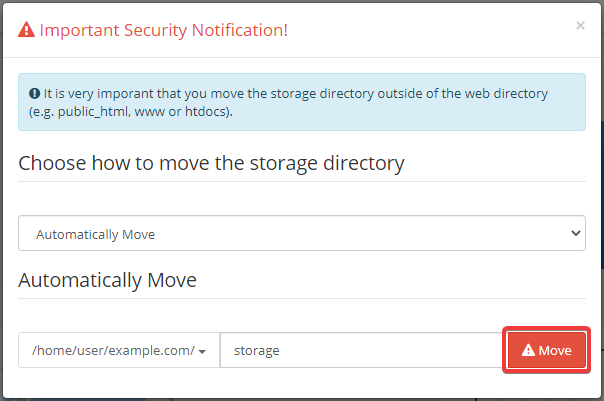
To move the
storage directory outside the site root directory, do the following:- Using the file manager or any FTP client, move the
storagedirectory from site root directory to the level above — to the directory with the name of the main domain (so that it is accessible via the pathexample.com/storage/, whereexample.comis the name of the main domain). - Edit the OpenCart configuration files or use universal configuration files by changing the line:
define('DIR_STORAGE', DIR_SYSTEM . 'storage/');To the following:
define('DIR_STORAGE', '/home/user/example.com/' . 'storage/');Instead of
user, specify the name of your hosting account, and instead ofexample.com, specify the name of the main domain without subdomains.