Manage cookies that are used for advertising, such as ad personalization, remarketing, and ad effectiveness analysis.
10.2.5. Transfer of balance between accounts
Important points:
- For individuals only. The account types of the sender and recipient must be individual. For FOPs and legal entities the transfer is not available in either direction.
- Currency must match. Both accounts must use the same currency.
- A successfully completed transfer cannot be canceled. The only way to return the funds is to perform the same actions in the account to which the transfer was made.
- No fees. The recipient is credited with exactly the amount that was debited from the sender.
- Open the "Balance" section.
- Click "Transfer balance".
- Specify the transfer amount, the recipient's data (account email and ID) and click "Transfer balance":
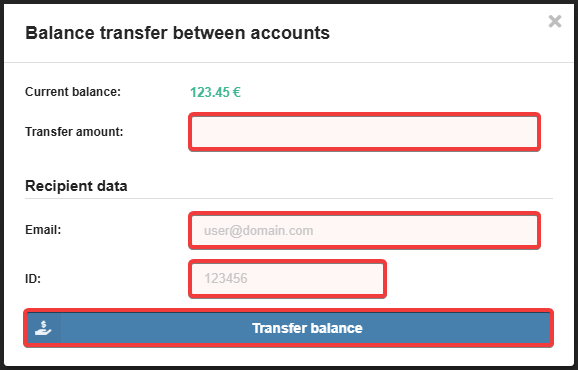
As a result, the specified amount will be debited from the balance of the current account and credited to the balance of the recipient's account.
(2)