Manage cookies that are used for advertising, such as ad personalization, remarketing, and ad effectiveness analysis.
2.6.1.1.15. View and terminate all active processes and connections to MySQL
You can view a list of all active MySQL processes in the "Databases" section (or "Hosting → Databases") using the "Processes" button at the top of the page.
The list displays the processes for all databases and their users in the current hosting account: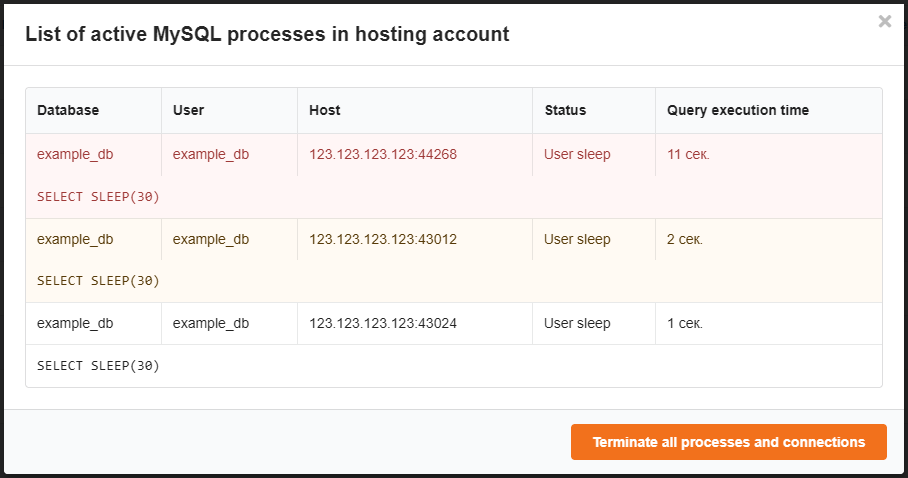
For your convenience, each request is highlighted in a different color depending on its execution time:
- Less than 1 second — no color.
- More than 1 second — yellow.
- More than 10 seconds — red.
To forcefully terminate all active processes and connections, use the "Terminate all processes and connections" button.