Manage cookies that are used for advertising, such as ad personalization, remarketing, and ad effectiveness analysis.
2.6.1.2.1.9. Search database contents using phpMyAdmin
- Log in to phpMyAdmin.
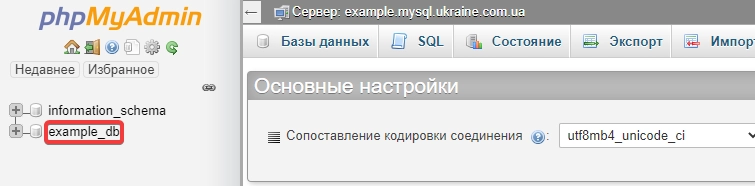
- Select the database from the list on the left:
- Fill out the search form and click "Go":
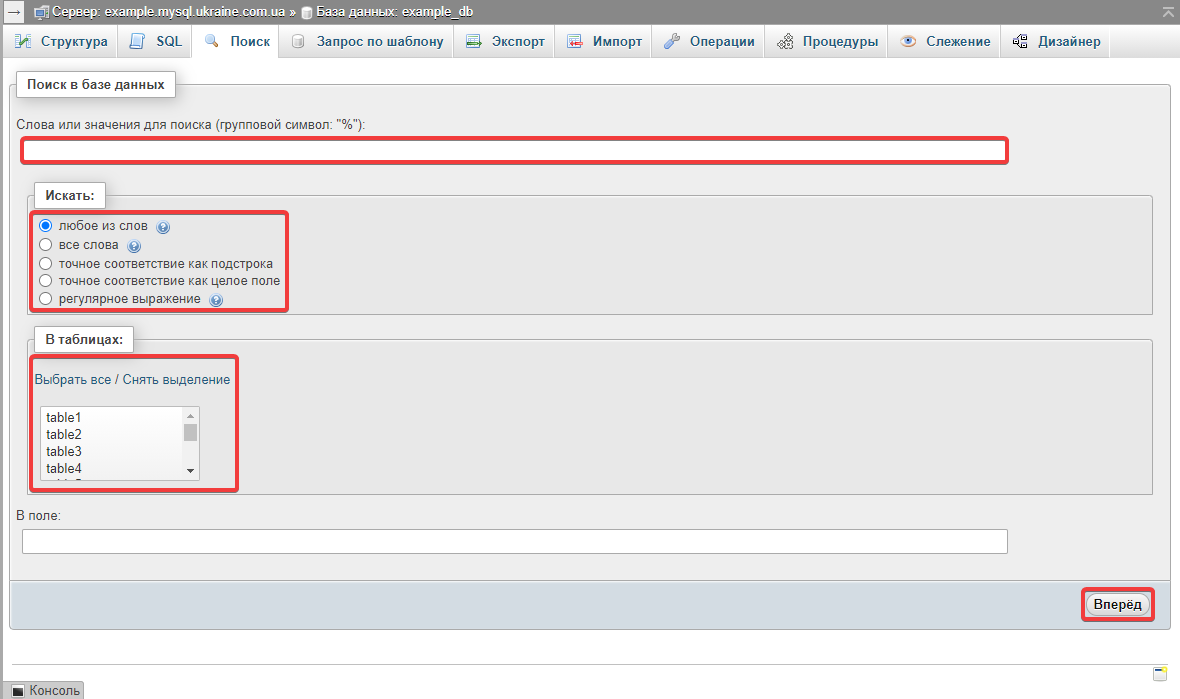
- "Words or values to search for" — what you want to find.
- "Find" — search method:
- "at least one of the words" — rows containing any of the specified words will be found.
- "all of the words" — rows containing all of the specified words will be found.
- "the exact phrase as substring" — strings containing the specified substring will be found.
- "the exact phrase as whole field" — rows containing fields that exactly match the specified string will be found.
- "as regular expression" — a search based on regular expressions, which allows you to specify more complex rules.
- "Inside tables" — the tables you want to search (use "Select all" to search the entire database).
- The search results will display a list of the tables searched and the number of rows found in each:
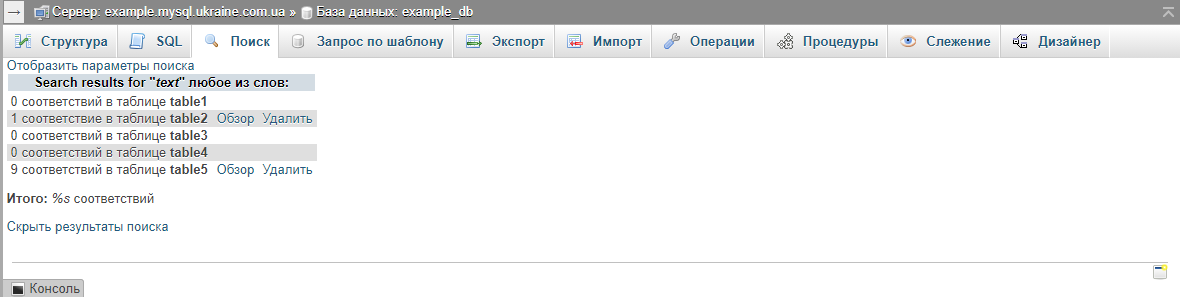
- "Show search criteria" — expand the form from the previous step and change the search criteria.
- "Browse" — view and edit the found rows.
- "Delete" — deletes the found rows from the table.