Manage cookies that are used for advertising, such as ad personalization, remarketing, and ad effectiveness analysis.
10.4.1.6. Sign received document in Vchasno
- Log in to your account in the Vchasno service.
- In the left-hand menu, select "Inbox":
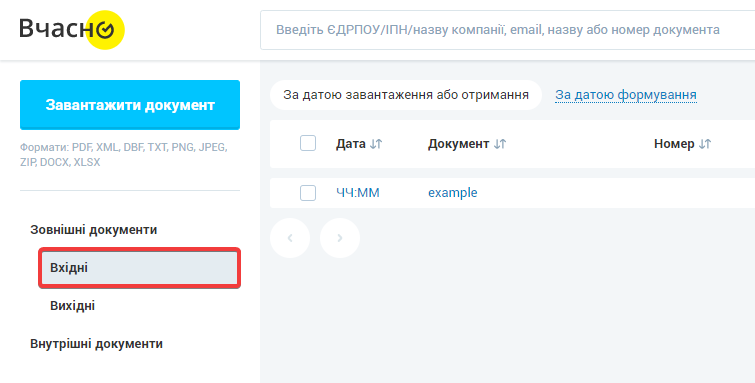
- In the document list, open the received document:

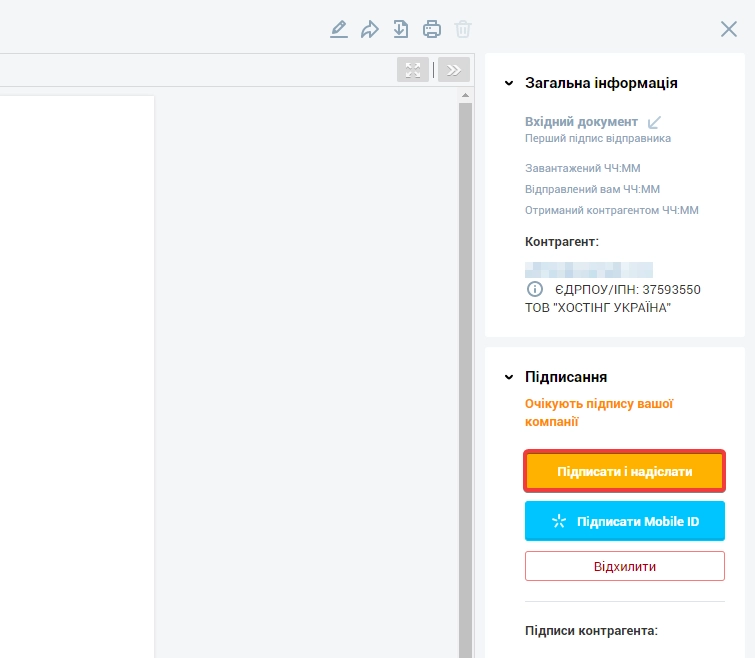
- Click "Sign and send":
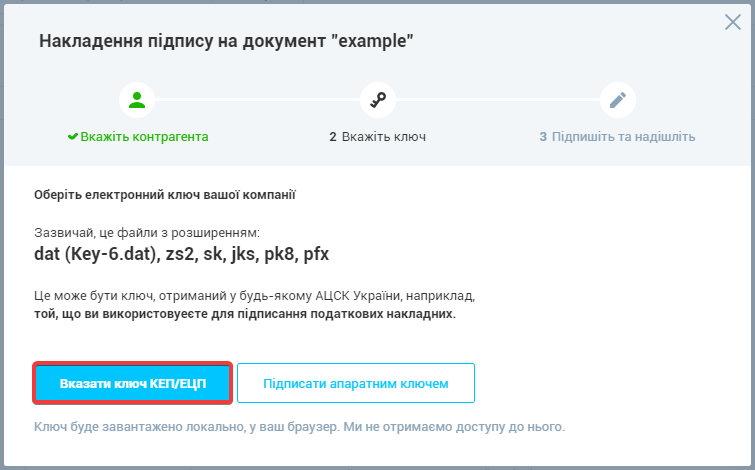
- Click "Specify QES/EDS key" and upload the key file:
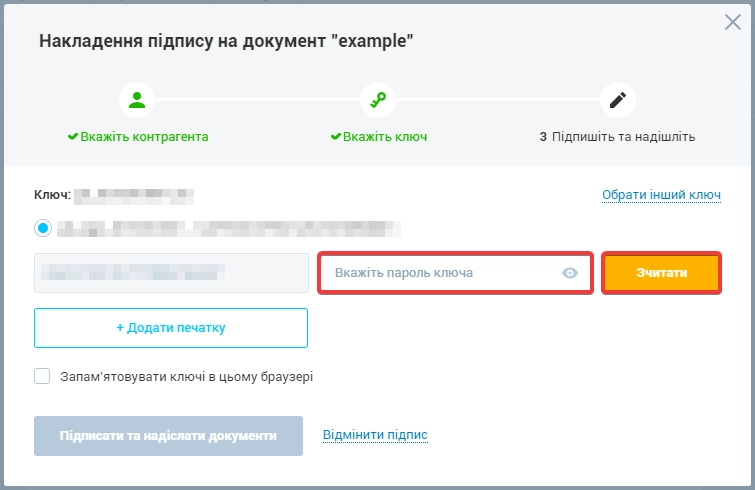
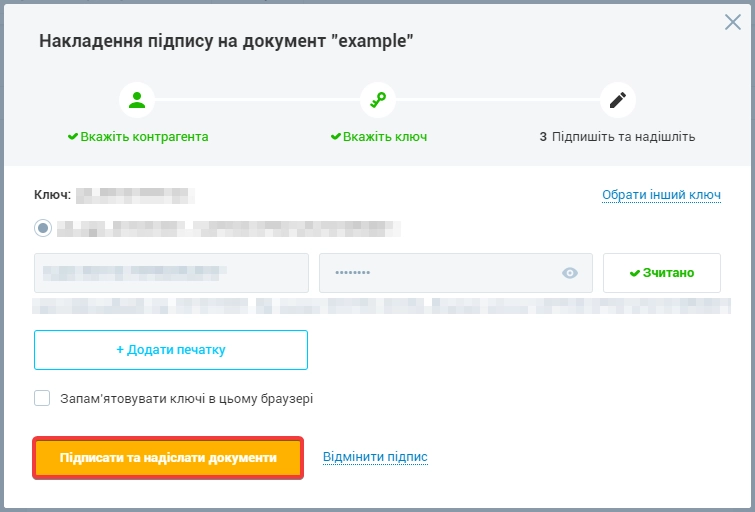
- Enter the key password and click "Read":
- Click "Sign and send documents":
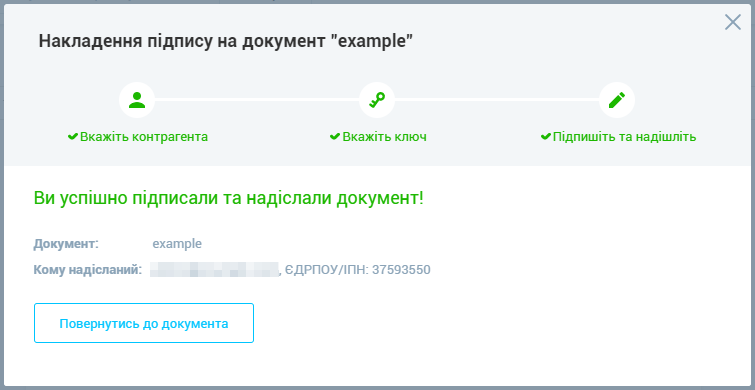
- After signing, the service will notify you that the document has been successfully signed and sent:
- Wait for the results of the document review (usually within a few minutes after signing and sending).