Manage cookies that are used for advertising, such as ad personalization, remarketing, and ad effectiveness analysis.
10.4.2.3. Sign and send document via Paperless
Our address in Paperless
To send us documents in Paperless, please specify the recipient asapplication@ukraine.com.ua.
- Sign in to your account on the Paperless site.
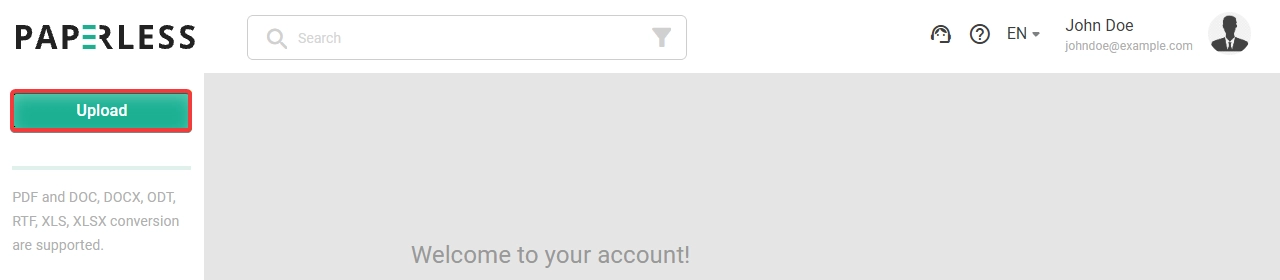
- Upload document:
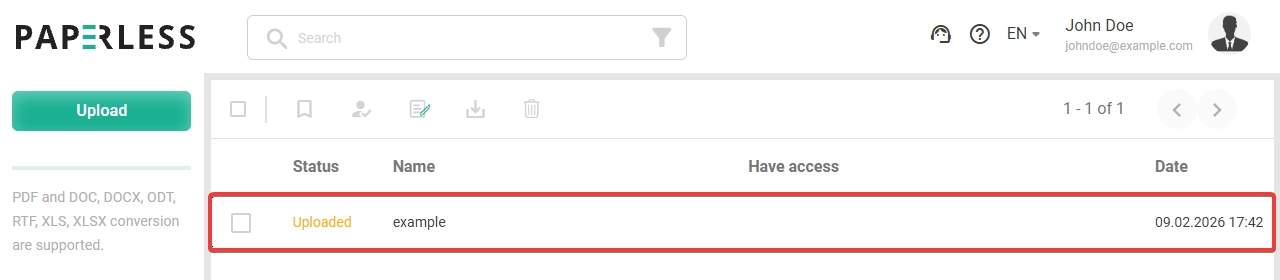
- Open the uploaded document:
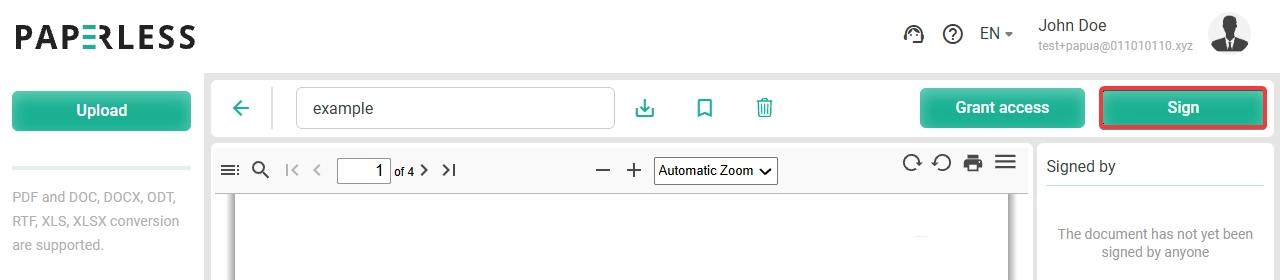
- Sign the document:
- Click the sign button:
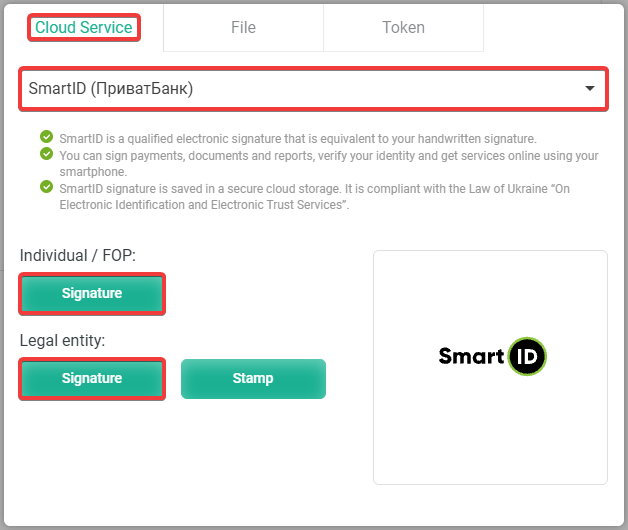
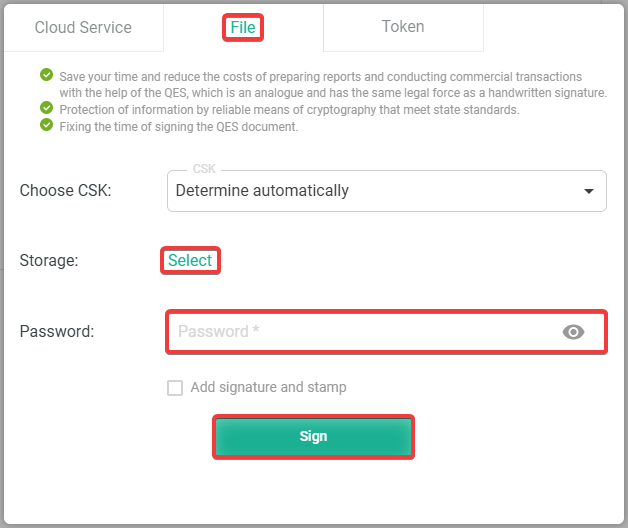
- Use a cloud signature, file key, or token:Select the service with your cloud signature and sign the document:
 Select the file key, enter the password, and sign the document:
 Use the token and sign the document: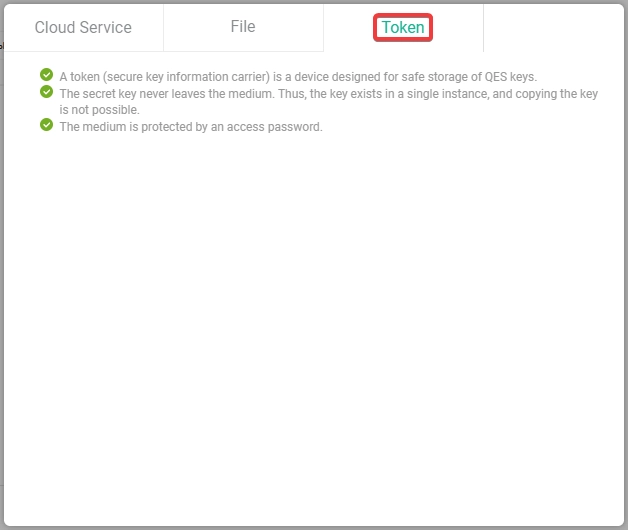
- After signing, information will appear stating that the document has been signed:
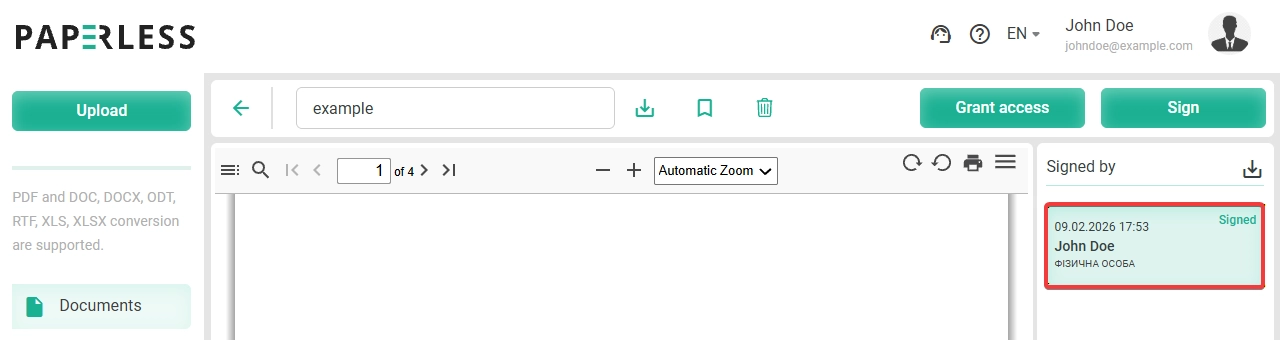
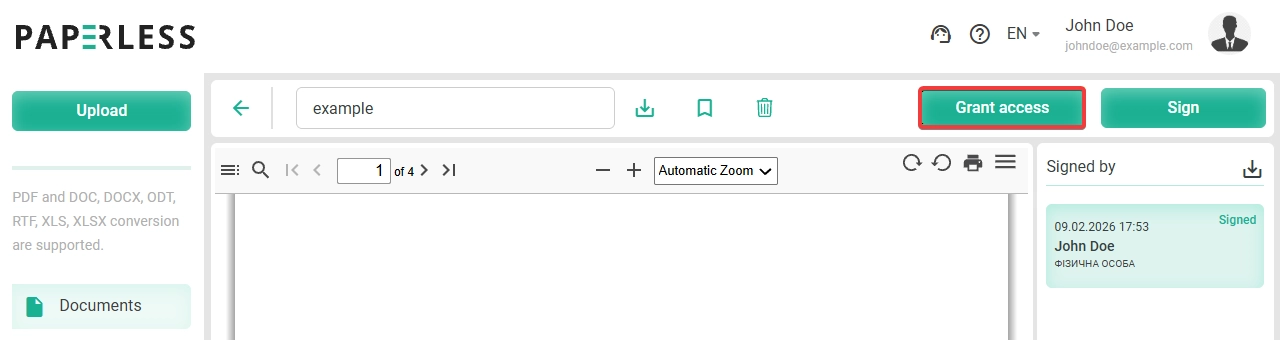
- Grant us access to the signed document:
- Click the grant access button:
- Enter our email address
application@ukraine.com.uaand click the send button: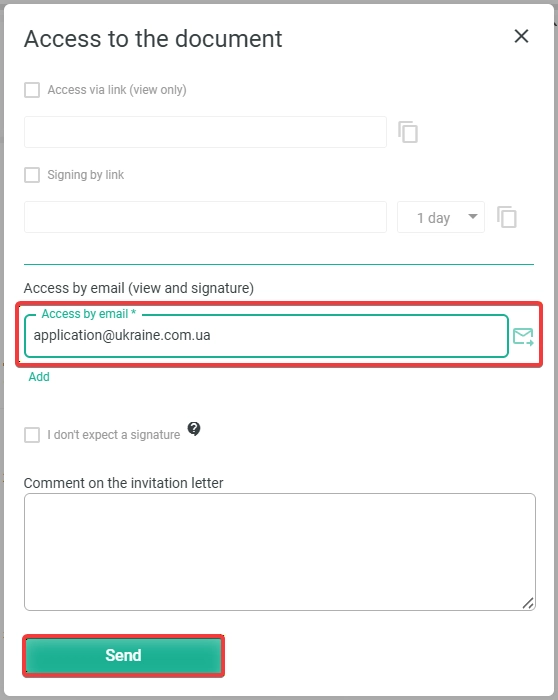
- After sending, information will appear stating that access has been granted:
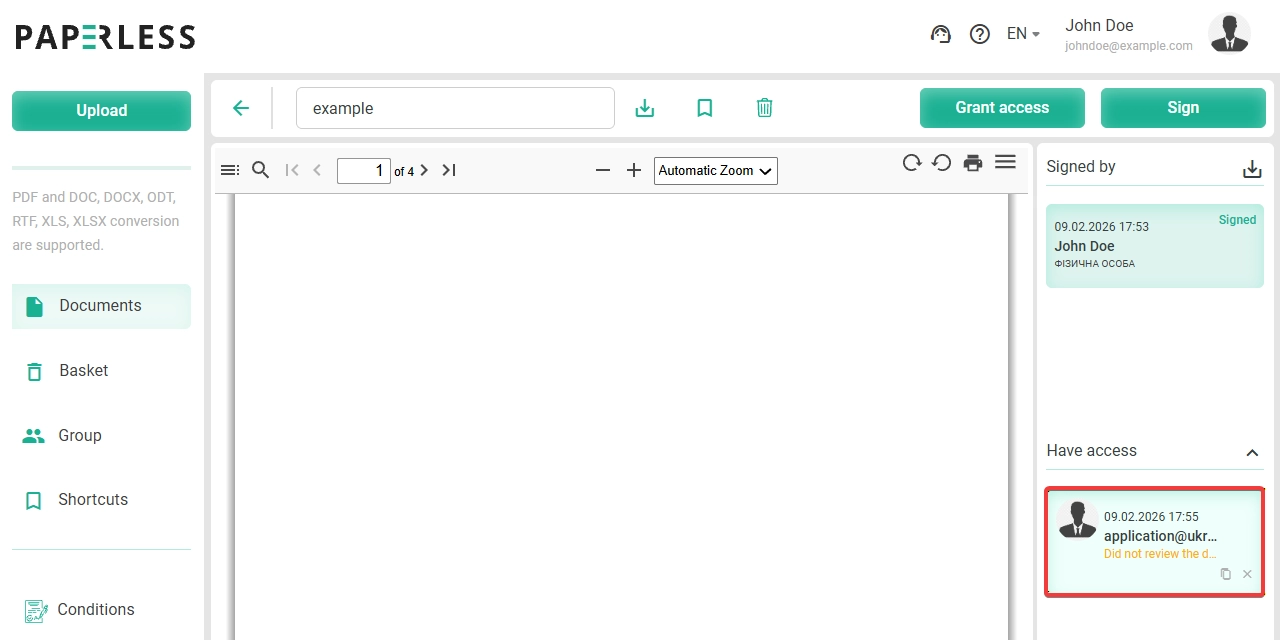
- Wait for the results of the document review (usually within a few minutes after signing and granting access).