Manage cookies that are used for advertising, such as ad personalization, remarketing, and ad effectiveness analysis.
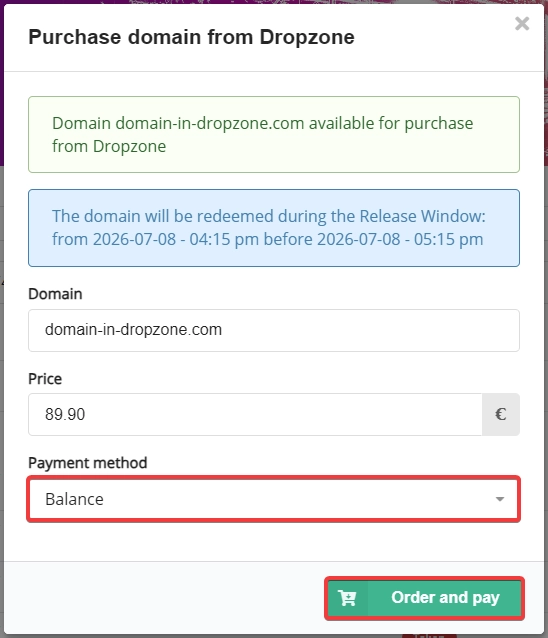
3.3.13. Purchase domain from Dropzone
Attention!
You can cancel a request to purchase a domain from Dropzone only before the Release Window begins. Once the Release Window begins, the request can be canceled in only one case — if, after the registry has reviewed all requests, the domain is allocated to someone else.Important points:
- Dropzone is not available in all zones.
- The amount of the purchase fee is set by the registry (not the registrar).
- Domains with excessively high fees are not purchased automatically. To purchase such domains, you must either wait for the price to drop or submit a request via online chat for manual processing.
In some domain zones, domains are not released immediately after the end of their lifecycle; instead, they are placed in the Dropzone. During this period, the domain is sold with an additional fee charged by the registry. The fee gradually decreases until the domain is purchased or the Dropzone period ends.
How Dropzone works
- After Pending Delete, the domain is moved to the Dropzone.
- Dropzone operates on the principles of a Dutch auction, in which the price gradually decreases.
- Purchase requests are processed by the registry only during a designated time period — the Release Window (13:15-14:15 UTC).
- At 16:15 UTC, the registry begins Domain Allocation — the publication of results.
- The domain is allocated to the first person to submit a request.
- If no one purchases the domain, it remains in the Dropzone, and the purchase fee is reduced the next day.
- The maximum length of time a domain can remain in the Dropzone — 14 days.
- If no one purchases the domain within 14 days, it will eventually leave the Dropzone and become General Availability (available for standard registration).
Purchase procedure
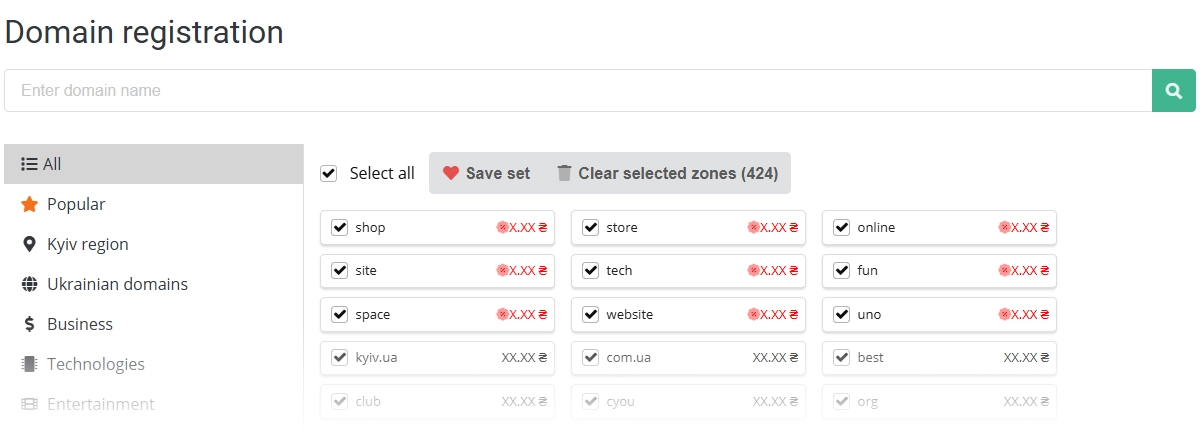
- Open the "Domain registration" page.
- Enter the domain name and click 🔍:
- In the search results, click "Purchase from Dropzone":

- Once the Release Window begins, the redemption request is submitted to the registry for review:

- After Domain Allocation, if your application is the first one, the domain will be registered and will appear in your account in the "Domains" section:
 If the application is unsuccessful, it will be canceled and the funds will be refunded:
- A notification regarding the outcome of the application review is sent to your email and to your connected messaging apps.